Rhino Blender Exchange 1.3.1
 ShoeMaster



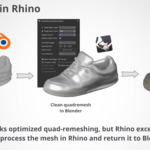
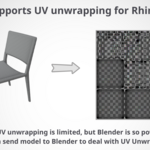
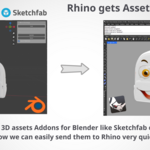
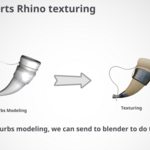
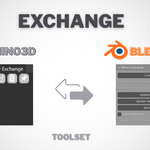
Rhino Blender Exchange (RBE) v1.0.0 Documentation
System Requirements
- Compatibility: Rhino 8, Blender 4.4, and Blender 4.5.
- Supported Data: Mesh geometry only.
- Unsupported Data: NURBS, Curves, SubDs, Dimensions, Hatches (planned for future versions).
- Additional Requirements: No additional hardware or software needed.
Installation
Rhino Installation
Simply install RBE 1.3.1 from package manager or drag the rhc file (download file) to Rhino Window
Verify the “Blender Exchange” tab appears in the Rhino toolbar.
Blender Installation
- Download the RBE addon as a
.zipfile (named “Rhino Exchange”). - In Blender, go to
Edit > Preferences > Add-ons. - Click
Install, browse to theRhino Exchange.zipfile, and select it to install. - Enable the addon by checking the box next to “Rhino Exchange” and save preferences.
Get Started / Initial Setup
RBE facilitates mesh transfers between Rhino and Blender via a dedicated folder. The workflow typically starts with a Rhino .3dm file.
- In Rhino, create and save a
.3dmfile in your desired location. - In Blender, go to the “Rhino Exchange” tab in the 3D Viewport’s sidebar (
Nkey), clickLink, and select the.3dmfile to connect the two applications.
Rhino Functions
- Send: Exports mesh objects to Blender. If no objects are selected, all visible meshes in the viewport are sent. If specific objects are selected, only those are sent.
- Update: Imports updated meshes from Blender. If no objects are selected, all meshes are updated; otherwise, only selected objects are updated.
- Clean: Removes temporary files from the Rhino Blender Exchange folder.
- Delete Folder: Deletes the entire Rhino Blender Exchange folder.
- Pin: Renames a Rhino object by appending a sequence number, excluding it from future updates.
Blender Functions
-
Link: Connects Blender to the Rhino
.3dmfile. -
Update All: Updates all
.objfiles in the Rhino Blender Exchange folder. - Update Selected: Updates only the selected objects.
- Send: Exports selected objects to the Rhino Blender Exchange folder for transfer to Rhino.
- Material Checkbox: Enable to export materials (supports simple texture map setups; complex shader nodes are not yet supported).
Texture Support
- Textures (PNG, JPG) are preserved if the Material Checkbox is enabled in Blender. Ensure textures are linked correctly in the source software.
Supported Features and Limitations
Current Features
- One-click mesh transfer between Rhino 8 and Blender 4.4/4.5.
- Selective or full mesh updates.
- Simple texture map preservation (PNG, JPG).
- Intermediary folder management (clean or delete).
- Object pinning to exclude from updates.
Limitations
- Supports only mesh geometry in v1.0.0.
- NURBS, Curves, SubDs, Dimensions, and Hatches are not supported (planned for future versions).
- Complex shader nodes in Blender are not supported; only simple texture maps are preserved.
Future Roadmap
- Future versions will add support for NURBS, Curves, SubDs, Dimensions, and Hatches.
Troubleshooting
-
Addon Not Appearing:
- Ensure all files are correctly copied to Rhino’s Plug-ins folder and the addon is enabled in Blender’s Add-ons tab.
- Restart Rhino and Blender after installation.
-
Mesh Transfer Fails:
- Verify Rhino 8 and Blender 4.4/4.5 are installed.
- Ensure the Rhino Blender Exchange folder is accessible and not blocked by permissions.
-
Texture Issues:
- Enable the Material Checkbox in Blender for texture export.
- Please notices it only support simple setup RGB material like each texture map image connected directly to its node, if there are any extra node between, its not suppoted
Support
For questions, bug reports, or feedback, contact us at [email protected]. Join discussions on Blender Artists or Rhino forums for community support.
License
Rhino Blender Exchange is licensed under the GNU General Public License (GPL).