Rimlighter
 Kito Studio


**************************************************
Rimlighter
Kito Studio 2026
**************************************************
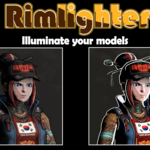
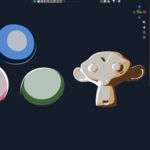
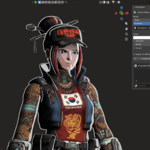
Rimlighter is an addon that allows to easily generate rimlights integrated to the materials of selected objects or applied to all the objects of the scene.
Rimlighter is compatible with Blender 5.x.
It may also work with versions 4.x but has not been tested with.
1 - Installation
================
The main addon file is rimlighter.zip
Don't unzip the file.
- Run Blender
- Drag and drop the file
Or
- Go to Edit/Preferences/Extensions
- Click the menu "Install from disk..." in the top right of the windows
- Navigate to the file
- Select and validate
2 - Access to the addon
=======================
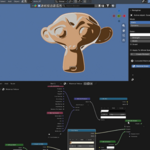
Rimlighter is accessible in the 3D View n-panel in the "Rimlighter" tab.
3 - Features
============
- Display the active object currently selected ; Multi-selection of objects is supported
- Set color, strength and width of the rim light
- Generate or remove rim light from the selection
- Invert rim light and main color of the materials
- Rim light mode:
- Static : Generate a static rim light on objects, based on their "reflection" output
- Dynamic : Generate a dynamic rim light based on another object. The associated object will act as the "source of the rim light". You can associate different "rim light objects" to your different material
- "Apply to whole scene" option : Allow to apply consistent rim light to all the objects of the scene
- Material exclusion list : Allow to exclude some materials from getting rim light
Be aware the rim light effect is adding to the materials of the objects, not the objects themselves. It means:
- If multiple objects share the same materials, they will get the same rim light
- If object has several materials, each will get the same rim light. You can only exclude some materials from getting rim light.
Version history
*******************
1.0:
- Initial release
Have questions about this product?
Login to message
| Blender Extension Compatible | Yes |
| Dev Fund Contributor | |
| Published | about 2 months ago |
| Blender Version | 5.0 - 5.2 |
| Extension Type | Add-on |
| Render Engine Used | Cycles, Eevee |
| License | GPL |