RIn.Rename
 miica


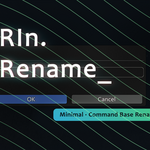
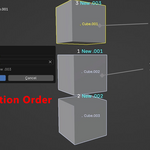
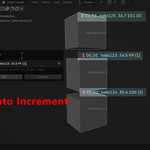
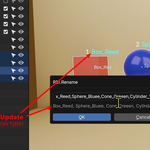
I have released two updates for RIn.Rename. Version 1.7 brings faster ways to switch and type names, and 1.8 focuses on renaming bones in symmetric rigs.
What’s New in 1.8
-
Add Side: type a bone name without a side, eg.
arm01, and each bone gets the side it’s on:arm01.L,arm01.R. The side keeps the old name’s style, or follows the new Default Side Style preference (.L / .R,_L / _R,_l / _r,.l / .ror aLeft/Rightprefix). -
Symmetric Numbering: with bones on both sides selected, each side is numbered on its own, so you get
arm01.L, arm02.L, arm01.R, arm02.Rwhatever order you selected them in. - Mirror Bone Renames: rename one side and the other side follows, vertex groups included. Mirror bones are found by name, or by position when the names don’t match.
- Bones selected together are numbered along the chain, from parent to child.
- Bone fixes: name clash warnings,
/iband/ebin Edit Mode,=with bones selected, and Single Selection Mode renaming the wrong bone.
What’s New in 1.7
-
Switch Words: type
/sfor buttons that switch_high/_low/_cageor_L/_Rin the selected names, or swap them. -
Aliases: 9 short triggers that expand while you type, eg.
hand.l→hand_left. - Outliner hotkeys for favourites: give a favourite its own hotkey and rename the Outliner selection with one key.
-
Names in any language: words, separators and case commands understand letters of every script (eg.
テスト,café). -
Only the last typed number counts up, eg.
Car22__01→Car22__01, Car22__02, ... - Swapping names within the selection (eg.
Arm_L↔Arm_R) no longer adds.001, plus many more fixes.
See the full list in the changelog: 1.8.0 and 1.7.0.
Have questions about this product?
Login to message

Discover more products like this
rename rename-collection renamer command rename tool bone rename collection rename batch-rename