 NODI
NODI



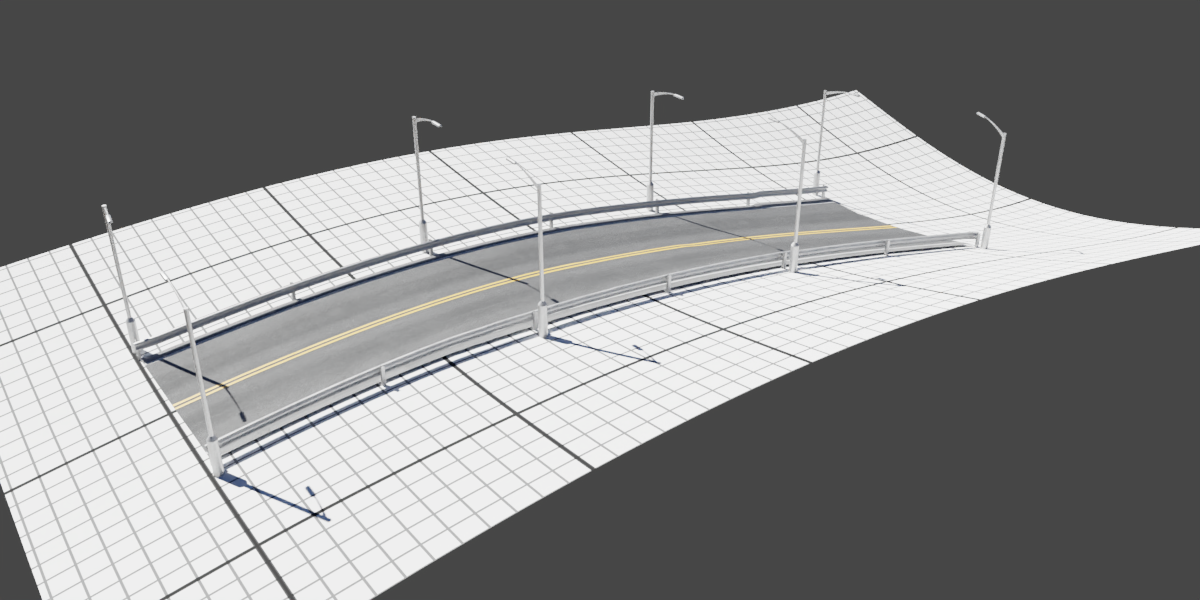




How to Use:
- To open, press "N" in the viewport and locate 'Road It!'.
- Click 'Add Road' and edit the road to your liking in edit mode.
- Go to the Geo Nodes tab inside the 'Road It!' object for further options.
How to Adjust Width:
- Locate the Geo Nodes tab and scroll to the 'Width' setting.
How to Stick a Ground Plane:
- Locate the Geo Nodes tab. Select the object you want it to stick to in the Ground Object context.
- Then select the 'Toggle Ground' option.
$8.99
Have questions about this product?
Login to message
Discover more products like this
highway ArchViz traffic road industrial procedural Geonodes car street