RockScapes - Procedural Textures
 CanvasConnoisseur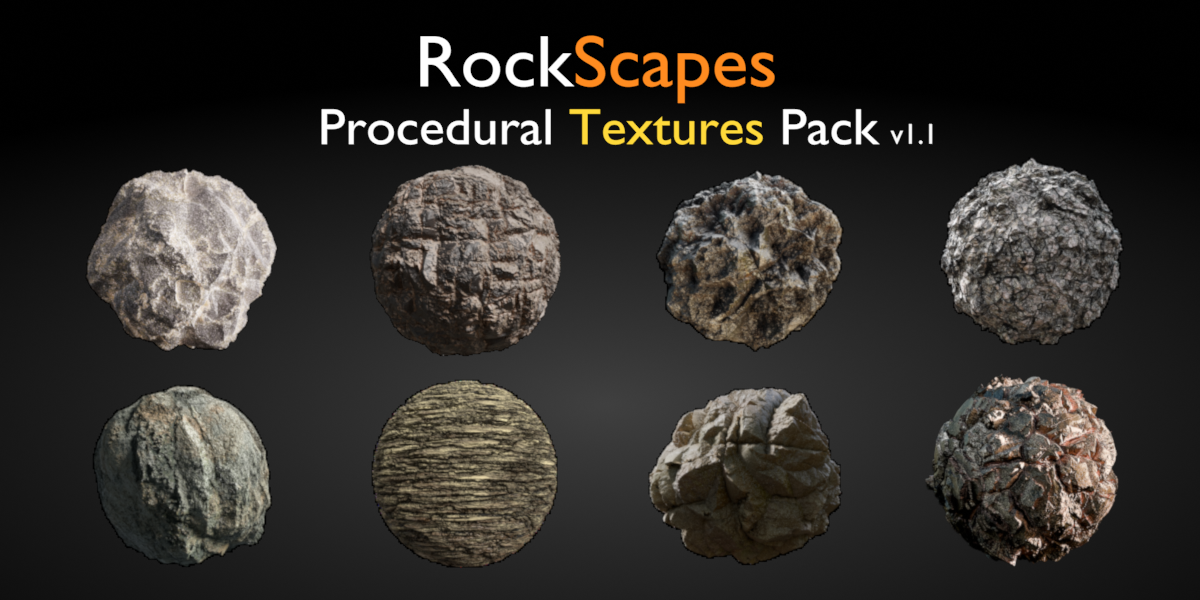




Instructions on Appending a node group:-
On the top left, Click on File-->Append-->Navigate to the folder where you have downloaded the files -->Click on any of the .blend files-->NodeTree--> Select the Node group
Alternatively, Simply copy the object from the downloaded .blend file, and paste it into your Scene. Blender also copies all the active materials being used on the object.
Procedural Materials could undoubtedly take a toll on your system, some basic optimization techniques could be:
-> Disconnecting the normal, and roughness channels.
-> Change displacement from Displacement and Bump --> Displacement Only
-> Reducing the number of subdivisions on your mesh.
-> Baking the textures
After making these changes, you may notice a significant improvement in viewport performance without much loss in quality. Remember that all of these parameters can be altered back for a final render. Hope you have fun with the materials
-
$4.99
Enjoy the full RockScapes experience with an extensive collection of assets and materials.
-
$1
Experience Rockscapes with a limited selection of assets and materials.
Have questions about this product?
Login to message
| Sales | 70+ |
| Dev Fund Contributor | |
| Published | over 2 years ago |
| Blender Version | 4.0, 3.6, 3.5, 3.4, 3.3, 3.2, 3.1, 3.0 |
| Render Engine Used | Cycles |
| License | Creative Commons |

Discover more products like this
mountain realistic Shader igneous sedimentary terrain quick rugged rock shader metamorphic blender procedural procedural #nature procedural rock 3D stone nodes procedural material addon generator 3d rock materials rock-formations ground cliff Rock seamless stone stratified Cycles textures