 Mars0hod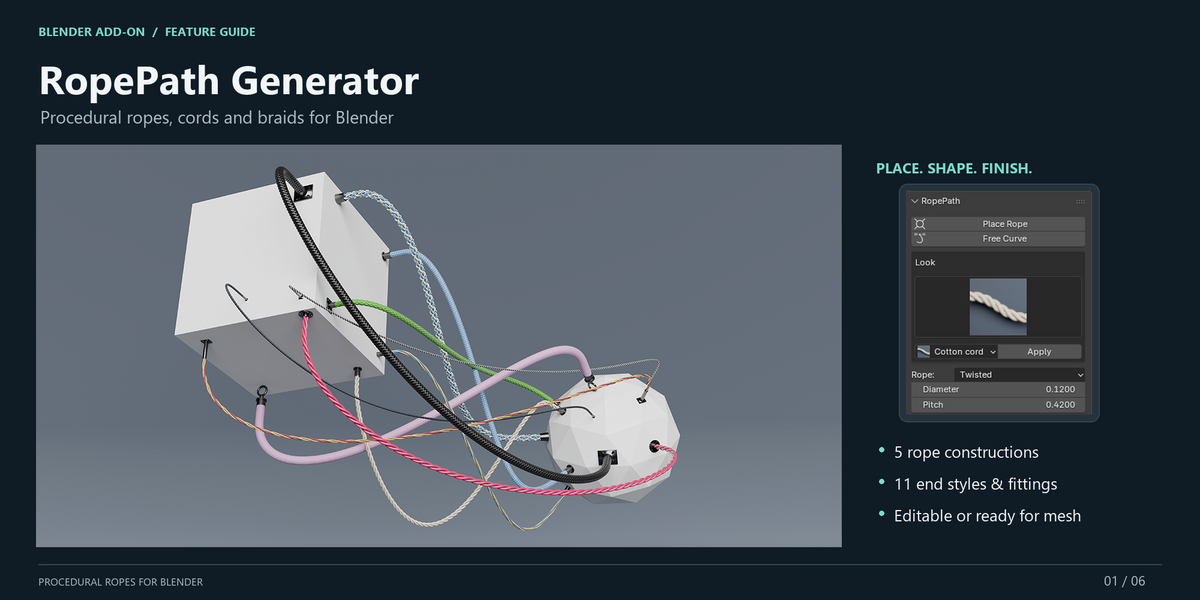

RopePath Generator — Quick Guide
RopePath Generator is a procedural rope, cord and braid tool for Blender 5.2.2 LTS.
Installation
- Open Blender Preferences.
- Go to Get Extensions.
- Open the menu and choose Install from Disk.
- Select
rope_generator-1.0.0.zip. - Enable RopePath Generator.
- Open the 3D View Sidebar with
Nand select the RopePath tab.
Place Rope
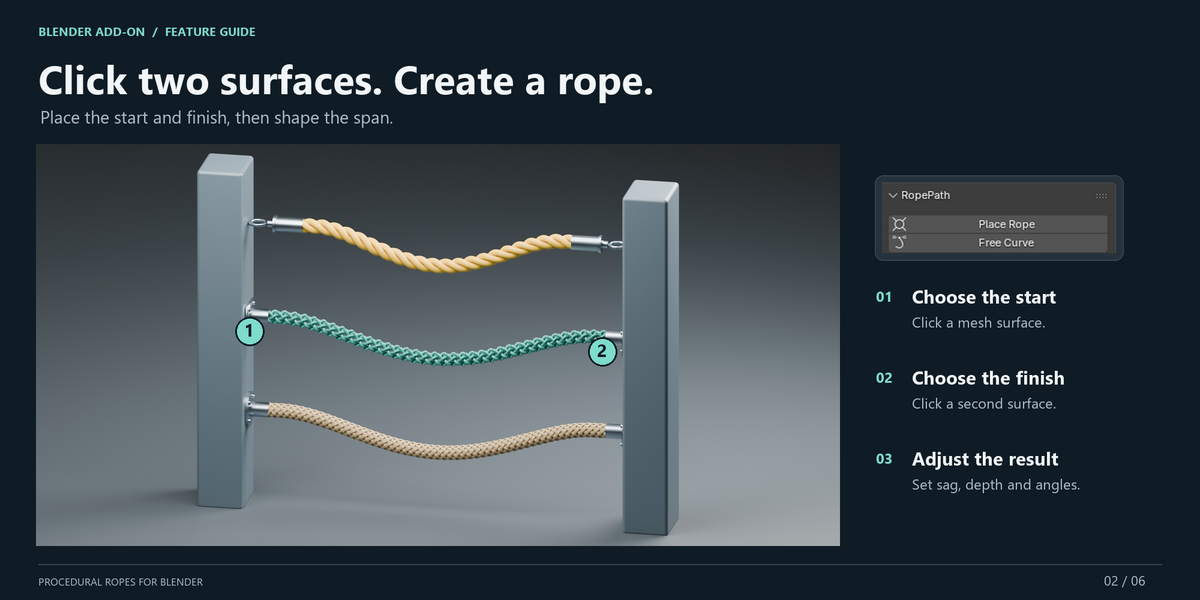
- Enter Object Mode and click Place Rope.
- Click a mesh surface to set the start point.
- Click another mesh surface to set the finish point.
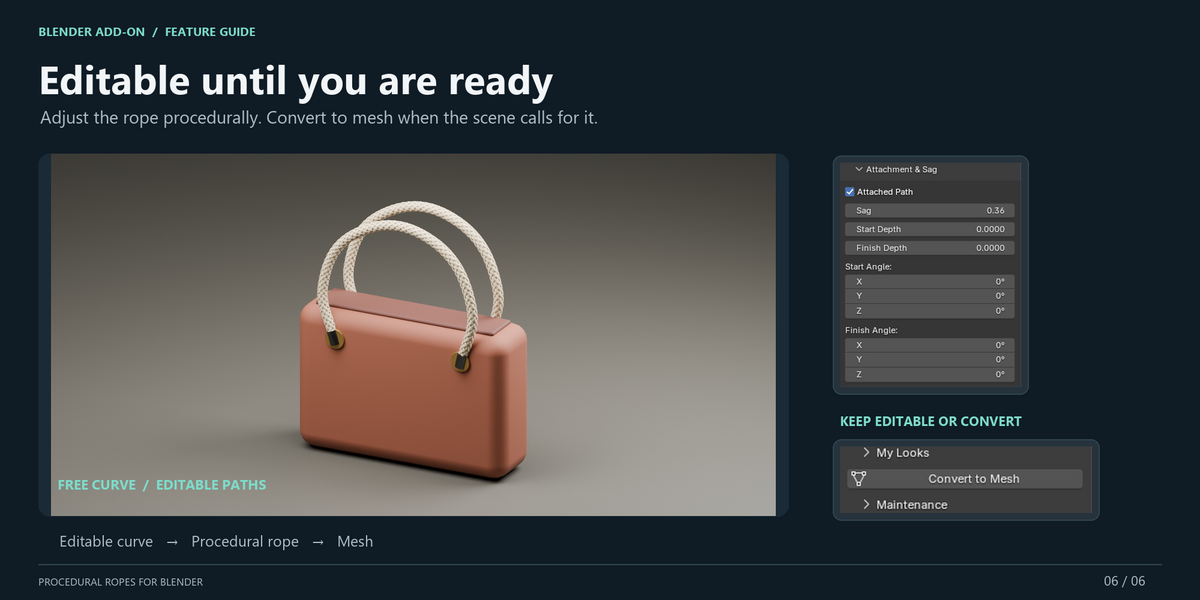
- Adjust Diameter, Pitch, Sag, Depth and end angles as needed.
Attachment points and surface orientation are stored relative to the clicked objects, so moving, rotating or scaling them updates the rope.
Other creation methods
- Free Curve creates a new editable rope path.
- Use Active Curve converts a selected compatible Curve into a procedural rope.
- Existing Curve points remain editable in Edit Mode.
Rope constructions
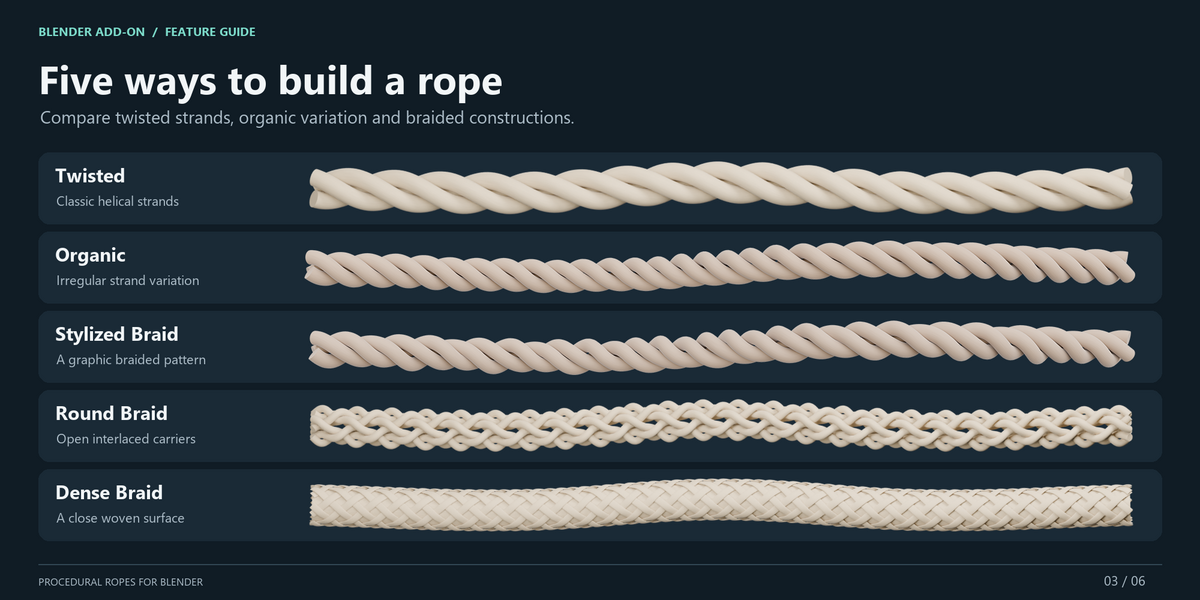
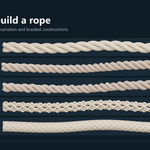
RopePath includes:
- Twisted
- Organic
- Stylized Braid
- Round Braid
- Dense Braid
Looks and materials
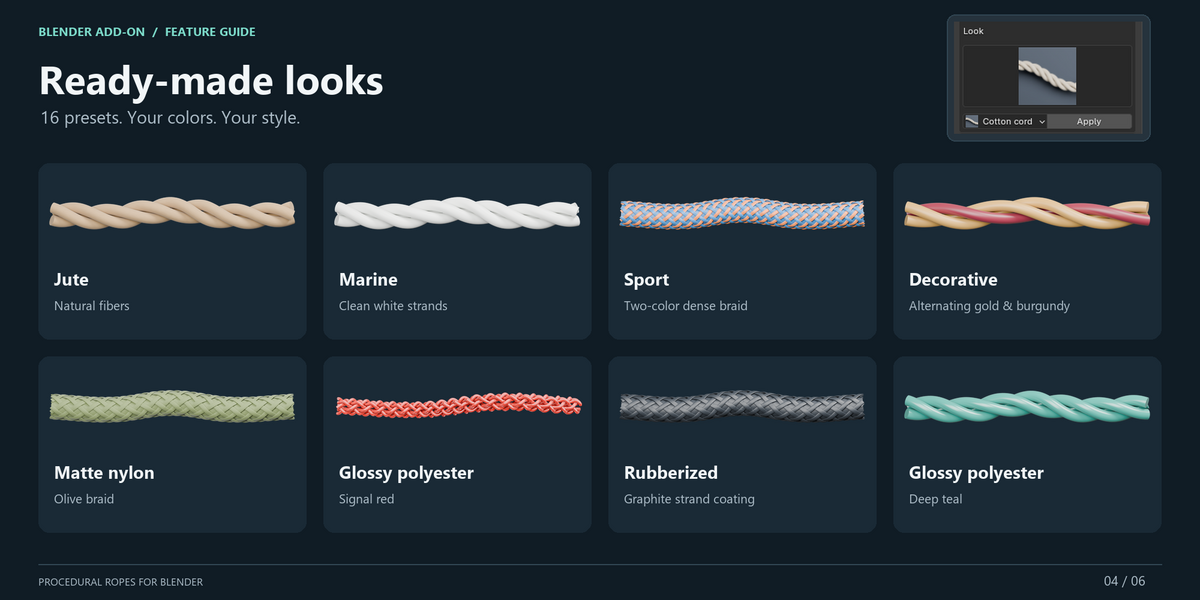
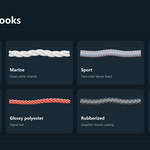
Use the Look browser to quickly apply ready-made rope styles. RopePath includes 16 illustrated Looks with different constructions, colors and surface appearances.
You can also customize colors and materials manually and save your own Looks.
End styles and fittings
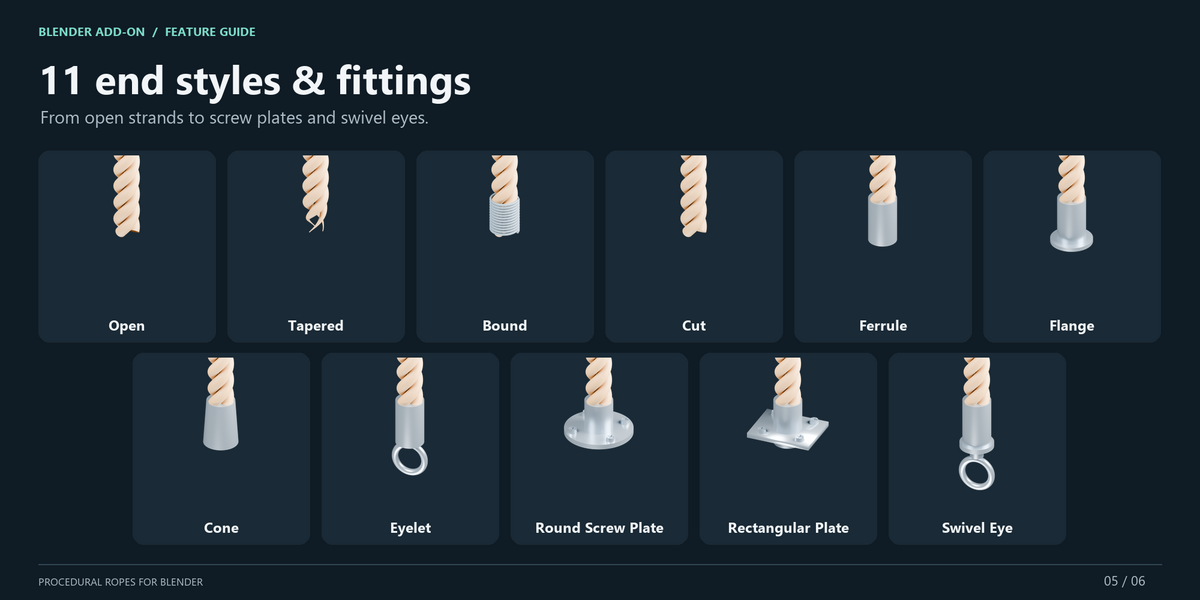
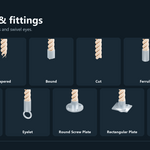
Choose independently for each end or enable Same Fitting on Both Ends.
Available options include Open, Tapered, Bound, Cut, Ferrule, Flange, Cone, Eyelet, Round Screw Plate, Rectangular Plate and Swivel Eye.
Convert to Mesh
Use Convert to Mesh when you need ordinary Blender geometry.
By default, Keep Editable Original preserves the procedural rope and hides it, allowing you to return to it later.
Updating older RopePath / Rope Generator objects
After updating the add-on, select an older rope and use Repair Rope from the Maintenance section.
Compatibility
Validated with Blender 5.2.2 LTS on Windows.
RopePath is a procedural modeling tool. It does not provide physics simulation, collision avoidance, automatic knot tightening or a target-length solver.
Have questions about this product?
Login to message
| Blender Extension Compatible | Yes |
| Published | about 14 hours ago |
| Blender Version | 5.2 |
| Extension Type | Add-on |
| Render Engine Used | Cycles, Eevee |
| License | GPL |
