Roughness Builder
 Milad_Kambari



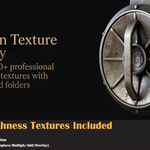
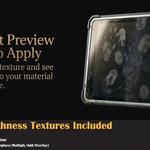
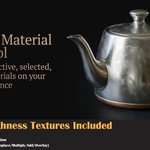
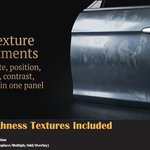
⚙️ Installation Install as a .zip file through Edit → Preferences → Extensions → Install from Disk. The add-on includes a Library folder with all textures bundled inside — everything loads automatically after enabling.
🗂️ Library Structure The texture library uses a folder-based category system. Each subfolder inside the Library folder becomes a category in the dropdown. To add your own textures, simply create a new folder and place your images inside it.
🖼️ Supported Formats PNG, JPG, JPEG, TIF, TIFF, BMP, TGA, EXR, HDR
📐 Node Setup When you apply a roughness texture, the add-on creates a complete node chain: Texture Coordinate → Mapping → Image Texture → Brightness/Contrast → Invert → Mix RGB → Principled BSDF (Roughness)
🎨 Color Space All textures are automatically set to Non-Color, which is the correct color space for roughness maps.
🔀 Blend Modes Replace removes existing roughness completely. Multiply, Add, and Overlay blend the new texture with whatever roughness is already connected to the Principled BSDF.
⚡ Auto Apply When enabled, any texture you select in the browser is immediately applied to the material — no need to press the Add button. Disable it if you want to browse without changing your material.
🎯 Material Modes Active Material applies to the currently selected material slot. Selected Materials lets you scan the object and check specific materials. All Materials applies to every material on the object.
📄 Pagination The browser displays 20 textures per page by default. Use the arrow buttons to navigate between pages. The page resets when you change category or refresh the library.
🔧 Texture Controls All controls (Scale, Rotation, Position, Brightness, Contrast, Invert) update the shader nodes in real-time. The Uniform Scale slider changes all three axes at once.
🔄 Hot Reload During development, you can re-run the script from Blender's Text Editor (Alt+P) without restarting Blender. The add-on cleans up the previous version automatically.
📁 Auto Detection The add-on automatically searches for a Library folder next to the .blend file, inside the addon install directory, or in parent directories. If found, it loads automatically on startup.
🛡️ Compatibility Blender 4.0+ and Blender 5.0. Works with both legacy Add-on system and the new Extension system (blender_manifest.toml included).
Discover more products like this
wear roughness-map nodes texture browser texture scale texture adjustment product-visualization overlay water droplets Material surface scratches PBR texture-pack procedural node setup multiply roughness control Texture Painting realism principled bsdf photorealism Realistic materials weathering material workflow roughness texture rotation Texture Library non-color Texturing invert texture texture position smudge #material #selector texture overlay surface imperfection one-click Shader roughness layers uv mapping texture tool multi-material material library scratches surface detail material editor oil stains wood roughness Texture Mapping metal roughness texture