Rs Procedural Wood
 Rebellious Studios, llc



Instillation:
1. Drag zip folder inside blender UI
2. Follow Blender prompts to Install and activate.
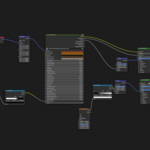
3. Inside the shader node editor hold shift + a and search for procedural wood.
4. Hook up mapping and texture coordinates.
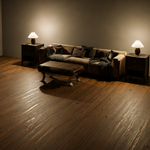
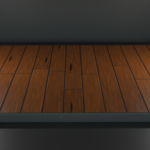
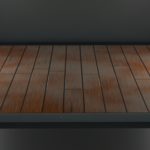
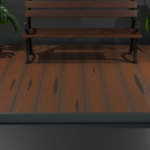
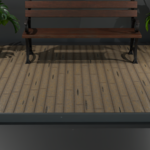
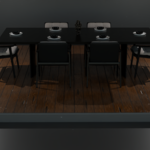
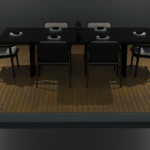
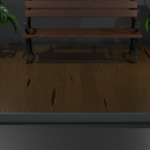
RS Procedural Wood is a fully procedural wood material generator for Blender, designed to create realistic boards, grain, knots, rings, gaps, and weathering without any texture maps. Every detail is generated mathematically, giving you infinite variation and full control over the final look.
The shader supports UV, Generated, Object, and Window texture coordinates. UVs are optional — most users will get excellent results using Generated or Object coordinates, making the material easy to apply to floors, walls, panels, beams, furniture, and many props without any unwrapping.
Key Features
Fully procedural wood material
Works with UV, Generated, Object, and Window coordinates
No texture maps required
Adjustable board scale, length, width variation, staggering, and end joints
Gap width and gap color controls
Edge wear mask with width and intensity
Realistic grain with scale and distortion
Ring frequency, distortion, and contrast controls
Knot system with density, size, variation, distortion, depth, and color variation
Weathering system with scale, amount, and influence
Height output for displacement or bump
Roughness output for surface definition
Color variation for natural tone shifts
Random seed for infinite variations
Clean, organized node group for easy customization
Best Use Cases
Wood floors
Wall panels and cladding
Beams and planks
Furniture with flat faces
Props with simple or cylindrical geometry
Architectural visualization
Environment art
Coordinate System Notes
Generated: Best general-purpose option; works well on most objects
Object: Great for props and cylindrical shapes
UV: Useful when you need precise board direction or alignment
Window: Supported, but rarely practical for wood materials
Limitations
RS Procedural Wood is not intended for highly curved or organic objects where board patterns would not naturally occur. While Generated/Object coordinates work well, extremely complex geometry may require manual adjustments.
How to Use
Append or link the material into your Blender project.
Apply it to your mesh.
Choose UV, Generated, or Object coordinates depending on your needs.
Adjust board layout, grain, knots, rings, and weathering to achieve your desired look.
Use the Height output for displacement or bump if needed.
Render in Cycles or Eevee.
RS Procedural Wood is built for artists who want fast, flexible, and realistic wood surfaces with deep customization and infinite variation.
 Included
Includes 12 months of
- Support from Rebellious Studios, llc
- Product updates
Extend this product’s Support Period +12 months: 50% of product price
Have questions before purchasing?
Login to message
| Blender Extension Compatible | Yes |
| Published | about 2 months ago |
| Blender Version | 4.5 - 5.1 |
| Extension Type | Add-on |
| Render Engine Used | Cycles, Eevee |
| License | GPL |
Discover more products like this
material-generator blender material procedural-wood realistic wood wood texture procedural shader blender addon floor material Blender shading pbr wood node group shader nodes