RT Painter – Realtime Object Scatter & Physics Brush for Blender
 Adrian Kulawik


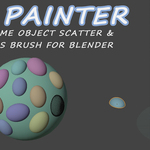
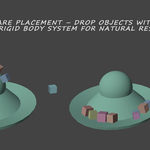
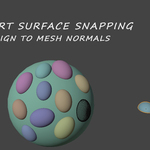
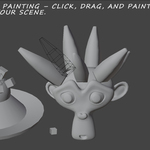
RT Painter is a powerful Blender addon that enables realtime object painting, scattering, and placement with integrated physics and randomization features. Designed for artists, environment designers, and VFX professionals, it allows you to "paint" objects onto surfaces in your 3D viewport using intuitive brush tools. Objects can be duplicated from your selection, randomized in scale, rotation, and materials, and even simulated with rigid body physics for natural interactions like stacking or falling.
Installation
- Download the Addon: Obtain the RT Painter.py file (or zipped version) from your source (e.g., Blender Market).
-
Install in Blender:
- Open Blender and go to Edit > Preferences > Add-ons.
- Click Install... and select the .py file.
- Search for "RT Painter" in the add-ons list and enable it by checking the box.
- Verify: A new tab labeled "RT Paint" should appear in the 3D Viewport's sidebar (N-panel).
Getting Started
-
Prepare Your Scene:
- Select one or more objects to use as your "paint pool" (these will be duplicated).
- Optionally, select a surface mesh for painting onto (e.g., a ground plane).
- Access the Panel: In the 3D Viewport, press N to open the sidebar, and navigate to the RT Paint tab.
-
Basic Workflow:
- Configure settings in the panel (see Properties section below).
- Click Start Paint to enter modal mode:
- Left Mouse Button (LMB): Click for a single object; hold to paint continuously.
- Right Mouse Button (RMB): Erase nearby painted objects.
- ESC: Exit modal mode.
- Use other operators like Stamp once for quick placement or Scatter Fill for random distribution.
Features
Realtime Painting
- Enter a modal operator for interactive painting.
- Brush-based spawning: Objects appear under your cursor with adjustable radius and flow.
- Supports pressure-sensitive modes (distance-based spacing) or time-based flow.
- Preview wireframe option for upcoming placements.
Surface Placement
- Raycasts from the viewport to hit surfaces accurately.
- Optional alignment to surface normals for upright orientation.
- Snap to surface geometry for precise fitting.
- Fallback to view plane if no surface is hit.
Randomization
- Scale: Uniform random between min/max values.
- Rotation: Per-axis randomization in degrees.
- Z-Offset: Vertical jitter for variety.
- Materials: Random assignment from a comma-separated list of material names.
- Spawn Distribution: Within brush radius, with minimum distance checks to avoid clustering.
Physics Integration
- Automatically add active rigid bodies to painted objects.
- Option to add passive rigid bodies to the surface for collisions.
- Spawn clearance to lift objects slightly above surfaces, preventing immediate clipping.
Additional Tools
- Stamp Once: Place a single object at the viewport center.
- Scatter Fill: Randomly populate the viewport with up to 50 objects (adjustable in code if needed).
- Move Origins to Bottom: Batch-adjust selected objects' origins to their bounding box bottom—useful for stable physics.
Performance and Usability
- Caps spawns per tick to prevent lag.
- Auto-collection for organization.
- Linked duplication to maintain references and reduce file size.