SafeOrigin Pro
 Elvin Nazurmetov


Documentation (short)
OriginMaster Pro (Safe Origin Tools) lets you safely move an object's origin to a selected vertex, edge midpoint, or face center without breaking parents or constraints. Quick one‑click workflow integrated into Edit Mode right‑click menu. Works with Blender 2.83+.
Installation
Download the ZIP archive.
In Blender: Edit → Preferences → Add-ons → Install…, select the ZIP and click Install Add-on.
Find "OriginMaster Pro" in the Add-ons list and enable it.
Usage
Select a mesh and enter Edit Mode (Tab).
Select a vertex, edge, or face.
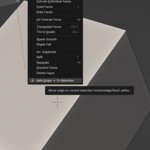
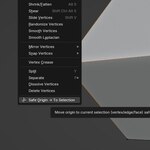
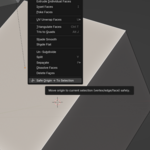
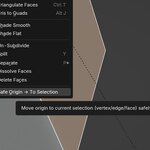
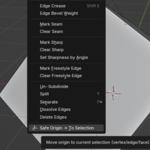
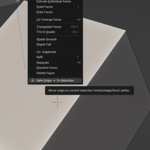
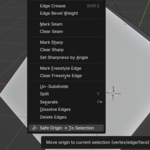
Right‑click in the 3D Viewport → Safe Origin → To Selection.
The object origin will snap to the selection; the 3D cursor is restored and constraints/parenting are preserved.
Why use it
Prevents broken rigs and constraint shifts.
Fast, minimal UI—no extra panels.
Ideal for modeling, rig cleanup, and precise asset placement.
Have questions about this product?
Login to message
| Published | 3 months ago |
| Blender Version | 4.0 - 5.2 |
| Extension Type | N/A |
| Render Engine Used | Cycles, Eevee |
| License | GPL |
