Modifier Presets Addon
 Barat Ovidiu


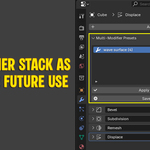
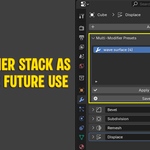
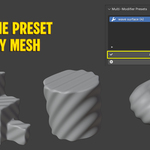
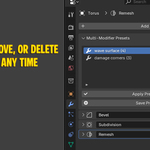
📘 Documentation — Multi-Modifier Presets
📦 What It Does
This addon allows you to save, apply, rename, reorder, and manage presets of modifier stacks in Blender. It's perfect for applying common setups across multiple objects or keeping your workflow organized.
🧩 Where to Find It
After installing and enabling the addon, go to the Modifier tab in the Properties Editor. A new panel will appear labeled Multi-Modifier Presets.
✅ How to Use
1. Save a Preset
-
Select an object with modifiers.
-
Click Save Preset.
-
Enter a name and confirm.
-
The entire stack is stored, with all settings preserved.
2. Apply a Preset
-
Select another object.
-
Choose a preset from the list.
-
Click Apply Preset.
-
All previous modifiers are replaced with the saved stack.
3. Manage Presets
-
Rename: Click the pencil icon to edit the preset’s name.
-
Reorder: Use the up/down arrows.
-
Delete: Trash icon removes a preset.
-
Lock: Prevents accidental edits or deletion.
Have questions about this product?
Login to message
| Sales | 10+ |
| Published | about 1 year ago |
| Blender Version | 4.4 |
| Extension Type | N/A |
| Render Engine Used | Cycles, Eevee |
| License | GPL |