 Dobro
Dobro




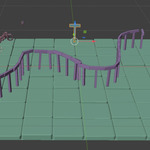
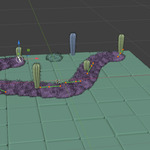

Overview
This addon lets you scatter any object along curves in Blender, using two simple modes: Draw Mode for painting curves directly on surfaces, and Curve Mode for scattering on existing curves. Each curve automatically receives its own independent Geometry Nodes setup, allowing multi‑object scattering without overwriting previous results.
Requirements
Before using Draw or Curve mode, activate the GeoNode system by clicking “Activate GeoNode”. This loads the base node group used to generate per‑curve scatter systems.
Draw Mode
Use Draw Mode to paint curves directly on mesh surfaces.
Select the object you want to scatter.
Click Draw Mode.
Paint your curve on the surface. A new curve is created and automatically receives its own Geometry Nodes modifier, linked to the selected object.
Curve Mode
Use Curve Mode to scatter objects along an existing curve.
Select one curve and one object.
Click Curve Mode. The addon duplicates the base GeoNode and assigns it to the selected curve, using the selected object as the scatter source.
Multi‑Object Support
Each curve gets its own independent node group. You can scatter different objects on different curves without conflicts or replacements.
Error Handling
If the GeoNode system has not been activated, the addon displays a clear error message guiding the user to click “Activate GeoNode” first.
Key Features
Draw curves directly on surfaces
Scatter any object along curves
Independent Geometry Nodes per curve
Clean UI with automatic button visibility
Fast, stable, artist‑friendly workflow
Use:
Multiple curves and objects:with Assets:
Mode Curve :
Have questions about this product?
Login to message
| Blender Extension Compatible | Yes |
| Published | 2 months ago |
| Blender Version | 5.2 |
| Extension Type | Add-on |
| Render Engine Used | Cycles, Eevee |
| License | GPL |