 Orange Turbine


TEXTURE SCATTERING FOR BLENDER
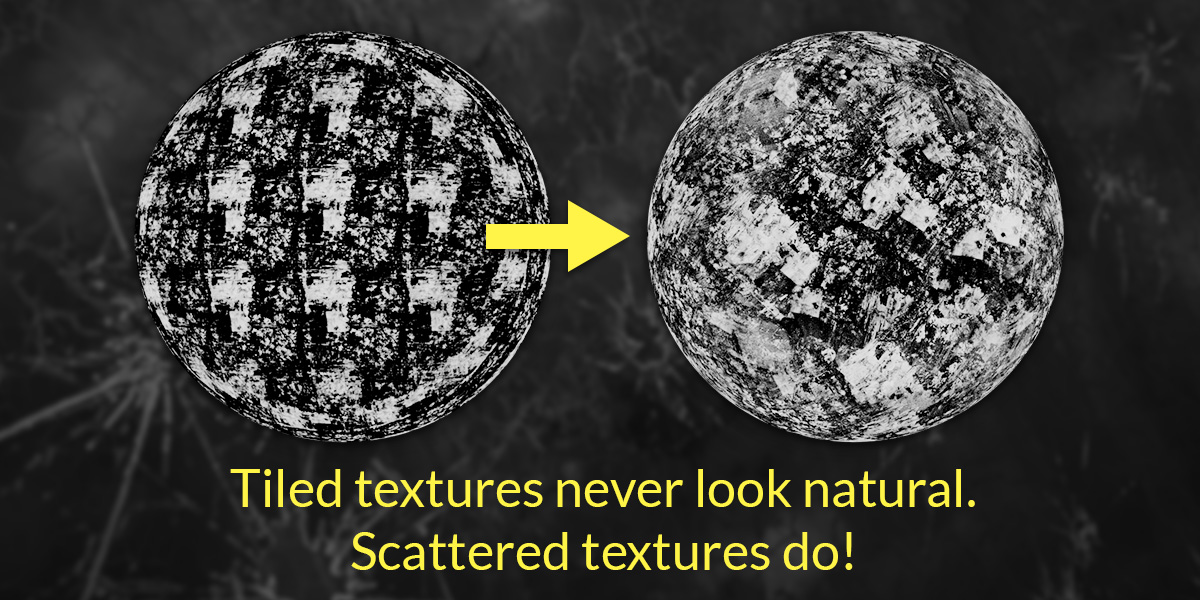
Make tiling disappear
Even the best seamless texture looks completely fake from a distance. Scattershot turns your image textures or PBR texture sets into a procedural node that scatters and randomizes every instance, so the obvious pattern disappears and your materials look great at any scale.
★★★★★
Absolutely solved a problem of repeating textures that Ive had for years. Thank you.
monad_studio
★★★★★
Thanks to this addon, I'm having so much fun with my projects. I'm not just using it; I'm also applying it in various creative ways I hadn't expected. The features are intuitive and powerful, making it a great tool for everyone from beginners to experts. If you're considering getting it, don't hesitate. [...] Highly recommended!
Ralf Maeder
★★★★★
I had to use a seamless foam texture for an ocean scene and the Scattershot node did its magic and got rid of any repetitive pattern. Just amazing this addon.
Yanik3D
★★★★★
This is a really amazing addon that's a must-have in your Blender toolset. You can't beat the price for the power that it gives you with your textures.
Chris Lee
Scattershot turns any image texture into a scatter node in one click, with sliders to randomize every instance and hide the seams.
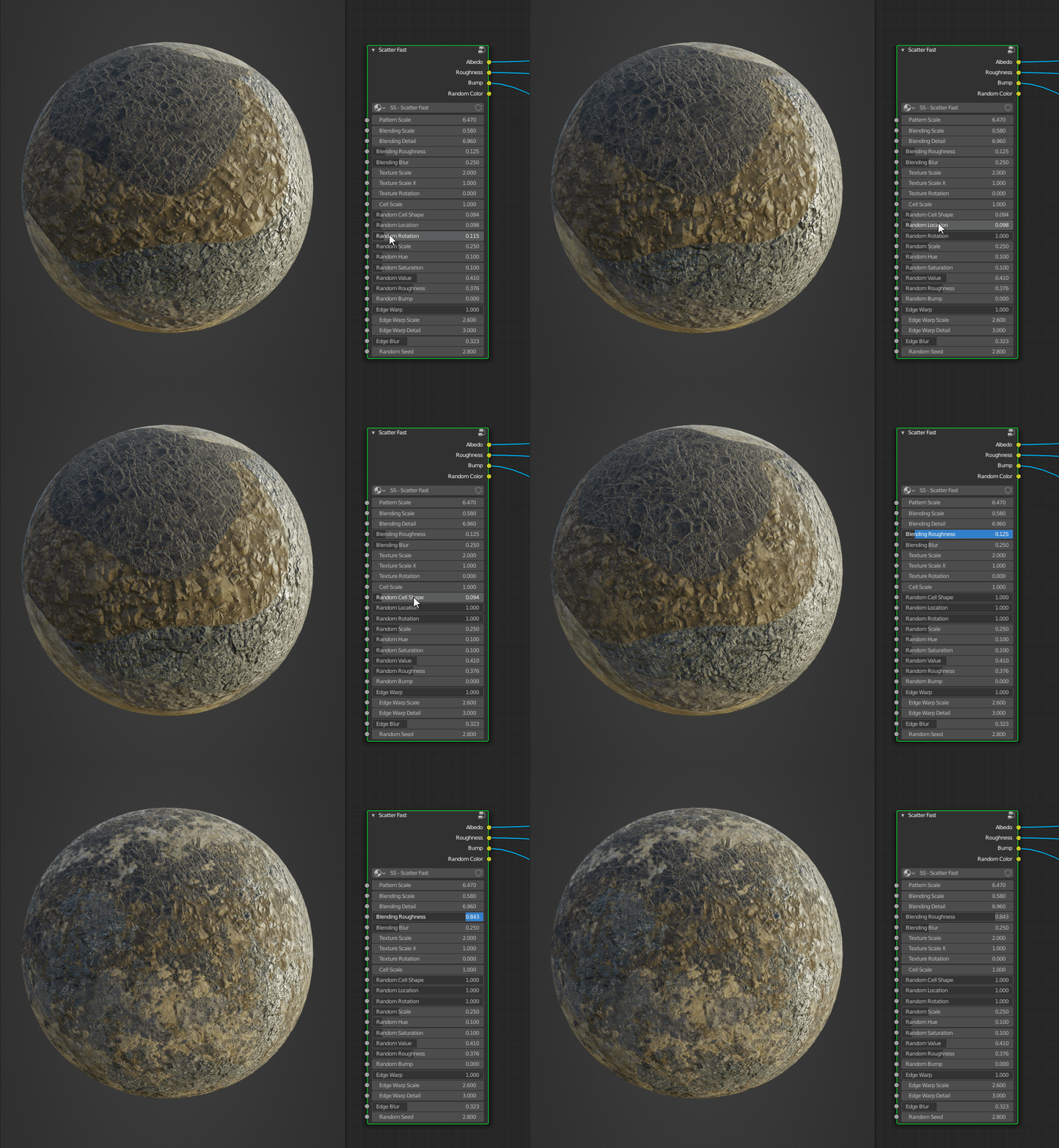
Randomize any setting
Select one or more image textures and run Scatter Images. Scattershot replaces them with a single node that controls how each repetition of the texture is placed and colored:
Some options need extra procedural textures inside the node, so you choose which ones to turn on while scattering. Leave the rest off and the shader stays as quick to render as possible. You can change which settings are used at any point by re-scattering.
Scatter whole PBR sets
Turn on Detect PBR Channels and Scattershot will group your images by their file names and correctly scatter them together as one texture set.
ColorColorColor→ColorRoughnessNormalRandom Color★★★★★
I have spent so much time frustrated at getting rid of the repetition in shaders before I found this wonderful product. I use this in ALL my scenes now, and it is so simple to modify Extreme PBR shaders and others. Thank you!
Murdock
Hide the seams
Scattering a texture breaks up the repetition, but the edges between each instance can still give it away. Scattershot has three ways to hide them:
Cell BlendingBlurs the boundary between cells Cell WarpingBends the cell edges to get rid of straight linesTexture WarpingDistorts each instance so no two have the same shape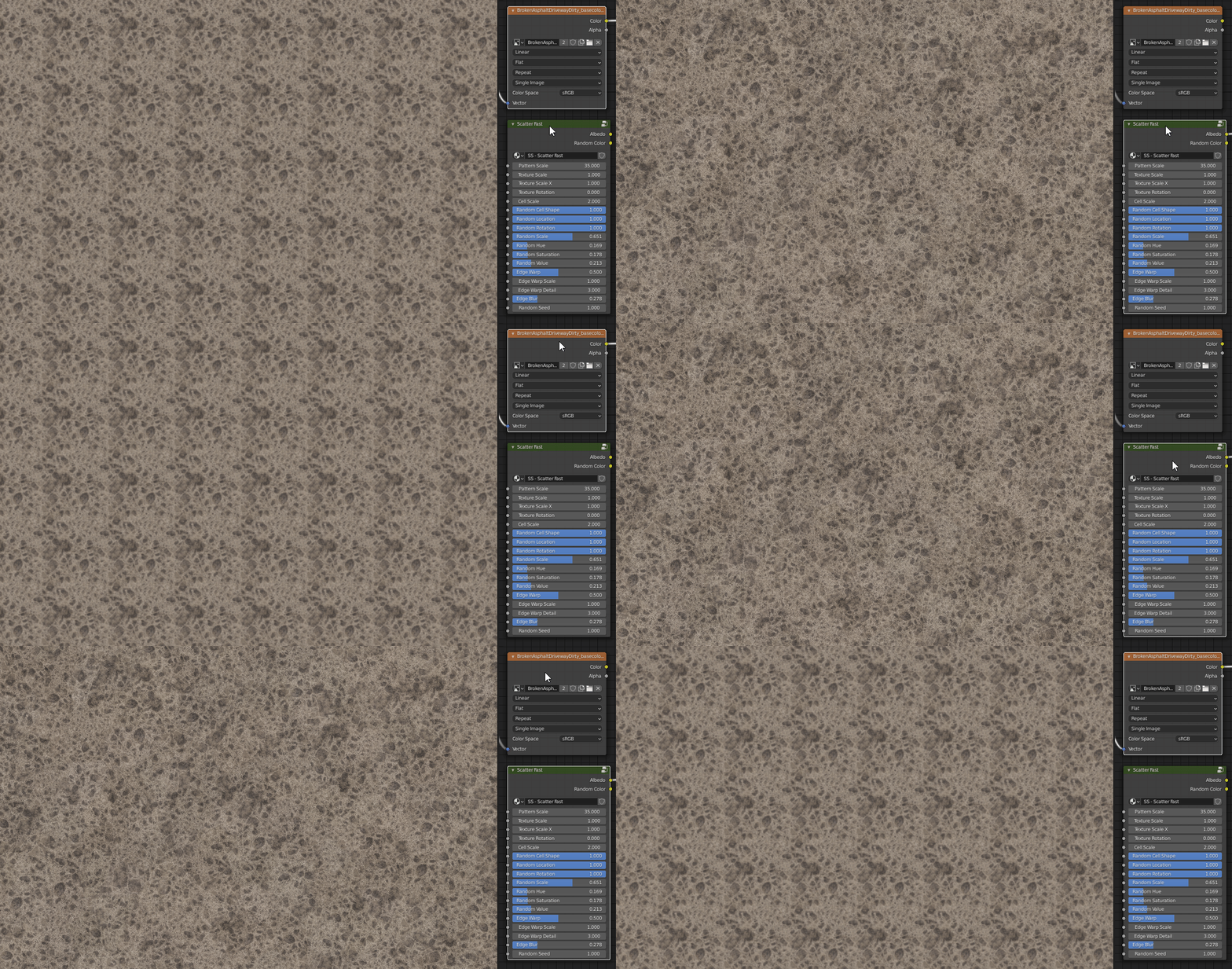
Fast enough to leave on
Scattering works by changing the coordinates of the texture, not by copying the image, so it adds no noticeable memory use or render time.
★★★★★
I had color, rough, normal, and displacement maps all 4k every option checked plane divided 100 times then 4x sub divided. With the viewport render active used scatter operator on each map and it rendered almost as fast as just vanilla maps, tweaked settings for 10 mins or so without a crash. Impressive.
GAIFFAS
Here's what else you'll find in Scattershot
Mix as many textures as you want
Select several textures or texture sets and Scattershot spreads them across the surfack. Pick the scatter method that best fits the job:
InterspersedA random texture set in each cellNoise MixedEach texture set is scattered then blended into the others with noise Interspersed AlphaA random texture set in each cell, with transparency and density controlsLayered AlphaA stack of Interspersed Alpha scatters on top of each otherOverlapping AlphaTexture sets that can move farther and overlap their neighbors Just CoordinatesScattered vectors only, for custom setups and procedural textures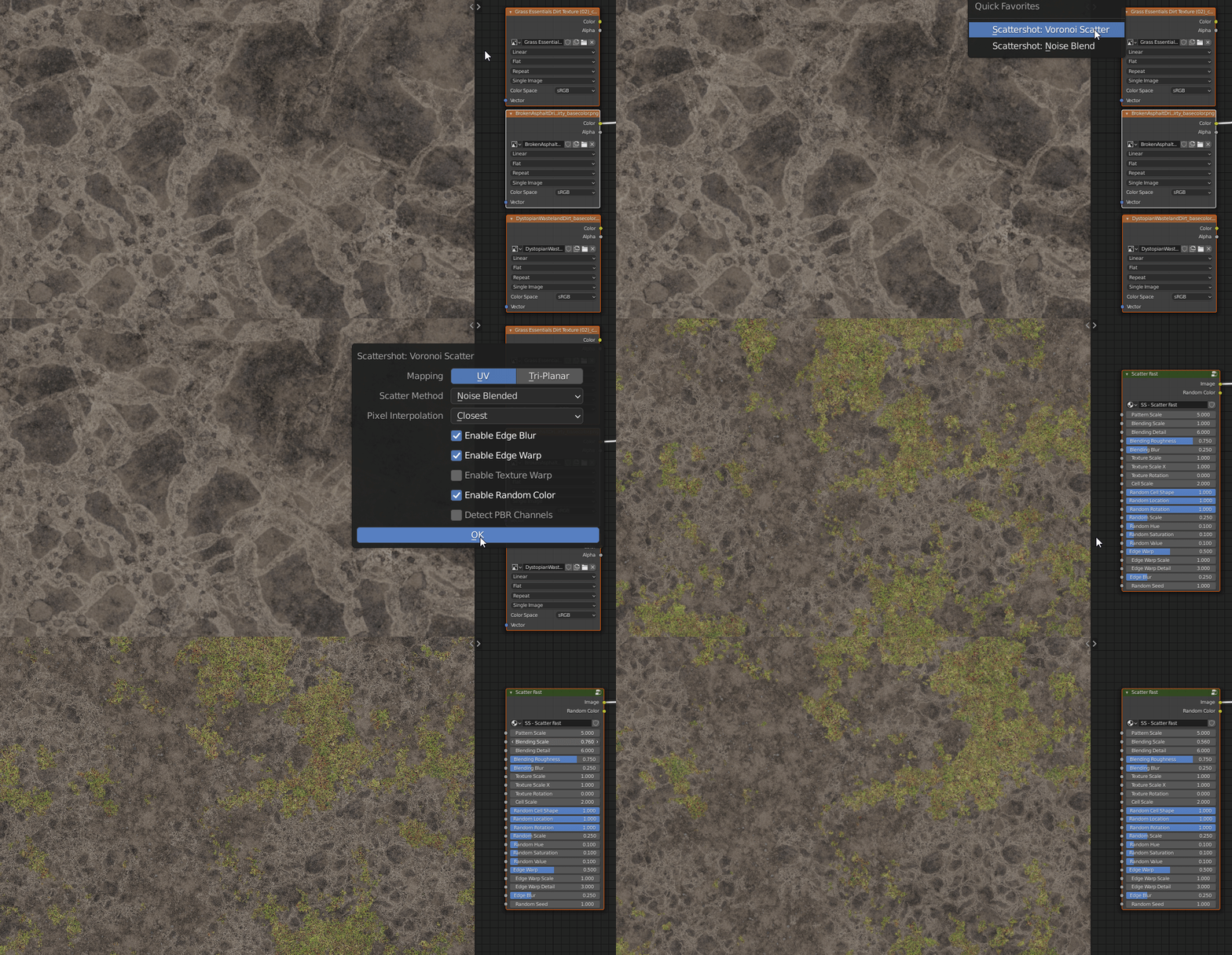
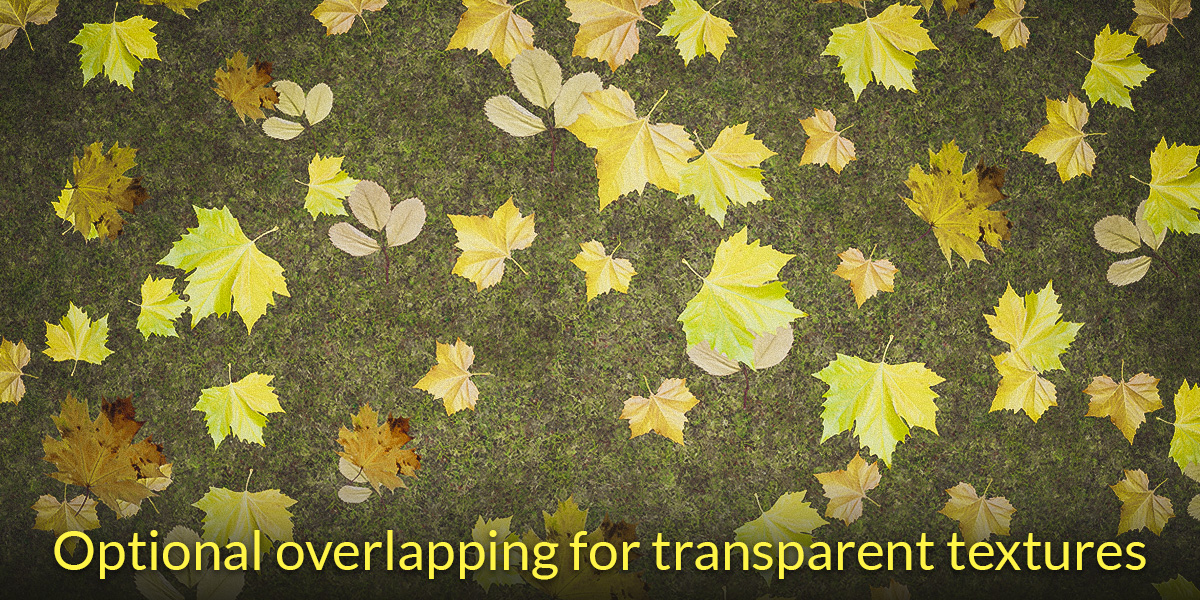
Transparent textures like leaves, decals, and debris can be layered over any other texture. With Overlapping Alpha, each one can even land on top of its neighbors.
★★★★★
this add on is a game changer
mal
No UVs? No problem
Tri-planar mapping projects textures from every side. Unlike Blender’s box mapping, it supports random rotation and corrects the aspect ratio of non-square textures.
Change your mind anytime
Run Scatter Images on a scatter node again to change its settings or add more textures. Un-Scatter turns it back into the original image nodes.
★★★★★
Fantastic addon for reducing visual tiling effects. Can easily work for both stylized and PBR maps. With the option for Triplanar mapping, you can use easily map images onto meshes with no UVs. [...]
adlx
...and that's just the beginning!
The tricks Scattershot uses under the hood are also available as their own operators, so you can use them on any nodes in your shader.
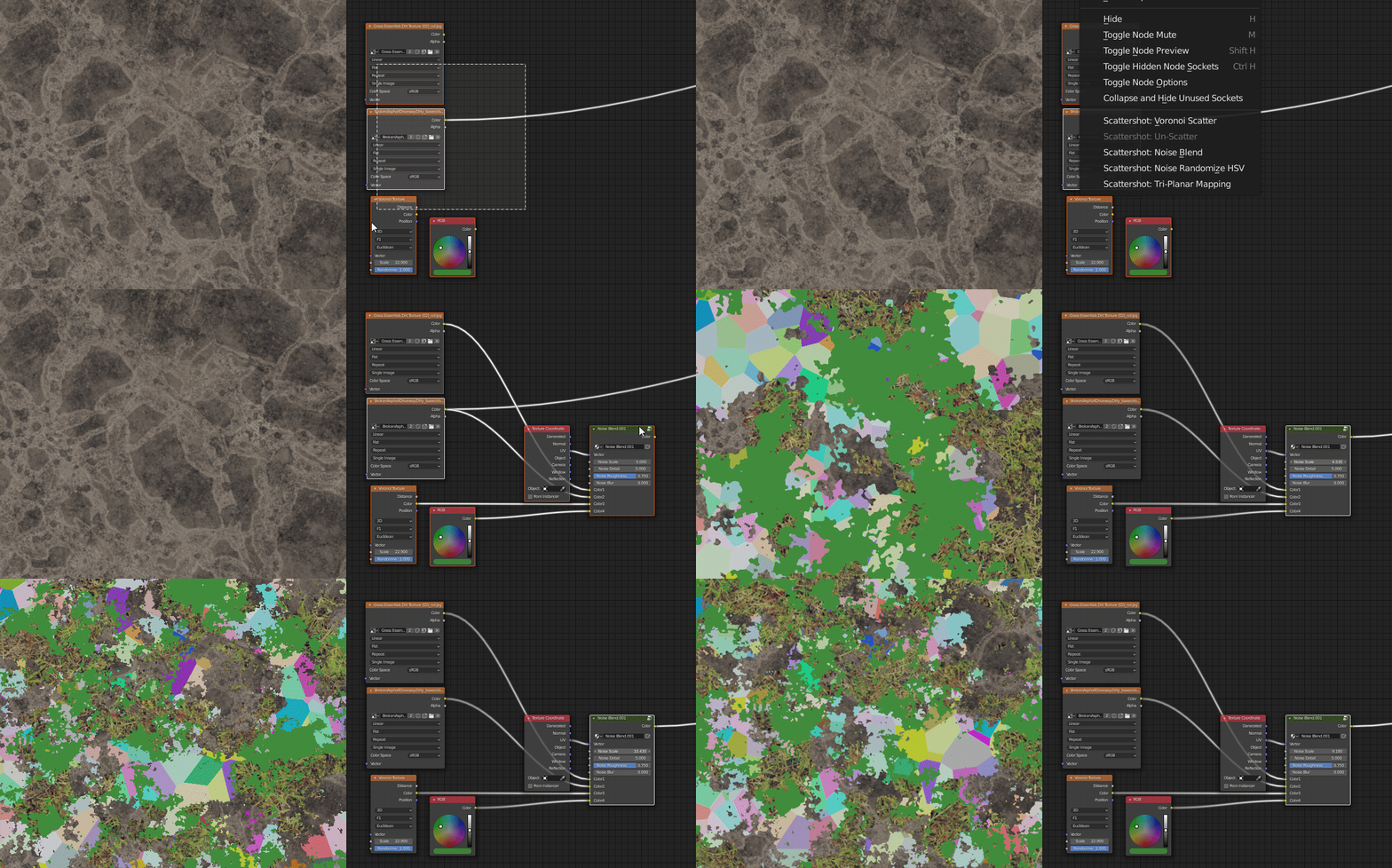
This add-on was born of pure laziness. Getting all of these effects to work together takes a lot of manual tweaking every single time, and I'd rather get exactly the result I need in a few clicks. Now you can too.
For a full walkthrough, watch the tutorial below or read the documentation.

By artists, for artists
★★★★★
That thing is amazing. As soon as you figured how to use it, i can't imagine to use blender without it. And the support is lightning fast, thank you Jonathan
Derek
★★★★★
Excellent time saving script. Working perfectly. The developer helped me really quickly when I had a question.
Henrik Cederblad
★★★★★
Very very cool addon for making textures more organic. Makes my existing PBR materials look a lot more realistic. [...]
noob13
★★★★★
This WILL serve you.....add hours/days/weeks to you go play outside.
LOFI ANIMATOR
★★★★★
Very time-efficient and powerful. A solid purchase.
lebas
★★★★★
Parfait !!
Jon
More from Orange Turbine
 Render RawColor grading and camera effects, right inside Blender.
 UV FlowFast, interactive UV unwrapping and packing.
 Retopoflow 4Sketch-based retopology tools that make clean, even topology the default.
 Extra Lights60 photometric light presets based on real world data.
