Scene Optimizer
 3DC JAN KASPERCZYK


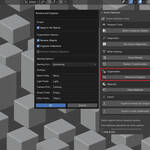
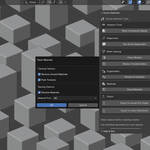
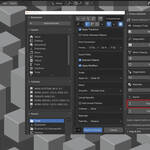
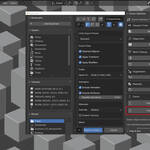
Scene Optimizer for Blender - Professional 3D Scene Preparation Tool
Overview
Scene Optimizer is a comprehensive Blender addon designed to streamline your 3D workflow by automating scene cleanup, optimization, and export preparation. Whether you're preparing assets for game engines, real-time rendering, or client deliverables, Scene Optimizer eliminates tedious manual tasks and ensures consistent, professional results.
Why Scene Optimizer?
Save Hours of Manual Work
- Automate repetitive cleanup tasks that typically take hours
- Batch process multiple objects with a single click
- Consistent results across all your projects
Professional Export Quality
- Optimized workflows for Unreal Engine and Unity
- Proper mesh preparation for game development
- Industry-standard naming conventions
Visual Performance Analysis
- Real-time complexity heatmaps show polygon density
- Identify performance bottlenecks before export
- Data-driven optimization decisions
Core Features
🧹 Advanced Mesh Cleanup
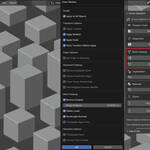
Transform messy imported models into production-ready assets:
- Smart Transform Application: Applies location, rotation, and scale with intelligent backup system
- Vertex Optimization: Removes duplicate vertices with customizable merge distances
- Geometry Cleanup: Eliminates loose vertices, edges, and faces
- Normal Recalculation: Ensures consistent face orientation
- Triangulation Options: Convert ngons to triangles or quads as needed
- Origin Management: Center origins to geometry or maintain custom positions
Advanced Options Include:
- Weighted normals modifier support
- Custom merge distance controls (0.000001 to 1.0 units)
- Selective triangulation (ngons only or all faces)
- Backup and restore functionality with transform caching
🎨 Material Management System
Streamline material workflows for production pipelines:
- Unused Material Removal: Automatically detect and remove orphaned materials
- Texture Packing: Pack all external textures into .blend files for portability
- Smart Material Renaming: Multiple naming conventions (MAT_, Material_, Mtl_, MI_)
- Conflict Resolution: Prevents .001 suffix issues during batch renaming
- Batch Processing: Apply changes to entire scenes or selected objects
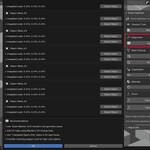
🔍 Intelligent Diagnostics
Identify potential export issues before they become problems:
- Transform Analysis: Detects unapplied rotations and scaling
- UV Map Validation: Identifies objects missing UV coordinates
- N-gon Detection: Finds faces with 5+ vertices that may cause issues
- Loose Geometry Detection: Locates disconnected vertices and edges
- Interactive Problem Solving: Click to select problematic objects or geometry
- Backup Exclusion: Automatically filters out backup objects from analysis
📊 Performance Visualization
Make informed optimization decisions with visual feedback:
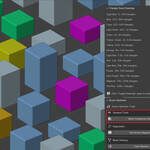
Mesh Complexity Heatmap
- Color-coded triangle count visualization (0 to 100,000+ triangles)
- 15-tier complexity system with distinct colors
- Real-time updates as you modify geometry
- Automatic viewport mode switching for optimal visibility
- Toggle on/off with preserved original materials
Density Analysis
- Vertex density heatmaps show mesh detail distribution
- Specialized shader system for smooth gradient visualization
- Enhanced contrast algorithms for better problem identification
- Apply to selected objects or entire scenes
🎮 Professional Export Tools
Optimized workflows for major game engines:
Unreal Engine Export
- Pre-configured FBX settings for UE4/UE5 compatibility
- Proper scale and axis conversion
- Mesh optimization for real-time rendering
- Custom export path management
Unity Export
- Unity-specific FBX configuration
- Proper material and texture handling
- Optimized for Unity's import pipeline
- Batch export capabilities
🗂️ Scene Organization
Maintain clean, professional project structure:
- Smart Object Renaming: Consistent naming with customizable prefixes
- Collection Management: Organize objects by type automatically
- Backup System Integration: Excludes backup objects from organization
- Batch Operations: Process entire scenes efficiently
Professional Workflow Integration
Game Development Pipeline
-
Import Models: Bring in assets from various sources
-
Run Diagnostics: Identify all potential issues automatically
-
Analyze Performance: Use heatmaps to spot high-poly areas
-
Clean Meshes: Apply comprehensive cleanup with one click
-
Organize Scene: Rename and sort objects professionally
-
Export Optimized: Use engine-specific export presets
Architectural Visualization
-
Prepare Complex Scenes: Handle large architectural models
-
Optimize for Real-time: Reduce polygon counts strategically
-
Material Consolidation: Clean up complex material setups
-
Export for Engines: Prepare for Unreal Engine architectural visualization
Product Visualization
-
Import CAD Models: Clean up imported technical geometry
-
Mesh Optimization: Prepare for smooth real-time rotation
-
UV Validation: Ensure proper texture mapping
-
Professional Export: Deliver client-ready assets
Technical Specifications
Compatibility
- Blender 4.2.0 and newer
- Windows, macOS, and Linux support
- Traditional addon format with uninstall capability
Performance
- Optimized for large scenes (1000+ objects)
- Non-destructive workflows with backup systems
- Memory-efficient processing algorithms
- Progress reporting for long operations
File Formats
- Native .blend file optimization
- FBX export with engine-specific presets
- Texture packing and external asset management
Installation & Setup
-
Download the Scene_Optimizer_v1.0.zip file
-
Install via Blender Preferences > Add-ons > Install from File
-
Enable the Scene Optimizer addon
-
Access the tools via View3D > Sidebar > Scene Optimizer tab
The addon appears in your addon preferences with a traditional "Uninstall" button for easy management.
What You Get
Core Addon Package
- Complete Scene Optimizer addon (version 1.0)
- Comprehensive documentation and README
- GNU GPL-3.0 license for open-source compatibility
Professional Documentation
- Detailed user manual with examples
- Best practices guide for each tool
- Troubleshooting and FAQ section
Support & Updates
- Community support through documentation
- Regular updates for Blender compatibility
- Feature enhancement based on user feedback
Use Cases & Results
Game Studios Report:
- 75% reduction in asset preparation time
- Consistent export quality across team members
- Fewer runtime performance issues from optimized meshes
Freelance Artists Achieve:
- Professional-grade deliverables with minimal effort
- Faster client project turnaround
- Competitive advantage through efficient workflows
Educational Institutions Use:
- Teaching proper 3D production pipelines
- Standardizing student project quality
- Preparing students for industry workflows
System Requirements
Minimum Requirements
- Blender 4.2.0 or newer
- 4GB RAM (8GB recommended for large scenes)
- OpenGL 3.3 compatible graphics card
Recommended Setup
- Blender 4.2+ with latest updates
- 16GB+ RAM for complex scenes
- Dedicated graphics card for heatmap visualization
- SSD storage for faster file operations
License & Usage Rights
Scene Optimizer is released under the GNU GPL-3.0 license, ensuring:
- Freedom to use for any purpose (personal or commercial)
- Right to study and modify the source code
- Permission to distribute and share
- No warranty or liability restrictions
Perfect for studios, freelancers, educators, and hobbyists who need professional 3D optimization tools without licensing restrictions.
Start optimizing your 3D workflow today with Scene Optimizer - the professional's choice for Blender scene preparation.
-
$2
• Installation and use on ONE (1) personal workstation only • Non-commercial use for personal projects, learning, and educational purposes • Portfolio development and skill enhancement • Academic research and educational assignments • Hobbyist and artisti
-
$5
• Installation and use on ONE (1) workstation only • Commercial use for client projects and business activities • Freelance work and professional services • Revenue-generating projects and activities • Creation of products or content for sale • Use in com
-
$30
🏢 Studio License Description This license is intended for teams, studios, and educational institutions that need to use Scene Optimizer across multiple seats. With the Studio License, you get: ✅ Unlimited installations within one studio or organization ✅ Use in commercial projects, client work, and internal pipelines ✅ Priority support for integration-related questions ✅ Free updates for all future versions This is the perfect solution for production environments where multiple artists benefit from streamlined cleanup for up to 10 users
Have questions about this product?
Login to message

Discover more products like this
blender export fix 3D export blender addon Blender productivity blender tools scene cleanup 3D Artist Tools Blender Workflow baking tools Unreal Engine mesh optimization game asset prep