Scene Organization Tools - Blender Addon Pack
 ramazan sarı


Scene Organization Tools - Official Documentation
This bundle contains 4 distinct scripts. Once installed, they will automatically integrate into your Blender workflow. Here is how to use each tool:
1. Version Master • Press 'N' to open the sidebar panel. • Click "Save Snapshot" before making a destructive change. • Use the dropdown menu to instantly toggle between your saved states (it saves visibility, materials, and transform data).
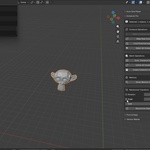
2. Instancer Pro • Select multiple identical or repeated meshes in your scene (e.g., a forest of duplicated trees). • Open the addon panel and click "Convert to Instances". • Check the memory statistics panel to see your RAM savings in real-time.
3. Pivot & Align Master • Select an object and choose your preferred origin point from the Pie Menu or Side Panel (e.g., "Origin to Absolute Bottom"). • To align multiple objects, select them, then Shift+Select the target object last (Active Object). Click "Align to Active".
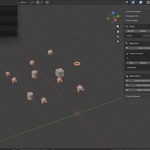
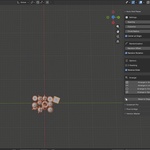
4. Auto Grid Placer • Select a group of messy objects. • Open the grid panel, choose your shape (Grid, Circle, or Line), set the spacing distance, and click "Arrange". • Optional: You can add Z-stacking or random rotation values before generating the array.
Have any issues? Feel free to reach out via our creator page!
Have questions about this product?
Login to message
| Blender Extension Compatible | Yes |
| Published | 7 months ago |
| Blender Version | 3.2 - 5.0 |
| Extension Type | Add-on |
| Render Engine Used | Cycles, Eevee |
| License | GPL |

Discover more products like this
organization align tools Scene Management automation Workflow instancing scatter