 Davlet


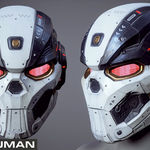
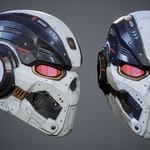
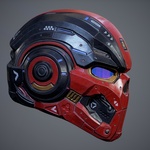
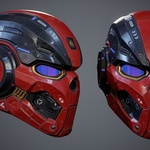
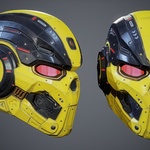
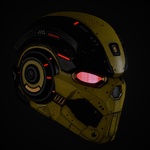
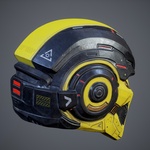
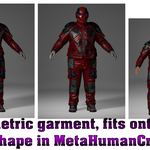
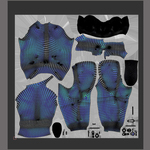
Update 2.1 - Added Unreal Engine 5.6-5.7 project with clothing rig and skinning adapted to the original male Manny rig (UE5). A demo animation is included.
Update 2.0 - Parametric garment, fits onto any body shape in MetaHumanCreator! Add File OA_SciFi_Clothing_p01.mhpkg
------------------------------------------------------------------------------
Video presentation:
Please note that the video shows a complete set of Sci-Fi clothing!
The package includes:
-
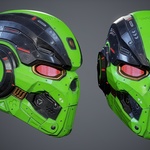
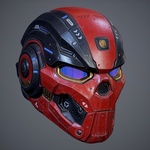
SciFi_Helmet_p01 (Rigged);
Optimized Game Ready 3D model for game engines and animation.
Full compatibility with Metahuman Rigged 5.6-5.7!
(New!) Added Unreal Engine 5.6-5.7 project with clothing rig and skinning adapted to the original male Manny rig (UE5);
Blender 4.5 project with customized materials and Rigs (UE5 rig);
In the Blender file, the metric system is configured for export to Unreal Engine! If you need a standard export, correct the metric system in the project to the standard one.
Rigging and Skinning 3d model;
Included textures in sizes 4096;
Marmoset Toolbag 4 demo scene;
Fbx;
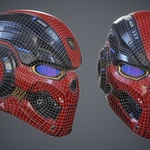
Triangulation model (divided into triangles) for correct export to game engines;
Four color textures of SciFi clothing;
Unreal Engine textures!
PBR - Base_Color, Ambient_occlusion, Height, Normal_OpenGL, Roughness, Specular,Scaterring and other;
Video tutorial;
SciFi_Helmet_p01 Verts 7,950; Tris 15,869;
Metahuman Tutorial for UE 5.6-5.7 https://www.youtube.com/watch?v=KFyQcL1xYEY
(In UE 5.6.1 normal maps display correctly by default, so no additional material adjustments are required.)
---------------------------------------------------------------------------------------------------------------
Please follow the instructions(for UE 5.6-5.7) to successfully import the outfit with the correct textures:
1) Create a folder called "Outfits" and a subfolder "SciFi_Helmet_p01". In this way Outfits\SciFi_Helmet_p01
2) Transfer the file - OA_SciFi_Helmet_p01.mhpkg to the created folder - SciFi_Helmet_p01
3) Transfer the WI_OA_SciFi_Helmet_p01 file to MetaHumanCreator (Watch the video tutorial!)
4) In UE 5.6.1 normal maps display correctly by default, so no additional material adjustments are required.
After generating your MetaHuman:
Import the MetaHuman into your UE project.
Open the scene with your MetaHuman — clothing will display correctly without changing any materials.