 Davlet


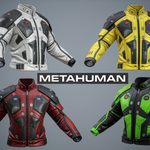
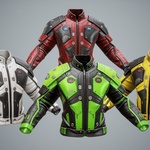
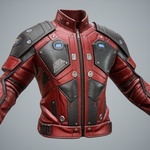
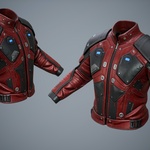
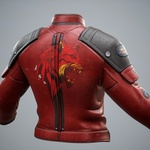
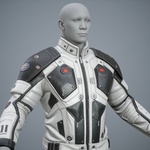
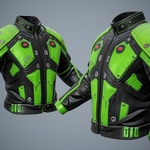
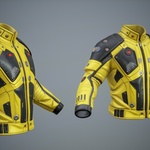
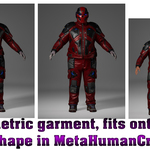
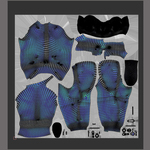
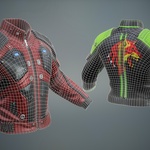
Update 2.1 - Added Unreal Engine 5.6-5.7 project with clothing rig and skinning adapted to the original male Manny rig (UE5). A demo animation is included.
Update 2.0 - Parametric garment, fits onto any body shape in MetaHumanCreator!
------------------------------------------------------------------------------
Please note that the video shows a complete set of Sci-Fi clothing!
The package includes:
-
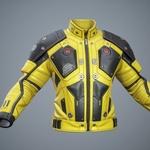
SciFi_Jacket_p01 (Rigged);
Optimized Game Ready 3D model for game engines and animation.
Added Unreal Engine 5.6-5.7 project with clothing rig and skinning adapted to the original male Manny rig (UE5)
Full compatibility with Metahuman Rigged!
-
Metahuman Tutorial for UE 5.6-5.7 https://www.youtube.com/watch?v=KFyQcL1xYEY
(In UE 5.6.1 normal maps display correctly by default, so no additional material adjustments are required.)
Blender 4.4 project with customized materials and Rigs (UE5 Rig);
In the Blender file, the metric system is configured for export to Unreal Engine! If you need a standard export, correct the metric system in the project to the standard one.
Rigging and Skinning 3d model;
Included textures in sizes 4096;
Marmoset Toolbag 4 demo scene;
Fbx;
Triangulation model (divided into triangles) for correct export to game engines;
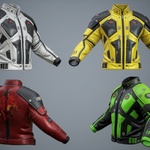
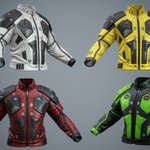
Four color textures of SciFi clothing;
Unreal Engine textures!
PBR - Base_Color, Ambient_occlusion, Height, Normal_OpenGL, Roughness, Specular,Scaterring and other;
Video tutorial;
SciFi_Jacket_p01 Verts 8,941; Tris 17,760;
-----------------------------------------------------------------------------------------------------------------------------------------------
Please follow the instructions(for UE 5.6-5.7) to successfully import the outfit with the correct textures:
1) Create a folder called "Outfits" and a subfolder "SciFi_Jacket_p01". In this way Outfits\SciFi_Jacket_p01
2) Transfer the file - OA_SciFi_Jacket_p01.mhpkg to the created folder - SciFi_Jacket_p01
3) Transfer the WL file to MetaHumanCreator (Watch the video tutorial!)
4)In UE 5.6.1 normal maps display correctly by default, so no additional material adjustments are required.
After generating your MetaHuman:
Import the MetaHuman into your UE project.
Open the scene with your MetaHuman — clothing will display correctly without changing any materials.