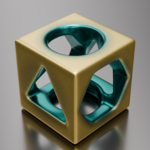
 Hugu's Works



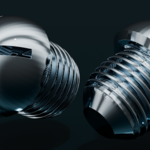

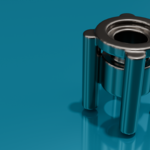
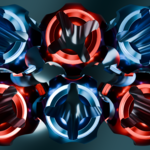
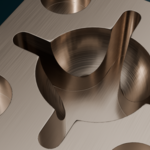
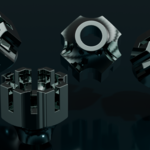
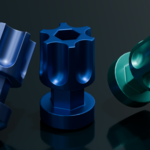
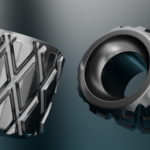
Native SDF node support added!
We have included the native SDF node supported version for Blender 5.0 in the file named SDFusion_SDF_1_0_1.zip. We plan to update with more details.
SDFusion | Non-Destructive Boolean Modeling with SDF-Like Workflow
Documentation: https://sdfusion-blender-addon.readthedocs.io/en/latest/
What is SDFusion?
SDFusion is a Blender add-on that simplifies non-destructive Boolean operations with an SDF (Signed Distance Field)-like workflow. It streamlines complex modeling through intuitive layer management and asset integration, making it ideal for rapid prototyping to final mesh creation.
Key Features
-
One-Click Setup
Automatically configures Boolean, Remesh, and Smoothing modifiers in the optimal order, eliminating manual setup. -
Intuitive Layer Management
Organize Boolean operations with clearly named collections likeADD-1andSUB-1. Assign objects to collections using dedicated buttons in the SDFusion panel for seamless control. -
Unlimited Detail Layers
Add new layers (ADD-3/SUB-3,ADD-4/SUB-4, etc.) anytime with the "Add Layer" button. Non-destructive workflow allows endless experimentation. -
Real-Time Adjustments
Fine-tune remeshing, smoothing, sharpness, and edge angle via geometry node controls in the sidebar, with live previews of your model. Supports efficient mesh reduction for optimized final outputs. -
Asset Library Integration
Install the includedCutter_asset_X_Y.zipvia a dedicated UI to use the latest procedural cutters instantly. -
Clean Project Finalization
Apply all modifiers and clean up cutter objects and collections with a single click, keeping your project organized. -
Customizable Display
Switch object display types (Solid, Wireframe, Bounds) and toggle viewport overlays for efficient workflows. -
Transform Tools
Rotate objects (90°, 45°, 30°), move to world origin, or align to the 3D cursor with one-click operations.
Why Choose SDFusion?
- Layer-Based Workflow: Stack ADD/SUB layers for flexible, non-destructive modeling.
- Live Controls: Adjust parameters in real-time to explore shapes intuitively, including remeshing and sharpness tuning.
- Finalize with Ease: Batch-apply modifiers, perform mesh decimation for reduction, and clean up for a polished final mesh.
- Blender 4.5+ Compatibility: Seamless integration with the latest Blender versions.
- Simplified Asset Management: Easy installation and updates for the latest asset libraries.
How to Use
-
Installation
Install the add-on and access the "SDFusion" panel in the 3D View sidebar (N key). To set up assets, go to Preferences > "Install Assets," select the latestCutter_asset_X_Y.zip, and choose an installation directory. -
Setup
Click "Reset Booleans & Collections" to auto-configure modifiers and collections. The original object is preserved, and a working copy is created. -
Boolean Operations
Select a cutter object and use the "Layer Assignment" section in the SDFusion panel to move it toADD-1,SUB-1, or other collections. Booleans update instantly. -
Add Layers
Click "Add Layer" to create new layers for more complex shapes, all non-destructively. -
Adjust & Finalize
Use sidebar sliders to tweak remeshing, smoothing, and sharpness. When ready, click "Apply All" to finalize with mesh decimation and "Cleanup All" to remove temporary data.
For detailed steps, see the official documentation.
[Bonus Tool Included] Introducing: Collection Object Walker
Previewing Boolean Cutters has never been this smooth.
To further accelerate your modeling workflow with SDFusion, we have included a powerful auxiliary add-on: "Collection Object Walker".
Managing a library of boolean cutters (shapes) can be messy, especially when they overlap in the viewport. Toggling visibility manually in the Outliner is time-consuming. This tool solves that problem by allowing you to cycle through objects in a collection sequentially, like a slideshow, with just a single click.
Key Features & Benefits:
Instant Cycling (Walker Mode): Swiftly switch between multiple overlapping cutter shapes using "< Prev / Next >" buttons. Find the perfect shape intuitively without cluttering your view.
Batch Display Management: Instantly change the display type of all objects in a collection to "Wireframe" or "Bounds" for better visibility during boolean operations.
Perfect Companion for SDFusion: Use this tool to "try on" different shapes, then use SDFusion to apply the boolean. It allows for hesitation-free iteration.

Acknowledgements
The development of SDFusion was greatly inspired by pioneering add-ons such as Boolean Quick Remesh (BQR) and Simply Concept. In honour of the ‘intuitive Boolean workflow’ concept demonstrated by these tools, we explored our own new approach in SDFusion, leveraging Blender's native collection system to make the experience even simpler and more organised. We sincerely thank the great pioneers for their achievements.
Special Thanks:
• vjaceslavt
• artemis3d
• vovrzul777