Select Pro
 Huge Menace



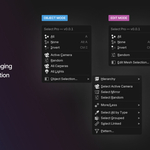
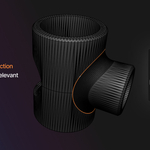
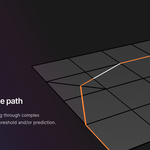
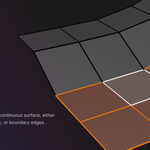
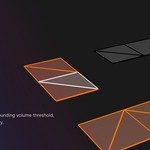
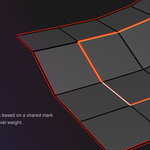


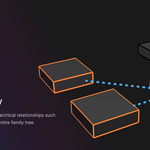
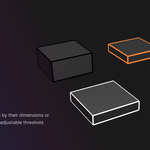
This small update brings Select Pro up to speed with Blender 5.2 LTS and 5.3 alpha. It also includes a minor improvement to how keybinds are registered and handled, along with a change that removes the need to reload scripts or restart Blender after modifying them.
Features
- update the packaging process to include a universal platform build for extensions/repo usage
Bug Fixes
- fix the edge boundary regression error when running in modal mode
Features
- add a preference option to toggle the visibility of the configuration sidebar (independent of the operators panel)
- add Flood Fill Select operator (supporting vertex, edge, and face mode)
- add full support for Edit Lattice mode
- add lattice Select Along Axis operator and associated predictions
- add Pie menu option for all supported modes (replaces main menu)
- add Select Constraint Target operator and associated predictions
- add Select Modifier Object operator and associated predictions
- add Select Parent/Child Armature & Pose mode operator (walks the hierarchy selecting individual bones or chains)
- mass update all Select Pro operator idnames to show the right click "Assign Shortcut" option and better support custom keymaps
Bug Fixes
- ensure that Smart Select Toggle works in multi-object edit scenarios (mesh, curve, armature, and pose)
- fix regression in grow/shrink selection for naked/wire vertices and edges
- fix the active edge is None error in the Select Similar Connected operator
Features
- add a graceful error handling mechanism with a link to the support page
Bug Fixes
- fix Pose mode selection saving and recalling (Blender 4/5 API differences)
- fix Pose mode smart select toggle error (Blender 4/5 API differences)
Features
- Add quad-continuation detection to Smart Edge Select to run Blender's native loop select over contiguous paths
- Add Select Collection operator (select all objects in the collection or focus the collection root)
- Add Select Similar Element operator (vertex, edge, and face) with associated predictions and double-click options
- Add vertex, edge, and face loop (Blender native) options to the double-click dispatch
- Add Smart Select Toggle (on by default), replacing the separate All and None pinned items
- Add save and recall selections across all supported modes via the main menu
- Convert edge boundary operator into a modal operator for interactive surface or open-ended boundary selection
Bug Fixes
- Ensure lengths displayed in modal operators account for the None unit system (plain Blender units)
- Fix null-selection bug with the Select Vertices by Proximity operator
Features
- Add header and status bar text along with property keybinds for Grow/Shrink and Vertices by Proximity modal operators
- Add improved grow/shrink and linked edges predictions for wire and boundary edges
- Add new default Smart Edge Select double-click option (automatically pick the best operator based on the active edge's properties)
- Add operator panel to the sidebar / N-panel containing all of Select Pro's custom operators
- Add select similar face direction to face double-click options
- Convert similar face direction to modal operator and add connected_only option (off by default)
- Ensure the selection sensitivity of select vertices by proximity is consistent across different mesh scales
- Improve contiguous path's edge scoring algorithm and add planarity weighting
- Improve the boundary edge detection mechanism in contiguous path
- Nativize and improve the contiguous edge path operator's performance, stability, and edge-scoring algorithm
- Nativize and improve the face direction operator's performance
- Nativize and improve the face island operator's performance
- Nativize and improve the face surface operator's performance
- Nativize and improve the grow/shrink operator's performance
- Nativize and improve the vertices by proximity operator's performance
- Rewrite the edge boundary operator improving selection across wire, naked, and manifold edges, including "smart surface" selection (boundary of surface under the mouse cursor)
Bug Fixes
- Ensure that all mesh selection operators ignore hidden elements where appropriate
- Ensure that double-click operator settings are only saved when the operator was invoked via double-click (ignore savable properties when invoked via the menu)
- Ensure that hidden objects aren't included in the object mode analysis step
- Fix the op_table edit mesh loop operators for Blender 5.2 (mesh.select_edge_loop_multi)
$15
Have questions about this product?
Login to message
| Blender Extension Compatible | Yes |
| Sales | 1300+ |
| Rating | 36 ratings |
| Published | 8 months ago |
| Blender Version | 4.0 - 5.2 |
| Extension Type | Add-on |
| Render Engine Used | Arnold, Blender-Internal, Blender-Game-Engine, Cycles, Eevee, Freestyle, Luxrender, Mental-Ray, Octane, Vray, Yafaray |
| License | GPL |
Discover more products like this
object-mode 3D Workflow Optimization auto selection tools curve edit mode pie menu Predictor Selection armature pose