 NoiseBee


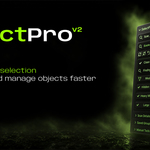
SelectPro V2 Documentation
SelectPro V2 is a focused Blender selection addon designed to help you scan, find, review, and manage scene objects faster.
Installation
Open Blender and go to Edit > Preferences > Add-ons.
Click Install from Disk, select the SelectPro V2 zip file, then enable the addon.
Open the 3D Viewport sidebar with N and go to the SelectPro tab.
Scene Scanner
The Scene Scanner automatically reviews your scene and shows useful findings such as meshes, materials, hidden objects, missing materials, heavy meshes, locked objects, large objects, and objects with modifiers.
Use the selection buttons beside each scanner item to quickly select the matching objects in your scene.
Scene Score
Scene Score gives you a quick overview of your file state. A cleaner score means fewer detected issues such as hidden objects, missing materials, locked transforms, large objects, or heavy meshes.
It is not a render-quality score. It is a practical scene review indicator for cleanup and selection workflow.
Hidden Ghost Preview
When hidden objects are detected, SelectPro V2 can display a red ghost preview in the viewport to help you understand where the hidden object is located.
The ghost preview is viewport-only. It does not create a real object, does not add a material, and does not appear in the Outliner.
Saved Internal Groups
Saved Groups let you store the current object selection inside SelectPro and recall it later with one click.
These are internal addon groups. They do not create Blender collections and they do not change your scene hierarchy.
Manual Tools
Similar Shape selects objects with comparable geometry and proportions.
By Radius selects objects within a chosen distance range.
Size helps find objects based on their dimensions.
Vertex Count helps find low-poly or high-poly mesh objects.
Quick Fixes
No Material can find objects without a material and let you assign an existing material.
Locked can find objects with locked transform controls and unlock them when needed.
Mods detects objects that have one or more modifiers.
Workflow Tip
Start with the Scene Scanner, select the finding you want to inspect, use the details list to review objects, and save important selections as internal groups when you need to return to them later.
 Included
Includes 12 months of
- Support from NoiseBee
- Product updates
Extend this product’s Support Period +12 months: 25% of product price
Have questions before purchasing?
Login to message
| Blender Extension Compatible | Yes |
| Dev Fund Contributor | |
| Published | about 1 year ago |
| Blender Version | 4.5 - 5.2 |
| Extension Type | Add-on |
| Render Engine Used | Arnold, Cycles, Eevee, Octane, Vray |
| License | GPL |
Discover more products like this
addon selectprov2 preset seclection tool addon2026 interface selectpro selectix