Set Opacity - Make Blender Transparent
 To The Grid Studio



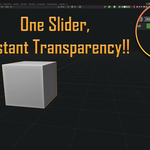
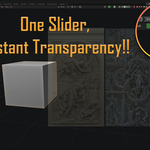
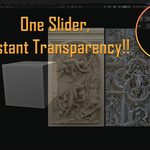
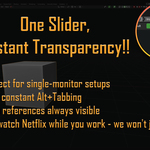
HOW TO USE
- Install the addon (drag & drop the .zip into Blender)
- Look at your 3D Viewport header (top bar)
- Find the "Opacity" slider
- Drag it to make Blender transparent
- Work with your references always visible
That's literally it. No menus to navigate, no hotkeys to remember.
MULTI-WINDOW SUPPORT
Set Opacity v1.1+ supports independent opacity control for multiple windows.
How to use:
- Open a new main window: Window > New Main Window
- Each main window has its own opacity slider
- Adjust opacity independently for each window
Note: Floating windows created with "New Window" share opacity with their parent window due to Blender's internal window management. For independent opacity control, use "New Main Window" instead.
Tip: Press Ctrl+Space in a new main window to maximize the viewport and hide menus for a clean reference window.
TECHNICAL SPECS
Blender Version: 4.5 or newer Platform: Windows only (Mac/Linux support may come in future versions) Category: Interface Location: 3D Viewport Header License: GPL v3 File Size: ~17KB
INSTALLATION
Method 1 (Recommended): Edit > Preferences > Add-ons > Install > Select set_opacity.zip > Enable checkbox
Method 2: Extract folder to: %APPDATA%\Blender Foundation\Blender\4.5\scripts\addons\
KNOWN LIMITATIONS
- Compatibility Blender 4.5 , update to 5.0 coming soon.
- Minimum 50% opacity - Window won't go invisible (by design)
- Single monitor friendly - Works best with references on same screen
Questions? Email: [email protected] Updates: Maintained for latest Blender versions Source Code: Available (GPL v3 license)
Discover more products like this
Opacity Control transparency Blender interface addons see through viewport 3D reference 3D-sculpting-reference 3d modeling reference