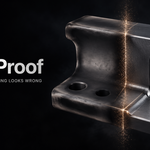
ShadeProof — Explains Why Your Shading Looks Wrong
 Skava


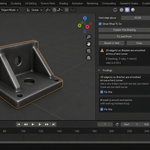
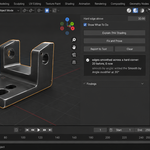
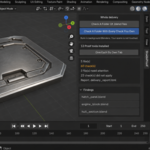
Download the zip and do not unpack it. In Blender open Edit > Preferences > Add-ons, click the drop-down arrow in the top-right corner and choose Install from Disk, then pick the zip. Tick the checkbox next to ShadeProof. Press N in the 3D Viewport and open the ShadeProof tab in the sidebar.
The full documentation is in the Documentation & FAQ tab on this product page, and a README.txt with install, first run and uninstall steps is inside the zip.
Blender 4.2 LTS and newer. Tested live on 4.2.9 and 5.2.0.
The add-on is pure Python: no compiled parts, and it downloads or installs no extra packages.
On some installations, particularly on 4.2, Blender's essentials asset library that provides the Smooth by Angle modifier is not available. ShadeProof checks for that and, if the modifier did not appear, marks the edges above your angle as sharp in the mesh instead. The report says which of the two happened.
Press Explain This Shading. It counts the edges where the surface turns a corner sharper than Hard edge above while the shading is blended across it — the dark bands and melted corners — on the evaluated mesh, after your modifiers. It also checks whether anything is holding the hard edges at all: sharp edges, custom normals, Smooth by Angle or Weighted Normal. Nothing in the scene is changed by the check.
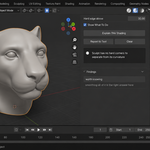
It is built not to flag healthy organic models: a coarse organic mesh often has no clear gap between soft curvature and real corners, and then blending everything is the right answer. When a mesh has nothing holding its hard edges, the add-on says exactly that and leaves the decision to you.
An unapplied uneven or negative scale, hard edges that nothing is holding, flat shading on a bevelled model, sharp edges marked on a flat-shaded object, a Weighted Normal modifier placed before Bevel, and a Weighted Normal without Keep Sharp. Only the findings you tick are acted on, only on the object they were found on, and faces that were flat on purpose stay flat. Custom normals are not cleared. Afterwards the same count is taken again and shown as before and after.
It does not repair geometry and does not edit normals by hand; when geometry is the cause of a dark patch, it says so and names it. A mesh linked from another file is explained but not repaired.
Faces meeting at a sharper angle than Hard edge above are treated as a real corner. The default is 30°. When your model has a clear gap between its soft joints and its hard corners, the add-on suggests an angle inside that gap — as a suggestion only.
Yes. Open the Whole Delivery panel in the same tab. Check A Folder Of .blend Files runs this check over every .blend in the folder you pick; Check A Folder With Every Check You Own runs every installed tool of this line over the same files in one pass. Each file is opened in its own background Blender, so your open scene is not touched. Press Escape to stop; a stopped run writes no report.
When it finishes, an HTML report named shade_proof_report.html is written into the folder you picked. A report with that name from an earlier run is replaced.
No. The add-on contains no network code and sends no telemetry. Report to Text writes into a text block called ShadeProof Report inside your .blend; files on disk are written only by a folder check, which writes its report.
Yes. The add-on is licensed under GPL-3.0-or-later; the full text is in LICENSE.txt inside the zip. The license covers the add-on code; what you create with it is yours.
Have questions about this product?
Login to message
| Published | about 2 months ago |
| Blender Version | 4.2 - 5.2 |
| Extension Type | N/A |
| Render Engine Used | Cycles, Eevee |
| License | GPL |