 Stefano Bianchini


Shadow Box
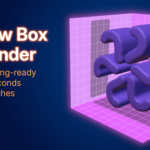
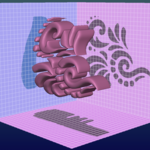
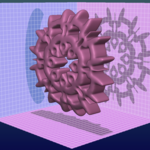
Shadow Box is a Blender add-on designed for sculptors who want to quickly create a base mesh for their sculpting workflow.
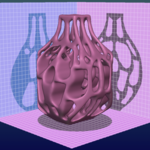
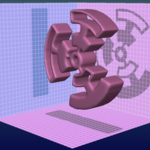
By drawing the shape of an object from three orthographic views, Shadow Box automatically generates a 3D volume that can be used as a starting point for further sculpting and editing.
Users familiar with ZBrush may recognize a similar workflow: defining 3D forms from multiple 2D silhouettes. Shadow Box adapts this concept into a native Blender workflow, combining the speed of 2D shape definition with the flexibility of Blender's sculpting tools.
From 2D Silhouettes to 3D Shapes
Define the shape of your model from simple 2D silhouettes and let Shadow Box turn them into a 3D base mesh. Draw, combine and refine your projections while the geometry is generated automatically.
Drawing Tools
A complete set of drawing tools gives you everything you need to quickly define your silhouettes, from organic freehand shapes to precise geometric forms and custom polygon outlines.
- Free Hand Paint - Draw organic shapes directly on the planes.
- Rectangle, Circle and Polyline Tools - Quickly create precise geometric forms and polygon silhouettes.
- Lasso Tool - Create freeform filled areas with a single gesture.
Symmetry and Precision
Build symmetrical shapes and keep your drawings aligned with precision tools.
- Mirror X / Mirror Y symmetry for balanced shapes.
- Radial Symmetry for repeating patterns and circular forms.
- Grid Snapping for accurate shape placement and alignment.
Reference Images & Mask Generation
Use reference images as visual guides or turn them directly into masks. This makes it easy to work from silhouettes, concept art or existing images.
- Display reference images directly on projection planes.
- Adjust image position, scale and rotation.
- Generate masks directly from reference images using Alpha or Luminance.
- Add, Subtract or Replace the existing plane mask with the image generated mask.
Documentation
For further details about all tools, settings and workflows, please read the official Shadow Box user manual:
Prefer a quick overview? Watch the full demo below.


