 Shugan


Installation
- Go to the top menu bar and click
Edit(orBlenderon macOS). SelectPreferences.
- In the Preferences window, click on the
Add-onstab. - Click the
Install...button at the bottom of the Add-ons tab. - Navigate to your addon zip file, select it, and click
Install Add-on. - Check the box next to the installed addon to enable it
- Drag Shape Keys ++ menu to the desired position

Note : Shape Keys ++ will replace the Shape Keys blender native menu
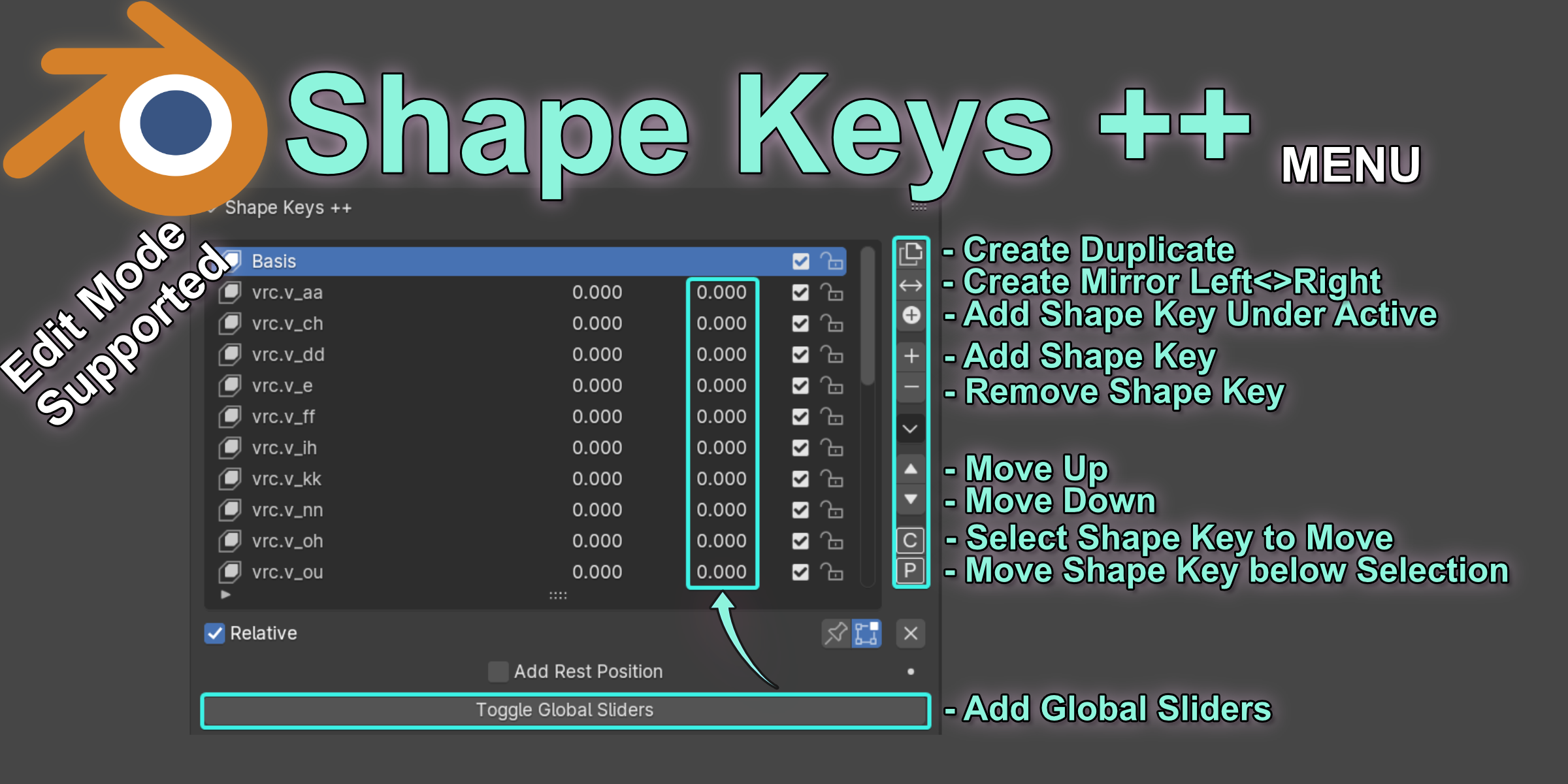
Move

Duplicate

Mirror

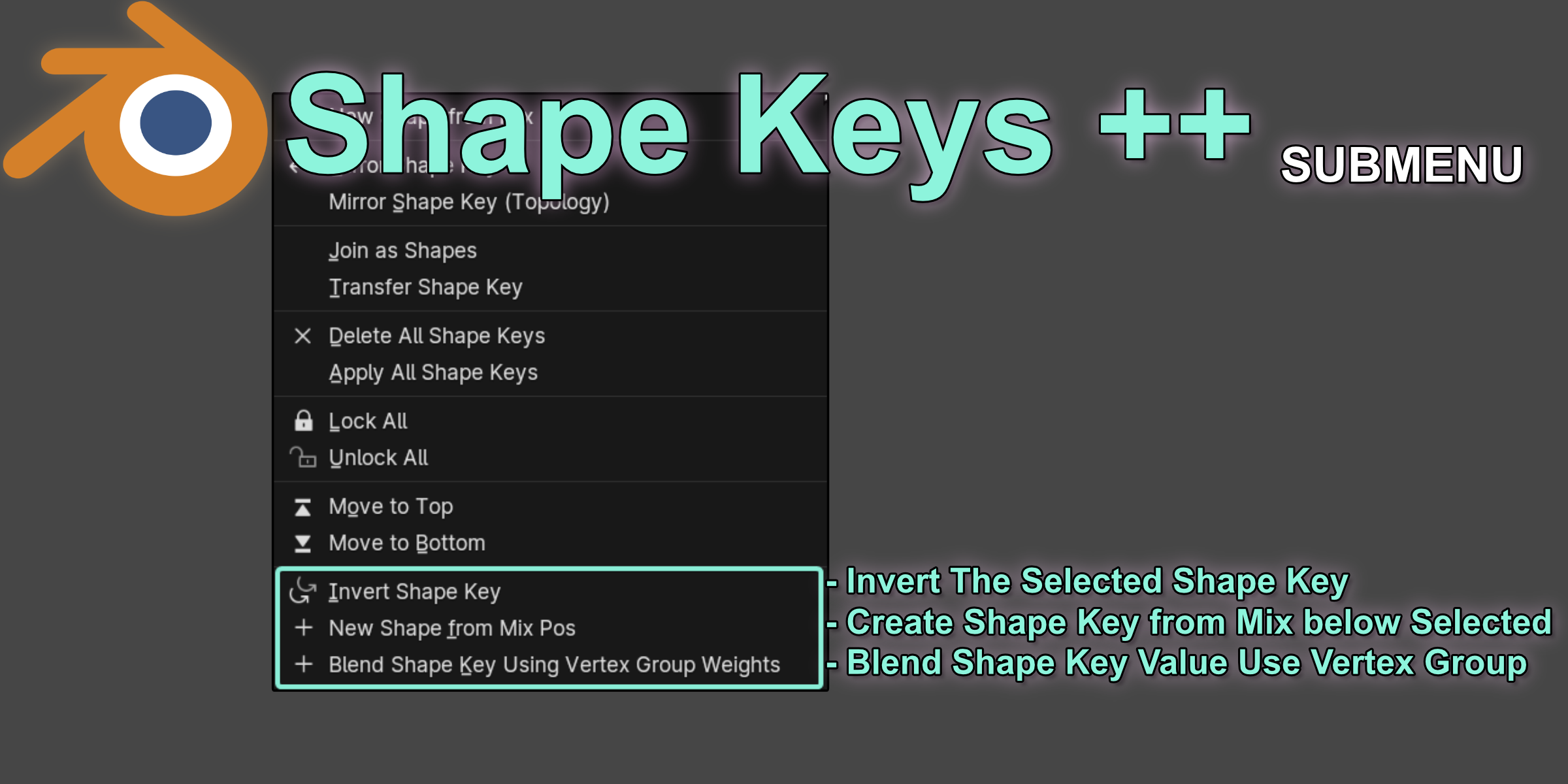
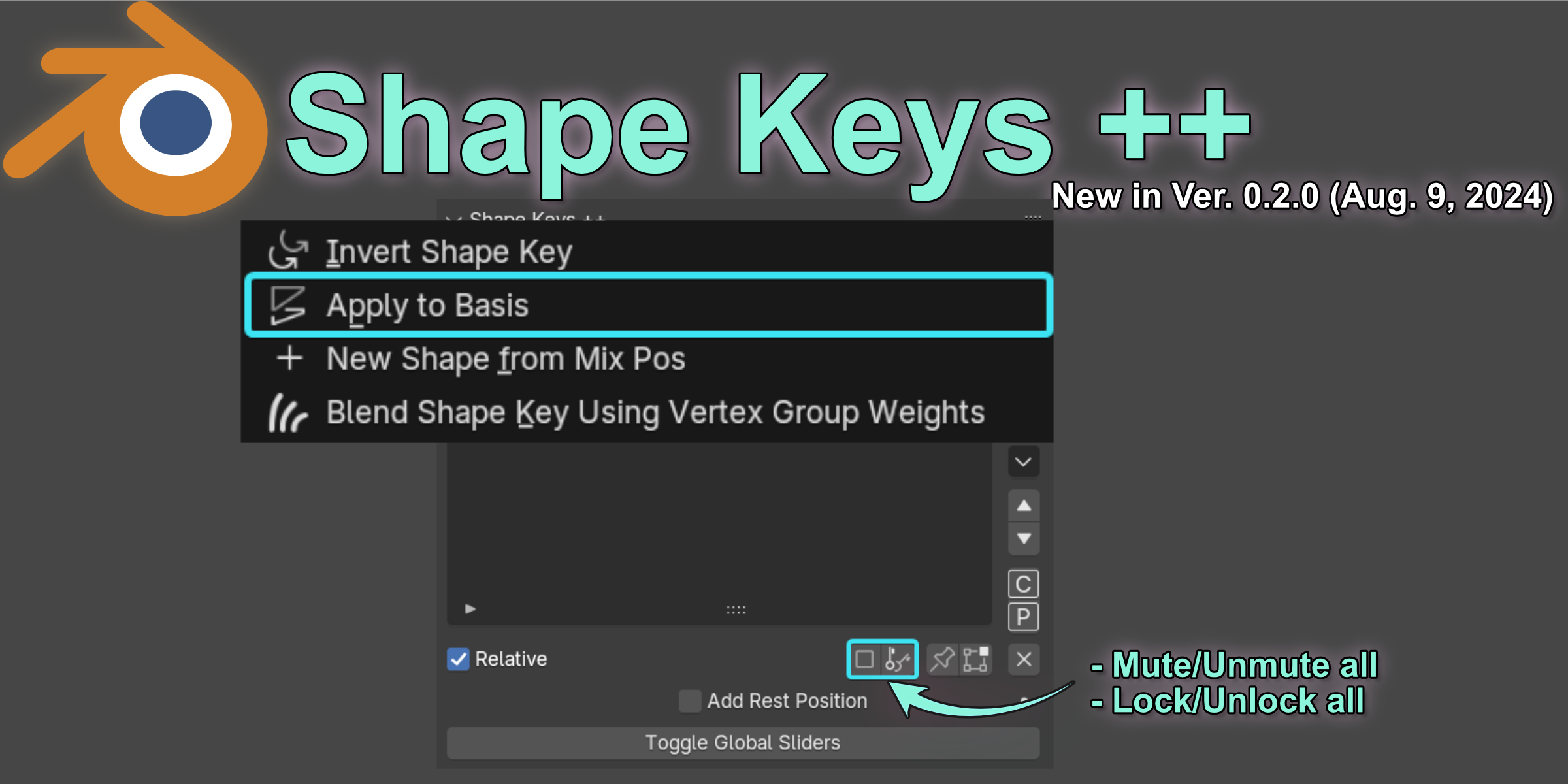
Invert

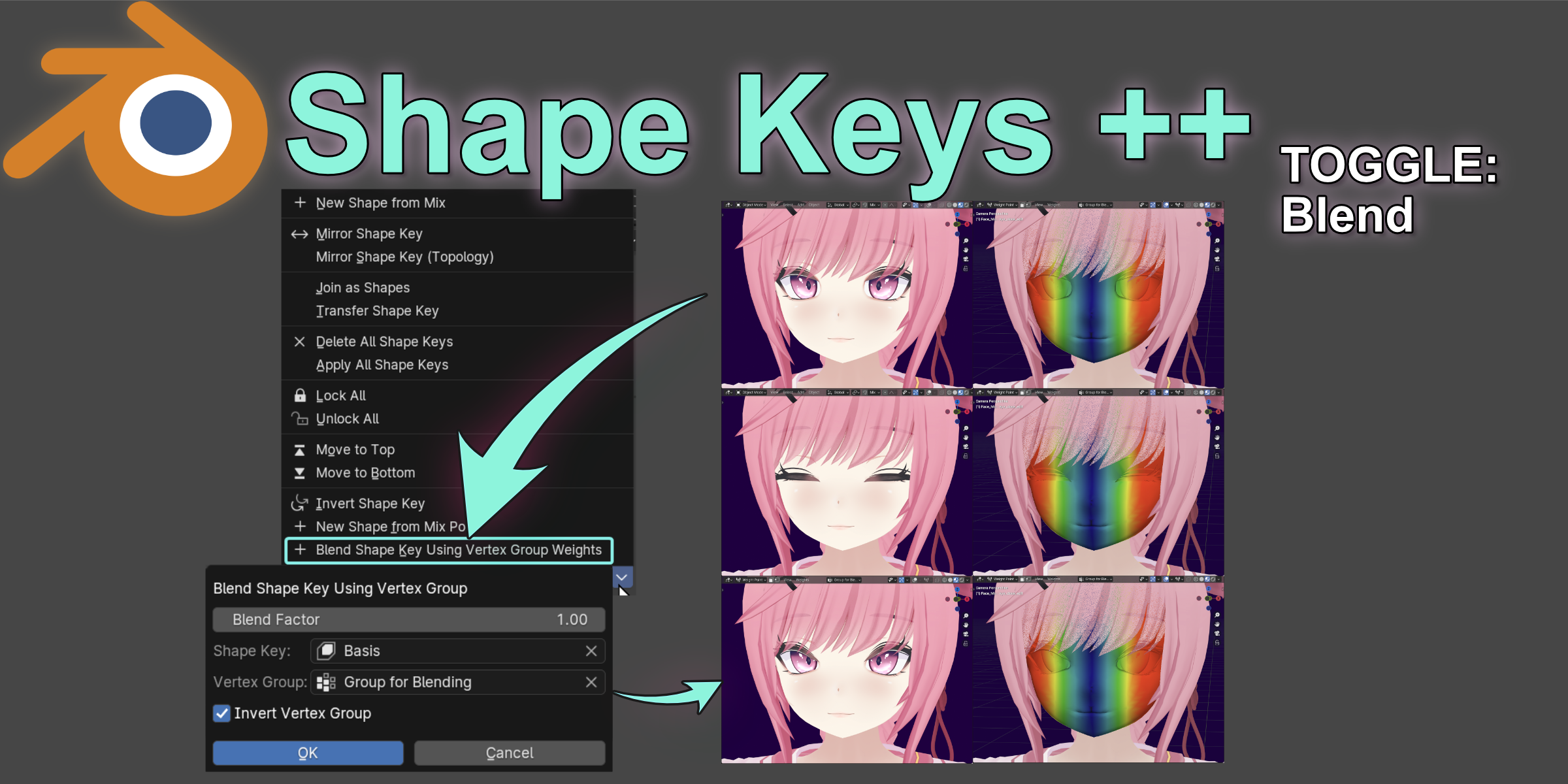
Blend with Vertex Groups

Global Sliders
$5
Have questions about this product?
Login to message