Sharp's Building Generator
 SharpWind


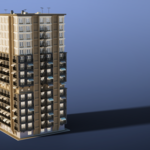
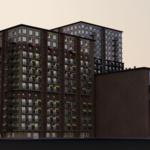
How can I swap the building panels with my own?
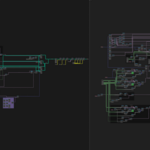
The panels are instanced with indexing (and boolean logic). The current panels are named in a way where there's a number at the start of each name, so they appear in the correct order in the outliner (00_Bottom_Wall, 01_Bottom_Corner, 02_...)
If you wish to replace any of the panels, just delete the original and rename your panel to have the same number at the start, as the original panel did - then drop your panel into the "Parts" collection.
The panel needs to be exactly 0.5m away from the origin point and be oriented the same way as the rest of the panels, in order to connect to the building properly.
Can I customize the colors if I have multiple buildings? Won't the material just be overridden?
You can customize the colors however you want - the color attribute is driven by geometry nodes and is geometry-reliant. Even though all models use the same geometry node setup, they're writing the color attribute to the geometry itself, so the shader will respect the colors on all of your individual buildings.
$25
Have questions about this product?
Login to message
| Published | about 2 months ago |
| Blender Version | 5.0 - 5.2 |
| Render Engine Used | Cycles, Eevee |
| License | Editorial |
Discover more products like this
procedural Generator skyscraper building House geometrynodes city