Shelfmaster — Batch Import & Project Panel For Blender
 Anvil Interactive Solutions


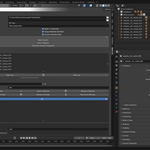
# ShelfMaster Documentation
## Overview
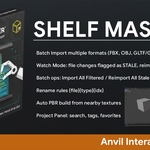
ShelfMaster is designed to handle **large asset libraries** efficiently in Blender. It eliminates repetitive import, rename, and material assignment tasks while providing a **Unity-style project panel** for easy asset browsing.
---
## 1. Installation
- Download `shelfmaster.zip` from Superhive.
- In Blender: `Edit → Preferences → Add-ons → Install…` and select the ZIP.
- Enable **ShelfMaster – Batch Import & Project Panel**.
---
## 2. Interface
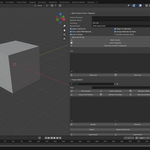
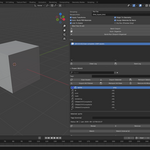
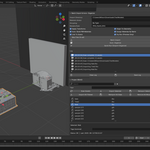
- Open the *Batch IO* tab in the 3D View’s **N-Panel**.
- The panel is divided into:
1. **Import Settings** – Import directory, material library, grouping strategy, rename rules.
2. **Operations** – Batch Import, Auto-Organize, Quick Run.
3. **Log** – Displays all actions performed.
---
## 3. Features in Detail
### Batch Import
- Supported formats: `.fbx`, `.obj`, `.gltf`, `.glb`, `.blend`
- Optional **dry run** mode to preview imports.
- Group assets by:
- Per File
- By Object Type
- Flat (no grouping)
### Auto PBR Material Assignment
- Detects texture files in the same folder.
- Matches based on suffix keywords (e.g., `basecolor`, `normal`, `roughness`).
- Builds Principled BSDF shader networks automatically.
### Project Panel Features
- **Search** assets by name.
- **Tag & Favorite** assets for quick filtering.
- **Thumbnails** for visual navigation.
- **Watch Mode**: Monitors import directory, flags changed files as *Stale*.
### Batch Operations
- Import All Filtered
- Reimport All Stale
- Remove Missing
---
## 4. Tips & Best Practices
- Keep textures named consistently for best auto-PBR results.
- Use `material library` folder for shared, reusable materials.
- Enable **Watch Mode** when working with external asset pipelines.
---
## 5. Troubleshooting
- If ShelfMaster doesn’t appear in Preferences:
- Check that the ZIP contains `shelfmaster/` folder with `__init__.py` and `batch_import_auto_organize.py`.
- Restart Blender after installation.
- View errors in **Window → Toggle System Console**.
---
## 6. License
MIT License – see LICENSE file.
$10$5
Have questions about this product?
Login to message
| Published | about 1 year ago |
| Blender Version | 4.0 - 4.5 |
| Extension Type | N/A |
| Render Engine Used | Cycles, Eevee |
| License | Mit |
Discover more products like this
blender addon blender asset management project panel batch-import auto organize