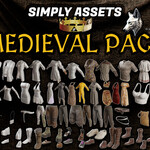
Simply Assets - Medieval Pack
 VjaceslavT


How to install?
Installation Instructions (Blender Asset Browser)
Follow these 4 simple steps to start using the pack:
- Download & Unzip: Extract the downloaded .zip file to a permanent folder on your computer (e.g., Documents/Blender/Medieval_Assets).
- Open Preferences: In Blender, go to Edit > Preferences > File Paths.
- Add Asset Library: Under Asset Libraries, click the + button. Name the library (e.g., "Medieval Pack") and go and select the unzipped folder File Path.
- Open Asset Browser: In your Blender workspace, open an Asset Browser window. Select your new library from the dropdown menu.
That's it! Drag and drop any clothing item, belt, or accessory directly into your scene. No further setup required.
-
$45
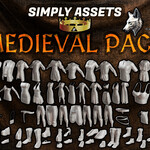
All 70+ Medieval Asset without Textures
-
$88
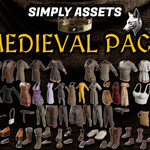
All 70+ Medieval Asset with Textures
Have questions about this product?
Login to message
| Sales | 10+ |
| Dev Fund Contributor | |
| Published | 4 months ago |
| Blender Version | 4.0 - 5.2 |
| Render Engine Used | Cycles, Eevee, Luxrender |
| Misc Data | Uvs-Unwrapped, Normal-Mapped, Textured |
| License | Creative Commons |
Discover more products like this
game ready low poly fantasy Simply Cloth Pro belt fantasy-rpg accessories medieval RP Armor uv-unwrapped