 Skava


Download the .py file. In Blender open Edit > Preferences > Add-ons, click the drop-down arrow in the top-right corner and choose Install from Disk (in Blender 4.0 and 4.1 the button is called Install), then pick the downloaded file. Tick the checkbox next to the add-on to enable it. The tools appear in the 3D View and UV Editor sidebars.
The product description lists Blender 4.2.0 or newer as the requirement.
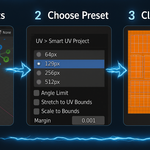
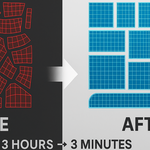
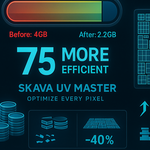
It unwraps and packs UVs. Smart UV picks a projection per mesh (cube, cylinder, angle-based or smart projection), identical meshes can share UV space through automatic stacking, and the UV Editor tools add packing with Optimal, Grid and Strip layouts, margin control, island stacking and alignment.
Yes: Game LP (4 px margin, 66° angle limit), Game HP (2 px, 82°) and ArchViz (1 px, 89°).
Alt+U runs Smart UV in the 3D View, Alt+P packs in the UV Editor, and Shift+Alt+U opens the SKAVA pie menu.
The product page lists the license as GPL.
Have questions about this product?
Login to message
| Sales | 30+ |
| Published | over 1 year ago |
| Blender Version | 3.0 - 4.5 |
| Extension Type | N/A |
| License | GPL |
Discover more products like this
Production-ready GPU Acceleration Auto stacking uv packing game assets Batch processing One-click solution Professional workflow uv unwrapping UDIM support texture optimization Smart UV