What Blender versions does this work with?
Where do I report a bug or ask for help?
Through Superhive's messaging for this product, or the support channel linked in the manual.
Can I get the line art and the beauty render as two separate files?
Can I batch-render multiple cameras at once?
Can I add more built-in presets in the future?
Do I need to restart Blender after installing or updating?
Can I sync my styles across multiple computers automatically?
Yes — point the presets folder (in the addon preferences) to a Dropbox or OneDrive folder, and your library follows you across machines.
My scene has a lot of objects and adjusting sliders feels slow — is there a fix?
Does this work on Windows, macOS, and Linux?
Yes, it's pure Python/Blender API — no OS-specific dependencies.
Does it work in EEVEE and Cycles, or just one?
Where do I report a bug or ask for help?
Does applying a preset destroy my original materials?
Can I batch-render multiple cameras at once?
Yes. Batch Render renders every camera in the scene across all four material presets (Black and White, Clay, Sketch Style, Blueprint) in a single pass.
Does it work in EEVEE and Cycles, or just one?
Both. Switch engines from the panel or sync it to whatever your scene is already using.
My scene has a lot of objects and adjusting sliders feels slow — is there a fix?
Use "Line Art Scope" in the Performance section: select just the object(s) you're tuning and click "Preview Selected Objects" to limit the Line Art calculation to them. Click "Full Scene" to restore before your final render.
Do I need any other addons installed for this to work?
No. Everything (Line Art, materials, world setup) is self-contained.
Can I share a style with someone else, or use it on another computer?
Yes. Use the Export button next to any style — it packages the settings and its thumbnail into a single .sketchpreset file you can send or move. Import it on the other machine and it appears in the picker.
Will I lose my custom styles if I update the addon?
No. They live outside the addon's own folder specifically so updates don't affect them. If you're upgrading from a much older version that stored presets differently, the addon migrates them automatically the first time you open the panel.
Do I need to restart Blender after installing or updating?
It's recommended. Blender can sometimes keep old Python modules cached in memory after an "Install from Disk" over an existing version — a full restart guarantees you're running the new code.
What presets are included?
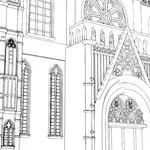
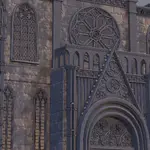
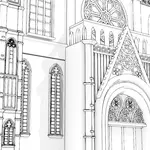
Five: Black and White, Clay, Blueprint, Sketch Style, and Line Art Only.
What's the difference between "Line Art Only" and the others?
The other four apply a material to your objects (flat, clay-shaded, blueprint-tinted, etc.) plus the line art on top. Line Art Only renders just the lines on a transparent background — nothing else — so you can drop it into compositing over another render or texture.
What Blender versions does this work with?
Blender 4.3 through 5.2+ — one single package, no need to pick a version-specific download. It's been tested across 4.3, 4.5 LTS, and 5.2 LTS.
Do I need to restart Blender after installing or updating?
It's recommended. Blender can sometimes keep old Python modules cached in memory after an "Install from Disk" over an existing version — a full restart guarantees you're running the new code.
What's the difference between "Line Art Only" and the others?
The other four apply a material to your objects (flat, clay-shaded, blueprint-tinted, etc.) plus the line art on top. Line Art Only renders just the lines on a transparent background — nothing else — so you can drop it into compositing over another render or texture.
Can I share a style with someone else, or use it on another computer?
Yes. Use the Export button next to any style — it packages the settings and its thumbnail into a single .sketchpreset file you can send or move. Import it on the other machine and it appears in the picker.
Do I need to restart Blender after installing or updating?
It's recommended. Blender can sometimes keep old Python modules cached in memory after an "Install from Disk" over an existing version — a full restart guarantees you're running the new code.
Does applying a preset destroy my original materials?
No. Your original materials are stored and restored when you switch back to "None" or to a different object state — the addon only overlays on top, it doesn't overwrite your source data.
What Blender versions does this work with?
Blender 4.3 through 5.2+ — one single package, no need to pick a version-specific download. It's been tested across 4.3, 4.5 LTS, and 5.2 LTS.
I got an install error mentioning "No module named..." — what happened?
This happens if the downloaded .zip or its folder gets renamed to include a period (e.g. a version number like "1.5"). Blender reads everything after the first period as a file extension and truncates the module name. Re-download the original .zip (it doesn't contain periods in its internal folder name) and reinstall.
Does applying a preset destroy my original materials?
No. Your original materials are stored and restored when you switch back to "None" or to a different object state — the addon only overlays on top, it doesn't overwrite your source data.
Does it work in EEVEE and Cycles, or just one?
Both. Switch engines from the panel or sync it to whatever your scene is already using.
Can I sync my styles across multiple computers automatically?
Yes — point the presets folder (in the addon preferences) to a Dropbox or OneDrive folder, and your library follows you across machines.
I got an install error mentioning "No module named..." — what happened?
This happens if the downloaded .zip or its folder gets renamed to include a period (e.g. a version number like "1.5"). Blender reads everything after the first period as a file extension and truncates the module name. Re-download the original .zip (it doesn't contain periods in its internal folder name) and reinstall.
Can I add more built-in presets in the future?
The built-in five are fixed per addon version, but you're not limited to them — see Custom Styles below.
Why don't I see any lines in my render?
Line Art only calculates correctly from camera view. Make sure you're rendering (or previewing) through an active scene camera.
Where are my custom styles stored?
In Documents/Sketch Render Studio/Presets/ — outside the addon folder. That means updating or reinstalling the addon never touches your saved styles.
Can I batch-render multiple cameras at once?
Yes. Batch Render renders every camera in the scene across all four material presets (Black and White, Clay, Sketch Style, Blueprint) in a single pass.
Can I get the line art and the beauty render as two separate files?
Yes, "Render Split Passes" outputs two PNGs: one with just the line art on a transparent background, and one with your original materials and no lines — ready to composite separately.
My scene has a lot of objects and adjusting sliders feels slow — is there a fix?
Use "Line Art Scope" in the Performance section: select just the object(s) you're tuning and click "Preview Selected Objects" to limit the Line Art calculation to them. Click "Full Scene" to restore before your final render.
Can I save my own look as a preset?
Yes. Adjust any setting (line color, thickness, crease angle, background, AO, etc.) and click "Save Current as Preset." It gets a name and an auto-rendered thumbnail, and shows up in the picker alongside the built-ins.
Does this work on Windows, macOS, and Linux?
Yes, it's pure Python/Blender API — no OS-specific dependencies.
What presets are included?
Five: Black and White, Clay, Blueprint, Sketch Style, and Line Art Only.
What Blender versions does this work with?
Blender 4.3 through 5.2+ — one single package, no need to pick a version-specific download. It's been tested across 4.3, 4.5 LTS, and 5.2 LTS.
I got an install error mentioning "No module named..." — what happened?
This happens if the downloaded .zip or its folder gets renamed to include a period (e.g. a version number like "1.5"). Blender reads everything after the first period as a file extension and truncates the module name. Re-download the original .zip (it doesn't contain periods in its internal folder name) and reinstall.
What Blender versions does this work with?
Blender 4.3 through 5.2+ — one single package, no need to pick a version-specific download. It's been tested across 4.3, 4.5 LTS, and 5.2 LTS.
Can I add more built-in presets in the future?
The built-in five are fixed per addon version, but you're not limited to them — see Custom Styles below.
Why don't I see any lines in my render?
Line Art only calculates correctly from camera view. Make sure you're rendering (or previewing) through an active scene camera.
My scene has a lot of objects and adjusting sliders feels slow — is there a fix?
Use "Line Art Scope" in the Performance section: select just the object(s) you're tuning and click "Preview Selected Objects" to limit the Line Art calculation to them. Click "Full Scene" to restore before your final render.
What's the difference between "Line Art Only" and the others?
The other four apply a material to your objects (flat, clay-shaded, blueprint-tinted, etc.) plus the line art on top. Line Art Only renders just the lines on a transparent background — nothing else — so you can drop it into compositing over another render or texture.
What presets are included?
Five: Black and White, Clay, Blueprint, Sketch Style, and Line Art Only.
I got an install error mentioning "No module named..." — what happened?
This happens if the downloaded .zip or its folder gets renamed to include a period (e.g. a version number like "1.5"). Blender reads everything after the first period as a file extension and truncates the module name. Re-download the original .zip (it doesn't contain periods in its internal folder name) and reinstall.
Where are my custom styles stored?
In Documents/Sketch Render Studio/Presets/ — outside the addon folder. That means updating or reinstalling the addon never touches your saved styles.
Can I save my own look as a preset?
Yes. Adjust any setting (line color, thickness, crease angle, background, AO, etc.) and click "Save Current as Preset." It gets a name and an auto-rendered thumbnail, and shows up in the picker alongside the built-ins.
Can I share a style with someone else, or use it on another computer?
Yes. Use the Export button next to any style — it packages the settings and its thumbnail into a single .sketchpreset file you can send or move. Import it on the other machine and it appears in the picker.
Can I sync my styles across multiple computers automatically?
Yes — point the presets folder (in the addon preferences) to a Dropbox or OneDrive folder, and your library follows you across machines.
Can I sync my styles across multiple computers automatically?
Yes — point the presets folder (in the addon preferences) to a Dropbox or OneDrive folder, and your library follows you across machines.
Do I need any other addons installed for this to work?
No. Everything (Line Art, materials, world setup) is self-contained.
What's the difference between "Line Art Only" and the others?
The other four apply a material to your objects (flat, clay-shaded, blueprint-tinted, etc.) plus the line art on top. Line Art Only renders just the lines on a transparent background — nothing else — so you can drop it into compositing over another render or texture.
Does applying a preset destroy my original materials?
No. Your original materials are stored and restored when you switch back to "None" or to a different object state — the addon only overlays on top, it doesn't overwrite your source data.
Can I batch-render multiple cameras at once?
Yes. Batch Render renders every camera in the scene across all four material presets (Black and White, Clay, Sketch Style, Blueprint) in a single pass.
I got an install error mentioning "No module named..." — what happened?
This happens if the downloaded .zip or its folder gets renamed to include a period (e.g. a version number like "1.5"). Blender reads everything after the first period as a file extension and truncates the module name. Re-download the original .zip (it doesn't contain periods in its internal folder name) and reinstall.
Why don't I see any lines in my render?
Line Art only calculates correctly from camera view. Make sure you're rendering (or previewing) through an active scene camera.
Can I get the line art and the beauty render as two separate files?
Yes, "Render Split Passes" outputs two PNGs: one with just the line art on a transparent background, and one with your original materials and no lines — ready to composite separately.
Will I lose my custom styles if I update the addon?
No. They live outside the addon's own folder specifically so updates don't affect them. If you're upgrading from a much older version that stored presets differently, the addon migrates them automatically the first time you open the panel.
Will I lose my custom styles if I update the addon?
No. They live outside the addon's own folder specifically so updates don't affect them. If you're upgrading from a much older version that stored presets differently, the addon migrates them automatically the first time you open the panel.
Can I batch-render multiple cameras at once?
Yes. Batch Render renders every camera in the scene across all four material presets (Black and White, Clay, Sketch Style, Blueprint) in a single pass.
Can I sync my styles across multiple computers automatically?
Yes — point the presets folder (in the addon preferences) to a Dropbox or OneDrive folder, and your library follows you across machines.
Where are my custom styles stored?
In Documents/Sketch Render Studio/Presets/ — outside the addon folder. That means updating or reinstalling the addon never touches your saved styles.
Will I lose my custom styles if I update the addon?
No. They live outside the addon's own folder specifically so updates don't affect them. If you're upgrading from a much older version that stored presets differently, the addon migrates them automatically the first time you open the panel.
Can I sync my styles across multiple computers automatically?
Yes — point the presets folder (in the addon preferences) to a Dropbox or OneDrive folder, and your library follows you across machines.
Can I add more built-in presets in the future?
The built-in five are fixed per addon version, but you're not limited to them — see Custom Styles below.
What presets are included?
Five: Black and White, Clay, Blueprint, Sketch Style, and Line Art Only.
Can I share a style with someone else, or use it on another computer?
Yes. Use the Export button next to any style — it packages the settings and its thumbnail into a single .sketchpreset file you can send or move. Import it on the other machine and it appears in the picker.
Can I get the line art and the beauty render as two separate files?
Yes, "Render Split Passes" outputs two PNGs: one with just the line art on a transparent background, and one with your original materials and no lines — ready to composite separately.
Do I need any other addons installed for this to work?
No. Everything (Line Art, materials, world setup) is self-contained.
Why don't I see any lines in my render?
Line Art only calculates correctly from camera view. Make sure you're rendering (or previewing) through an active scene camera.
Does applying a preset destroy my original materials?
No. Your original materials are stored and restored when you switch back to "None" or to a different object state — the addon only overlays on top, it doesn't overwrite your source data.
Can I batch-render multiple cameras at once?
Yes. Batch Render renders every camera in the scene across all four material presets (Black and White, Clay, Sketch Style, Blueprint) in a single pass.
Does it work in EEVEE and Cycles, or just one?
Both. Switch engines from the panel or sync it to whatever your scene is already using.
Why don't I see any lines in my render?
Line Art only calculates correctly from camera view. Make sure you're rendering (or previewing) through an active scene camera.
Why don't I see any lines in my render?
Line Art only calculates correctly from camera view. Make sure you're rendering (or previewing) through an active scene camera.
Can I save my own look as a preset?
Yes. Adjust any setting (line color, thickness, crease angle, background, AO, etc.) and click "Save Current as Preset." It gets a name and an auto-rendered thumbnail, and shows up in the picker alongside the built-ins.
Can I share a style with someone else, or use it on another computer?
Yes. Use the Export button next to any style — it packages the settings and its thumbnail into a single .sketchpreset file you can send or move. Import it on the other machine and it appears in the picker.
What presets are included?
Five: Black and White, Clay, Blueprint, Sketch Style, and Line Art Only.
Where are my custom styles stored?
In Documents/Sketch Render Studio/Presets/ — outside the addon folder. That means updating or reinstalling the addon never touches your saved styles.
Does this work on Windows, macOS, and Linux?
Yes, it's pure Python/Blender API — no OS-specific dependencies.
What's the difference between "Line Art Only" and the others?
The other four apply a material to your objects (flat, clay-shaded, blueprint-tinted, etc.) plus the line art on top. Line Art Only renders just the lines on a transparent background — nothing else — so you can drop it into compositing over another render or texture.
Do I need any other addons installed for this to work?
No. Everything (Line Art, materials, world setup) is self-contained.
Can I get the line art and the beauty render as two separate files?
Yes, "Render Split Passes" outputs two PNGs: one with just the line art on a transparent background, and one with your original materials and no lines — ready to composite separately.
My scene has a lot of objects and adjusting sliders feels slow — is there a fix?
Use "Line Art Scope" in the Performance section: select just the object(s) you're tuning and click "Preview Selected Objects" to limit the Line Art calculation to them. Click "Full Scene" to restore before your final render.
Where are my custom styles stored?
In Documents/Sketch Render Studio/Presets/ — outside the addon folder. That means updating or reinstalling the addon never touches your saved styles.
Can I save my own look as a preset?
Yes. Adjust any setting (line color, thickness, crease angle, background, AO, etc.) and click "Save Current as Preset." It gets a name and an auto-rendered thumbnail, and shows up in the picker alongside the built-ins.
Can I get the line art and the beauty render as two separate files?
Yes, "Render Split Passes" outputs two PNGs: one with just the line art on a transparent background, and one with your original materials and no lines — ready to composite separately.
Can I add more built-in presets in the future?
The built-in five are fixed per addon version, but you're not limited to them — see Custom Styles below.
Will I lose my custom styles if I update the addon?
No. They live outside the addon's own folder specifically so updates don't affect them. If you're upgrading from a much older version that stored presets differently, the addon migrates them automatically the first time you open the panel.
Does this work on Windows, macOS, and Linux?
Yes, it's pure Python/Blender API — no OS-specific dependencies.
Will I lose my custom styles if I update the addon?
No. They live outside the addon's own folder specifically so updates don't affect them. If you're upgrading from a much older version that stored presets differently, the addon migrates them automatically the first time you open the panel.
Can I get the line art and the beauty render as two separate files?
Yes, "Render Split Passes" outputs two PNGs: one with just the line art on a transparent background, and one with your original materials and no lines — ready to composite separately.
Does this work on Windows, macOS, and Linux?
Yes, it's pure Python/Blender API — no OS-specific dependencies.
Do I need any other addons installed for this to work?
No. Everything (Line Art, materials, world setup) is self-contained.
Can I save my own look as a preset?
Yes. Adjust any setting (line color, thickness, crease angle, background, AO, etc.) and click "Save Current as Preset." It gets a name and an auto-rendered thumbnail, and shows up in the picker alongside the built-ins.
Does applying a preset destroy my original materials?
No. Your original materials are stored and restored when you switch back to "None" or to a different object state — the addon only overlays on top, it doesn't overwrite your source data.
My scene has a lot of objects and adjusting sliders feels slow — is there a fix?
Use "Line Art Scope" in the Performance section: select just the object(s) you're tuning and click "Preview Selected Objects" to limit the Line Art calculation to them. Click "Full Scene" to restore before your final render.
Can I share a style with someone else, or use it on another computer?
Yes. Use the Export button next to any style — it packages the settings and its thumbnail into a single .sketchpreset file you can send or move. Import it on the other machine and it appears in the picker.
Can I share a style with someone else, or use it on another computer?
Yes. Use the Export button next to any style — it packages the settings and its thumbnail into a single .sketchpreset file you can send or move. Import it on the other machine and it appears in the picker.
My scene has a lot of objects and adjusting sliders feels slow — is there a fix?
Use "Line Art Scope" in the Performance section: select just the object(s) you're tuning and click "Preview Selected Objects" to limit the Line Art calculation to them. Click "Full Scene" to restore before your final render.
Do I need any other addons installed for this to work?
No. Everything (Line Art, materials, world setup) is self-contained.
What's the difference between "Line Art Only" and the others?
The other four apply a material to your objects (flat, clay-shaded, blueprint-tinted, etc.) plus the line art on top. Line Art Only renders just the lines on a transparent background — nothing else — so you can drop it into compositing over another render or texture.
Can I batch-render multiple cameras at once?
Yes. Batch Render renders every camera in the scene across all four material presets (Black and White, Clay, Sketch Style, Blueprint) in a single pass.
What presets are included?
Five: Black and White, Clay, Blueprint, Sketch Style, and Line Art Only.
Can I sync my styles across multiple computers automatically?
Yes — point the presets folder (in the addon preferences) to a Dropbox or OneDrive folder, and your library follows you across machines.
Can I get the line art and the beauty render as two separate files?
Yes, "Render Split Passes" outputs two PNGs: one with just the line art on a transparent background, and one with your original materials and no lines — ready to composite separately.
What Blender versions does this work with?
Blender 4.3 through 5.2+ — one single package, no need to pick a version-specific download. It's been tested across 4.3, 4.5 LTS, and 5.2 LTS.
Does it work in EEVEE and Cycles, or just one?
Both. Switch engines from the panel or sync it to whatever your scene is already using.
Can I batch-render multiple cameras at once?
Yes. Batch Render renders every camera in the scene across all four material presets (Black and White, Clay, Sketch Style, Blueprint) in a single pass.
What Blender versions does this work with?
Blender 4.3 through 5.2+ — one single package, no need to pick a version-specific download. It's been tested across 4.3, 4.5 LTS, and 5.2 LTS.
Can I sync my styles across multiple computers automatically?
Yes — point the presets folder (in the addon preferences) to a Dropbox or OneDrive folder, and your library follows you across machines.
Does this work on Windows, macOS, and Linux?
Yes, it's pure Python/Blender API — no OS-specific dependencies.
Can I save my own look as a preset?
Yes. Adjust any setting (line color, thickness, crease angle, background, AO, etc.) and click "Save Current as Preset." It gets a name and an auto-rendered thumbnail, and shows up in the picker alongside the built-ins.
What presets are included?
Five: Black and White, Clay, Blueprint, Sketch Style, and Line Art Only.
Can I add more built-in presets in the future?
The built-in five are fixed per addon version, but you're not limited to them — see Custom Styles below.
Does it work in EEVEE and Cycles, or just one?
Both. Switch engines from the panel or sync it to whatever your scene is already using.
Can I share a style with someone else, or use it on another computer?
Yes. Use the Export button next to any style — it packages the settings and its thumbnail into a single .sketchpreset file you can send or move. Import it on the other machine and it appears in the picker.
My scene has a lot of objects and adjusting sliders feels slow — is there a fix?
Use "Line Art Scope" in the Performance section: select just the object(s) you're tuning and click "Preview Selected Objects" to limit the Line Art calculation to them. Click "Full Scene" to restore before your final render.
Does applying a preset destroy my original materials?
No. Your original materials are stored and restored when you switch back to "None" or to a different object state — the addon only overlays on top, it doesn't overwrite your source data.
What's the difference between "Line Art Only" and the others?
The other four apply a material to your objects (flat, clay-shaded, blueprint-tinted, etc.) plus the line art on top. Line Art Only renders just the lines on a transparent background — nothing else — so you can drop it into compositing over another render or texture.
Where are my custom styles stored?
In Documents/Sketch Render Studio/Presets/ — outside the addon folder. That means updating or reinstalling the addon never touches your saved styles.
My scene has a lot of objects and adjusting sliders feels slow — is there a fix?
Use "Line Art Scope" in the Performance section: select just the object(s) you're tuning and click "Preview Selected Objects" to limit the Line Art calculation to them. Click "Full Scene" to restore before your final render.
Do I need any other addons installed for this to work?
No. Everything (Line Art, materials, world setup) is self-contained.
Does it work in EEVEE and Cycles, or just one?
Both. Switch engines from the panel or sync it to whatever your scene is already using.
My scene has a lot of objects and adjusting sliders feels slow — is there a fix?
Use "Line Art Scope" in the Performance section: select just the object(s) you're tuning and click "Preview Selected Objects" to limit the Line Art calculation to them. Click "Full Scene" to restore before your final render.
Where are my custom styles stored?
In Documents/Sketch Render Studio/Presets/ — outside the addon folder. That means updating or reinstalling the addon never touches your saved styles.
Can I batch-render multiple cameras at once?
Yes. Batch Render renders every camera in the scene across all four material presets (Black and White, Clay, Sketch Style, Blueprint) in a single pass.
Can I add more built-in presets in the future?
The built-in five are fixed per addon version, but you're not limited to them — see Custom Styles below.
Does this work on Windows, macOS, and Linux?
Yes, it's pure Python/Blender API — no OS-specific dependencies.
Will I lose my custom styles if I update the addon?
No. They live outside the addon's own folder specifically so updates don't affect them. If you're upgrading from a much older version that stored presets differently, the addon migrates them automatically the first time you open the panel.
Will I lose my custom styles if I update the addon?
No. They live outside the addon's own folder specifically so updates don't affect them. If you're upgrading from a much older version that stored presets differently, the addon migrates them automatically the first time you open the panel.
Can I add more built-in presets in the future?
The built-in five are fixed per addon version, but you're not limited to them — see Custom Styles below.
Can I batch-render multiple cameras at once?
Yes. Batch Render renders every camera in the scene across all four material presets (Black and White, Clay, Sketch Style, Blueprint) in a single pass.
Does it work in EEVEE and Cycles, or just one?
Both. Switch engines from the panel or sync it to whatever your scene is already using.
Can I share a style with someone else, or use it on another computer?
Yes. Use the Export button next to any style — it packages the settings and its thumbnail into a single .sketchpreset file you can send or move. Import it on the other machine and it appears in the picker.
Can I save my own look as a preset?
Yes. Adjust any setting (line color, thickness, crease angle, background, AO, etc.) and click "Save Current as Preset." It gets a name and an auto-rendered thumbnail, and shows up in the picker alongside the built-ins.
What presets are included?
Five: Black and White, Clay, Blueprint, Sketch Style, and Line Art Only.
Does it work in EEVEE and Cycles, or just one?
Both. Switch engines from the panel or sync it to whatever your scene is already using.
Where are my custom styles stored?
In Documents/Sketch Render Studio/Presets/ — outside the addon folder. That means updating or reinstalling the addon never touches your saved styles.
Where are my custom styles stored?
In Documents/Sketch Render Studio/Presets/ — outside the addon folder. That means updating or reinstalling the addon never touches your saved styles.
What's the difference between "Line Art Only" and the others?
The other four apply a material to your objects (flat, clay-shaded, blueprint-tinted, etc.) plus the line art on top. Line Art Only renders just the lines on a transparent background — nothing else — so you can drop it into compositing over another render or texture.
Can I sync my styles across multiple computers automatically?
Yes — point the presets folder (in the addon preferences) to a Dropbox or OneDrive folder, and your library follows you across machines.
Does applying a preset destroy my original materials?
No. Your original materials are stored and restored when you switch back to "None" or to a different object state — the addon only overlays on top, it doesn't overwrite your source data.
Do I need any other addons installed for this to work?
No. Everything (Line Art, materials, world setup) is self-contained.
Does this work on Windows, macOS, and Linux?
Yes, it's pure Python/Blender API — no OS-specific dependencies.
Does applying a preset destroy my original materials?
No. Your original materials are stored and restored when you switch back to "None" or to a different object state — the addon only overlays on top, it doesn't overwrite your source data.
What Blender versions does this work with?
Blender 4.3 through 5.2+ — one single package, no need to pick a version-specific download. It's been tested across 4.3, 4.5 LTS, and 5.2 LTS.
What Blender versions does this work with?
Blender 4.3 through 5.2+ — one single package, no need to pick a version-specific download. It's been tested across 4.3, 4.5 LTS, and 5.2 LTS.
Can I batch-render multiple cameras at once?
Yes. Batch Render renders every camera in the scene across all four material presets (Black and White, Clay, Sketch Style, Blueprint) in a single pass.
Will I lose my custom styles if I update the addon?
No. They live outside the addon's own folder specifically so updates don't affect them. If you're upgrading from a much older version that stored presets differently, the addon migrates them automatically the first time you open the panel.
Can I save my own look as a preset?
Yes. Adjust any setting (line color, thickness, crease angle, background, AO, etc.) and click "Save Current as Preset." It gets a name and an auto-rendered thumbnail, and shows up in the picker alongside the built-ins.
Can I batch-render multiple cameras at once?
Yes. Batch Render renders every camera in the scene across all four material presets (Black and White, Clay, Sketch Style, Blueprint) in a single pass.
Can I sync my styles across multiple computers automatically?
Yes — point the presets folder (in the addon preferences) to a Dropbox or OneDrive folder, and your library follows you across machines.
What's the difference between "Line Art Only" and the others?
The other four apply a material to your objects (flat, clay-shaded, blueprint-tinted, etc.) plus the line art on top. Line Art Only renders just the lines on a transparent background — nothing else — so you can drop it into compositing over another render or texture.
Do I need any other addons installed for this to work?
No. Everything (Line Art, materials, world setup) is self-contained.
Does this work on Windows, macOS, and Linux?
Yes, it's pure Python/Blender API — no OS-specific dependencies.
Can I sync my styles across multiple computers automatically?
Yes — point the presets folder (in the addon preferences) to a Dropbox or OneDrive folder, and your library follows you across machines.
Can I sync my styles across multiple computers automatically?
Yes — point the presets folder (in the addon preferences) to a Dropbox or OneDrive folder, and your library follows you across machines.
Can I sync my styles across multiple computers automatically?
Yes — point the presets folder (in the addon preferences) to a Dropbox or OneDrive folder, and your library follows you across machines.
Can I share a style with someone else, or use it on another computer?
Yes. Use the Export button next to any style — it packages the settings and its thumbnail into a single .sketchpreset file you can send or move. Import it on the other machine and it appears in the picker.
Can I share a style with someone else, or use it on another computer?
Yes. Use the Export button next to any style — it packages the settings and its thumbnail into a single .sketchpreset file you can send or move. Import it on the other machine and it appears in the picker.
Will I lose my custom styles if I update the addon?
No. They live outside the addon's own folder specifically so updates don't affect them. If you're upgrading from a much older version that stored presets differently, the addon migrates them automatically the first time you open the panel.
What Blender versions does this work with?
Blender 4.3 through 5.2+ — one single package, no need to pick a version-specific download. It's been tested across 4.3, 4.5 LTS, and 5.2 LTS.
Where are my custom styles stored?
In Documents/Sketch Render Studio/Presets/ — outside the addon folder. That means updating or reinstalling the addon never touches your saved styles.
What Blender versions does this work with?
Blender 4.3 through 5.2+ — one single package, no need to pick a version-specific download. It's been tested across 4.3, 4.5 LTS, and 5.2 LTS.
Can I save my own look as a preset?
Yes. Adjust any setting (line color, thickness, crease angle, background, AO, etc.) and click "Save Current as Preset." It gets a name and an auto-rendered thumbnail, and shows up in the picker alongside the built-ins.
Does it work in EEVEE and Cycles, or just one?
Both. Switch engines from the panel or sync it to whatever your scene is already using.
Can I save my own look as a preset?
Yes. Adjust any setting (line color, thickness, crease angle, background, AO, etc.) and click "Save Current as Preset." It gets a name and an auto-rendered thumbnail, and shows up in the picker alongside the built-ins.
Can I add more built-in presets in the future?
The built-in five are fixed per addon version, but you're not limited to them — see Custom Styles below.
Can I add more built-in presets in the future?
The built-in five are fixed per addon version, but you're not limited to them — see Custom Styles below.
Does applying a preset destroy my original materials?
No. Your original materials are stored and restored when you switch back to "None" or to a different object state — the addon only overlays on top, it doesn't overwrite your source data.
What's the difference between "Line Art Only" and the others?
The other four apply a material to your objects (flat, clay-shaded, blueprint-tinted, etc.) plus the line art on top. Line Art Only renders just the lines on a transparent background — nothing else — so you can drop it into compositing over another render or texture.
What presets are included?
Five: Black and White, Clay, Blueprint, Sketch Style, and Line Art Only.
Will I lose my custom styles if I update the addon?
No. They live outside the addon's own folder specifically so updates don't affect them. If you're upgrading from a much older version that stored presets differently, the addon migrates them automatically the first time you open the panel.
What presets are included?
Five: Black and White, Clay, Blueprint, Sketch Style, and Line Art Only.
Can I add more built-in presets in the future?
The built-in five are fixed per addon version, but you're not limited to them — see Custom Styles below.
What's the difference between "Line Art Only" and the others?
The other four apply a material to your objects (flat, clay-shaded, blueprint-tinted, etc.) plus the line art on top. Line Art Only renders just the lines on a transparent background — nothing else — so you can drop it into compositing over another render or texture.
Can I share a style with someone else, or use it on another computer?
Yes. Use the Export button next to any style — it packages the settings and its thumbnail into a single .sketchpreset file you can send or move. Import it on the other machine and it appears in the picker.
Does applying a preset destroy my original materials?
No. Your original materials are stored and restored when you switch back to "None" or to a different object state — the addon only overlays on top, it doesn't overwrite your source data.
Will I lose my custom styles if I update the addon?
No. They live outside the addon's own folder specifically so updates don't affect them. If you're upgrading from a much older version that stored presets differently, the addon migrates them automatically the first time you open the panel.
What Blender versions does this work with?
Blender 4.3 through 5.2+ — one single package, no need to pick a version-specific download. It's been tested across 4.3, 4.5 LTS, and 5.2 LTS.
Does applying a preset destroy my original materials?
No. Your original materials are stored and restored when you switch back to "None" or to a different object state — the addon only overlays on top, it doesn't overwrite your source data.
Does it work in EEVEE and Cycles, or just one?
Both. Switch engines from the panel or sync it to whatever your scene is already using.
Do I need any other addons installed for this to work?
No. Everything (Line Art, materials, world setup) is self-contained.
Can I share a style with someone else, or use it on another computer?
Yes. Use the Export button next to any style — it packages the settings and its thumbnail into a single .sketchpreset file you can send or move. Import it on the other machine and it appears in the picker.
Does this work on Windows, macOS, and Linux?
Yes, it's pure Python/Blender API — no OS-specific dependencies.
Can I save my own look as a preset?
Yes. Adjust any setting (line color, thickness, crease angle, background, AO, etc.) and click "Save Current as Preset." It gets a name and an auto-rendered thumbnail, and shows up in the picker alongside the built-ins.
Can I add more built-in presets in the future?
The built-in five are fixed per addon version, but you're not limited to them — see Custom Styles below.
What presets are included?
Five: Black and White, Clay, Blueprint, Sketch Style, and Line Art Only.
Can I share a style with someone else, or use it on another computer?
Yes. Use the Export button next to any style — it packages the settings and its thumbnail into a single .sketchpreset file you can send or move. Import it on the other machine and it appears in the picker.
Where are my custom styles stored?
In Documents/Sketch Render Studio/Presets/ — outside the addon folder. That means updating or reinstalling the addon never touches your saved styles.
Does this work on Windows, macOS, and Linux?
Yes, it's pure Python/Blender API — no OS-specific dependencies.
Does applying a preset destroy my original materials?
No. Your original materials are stored and restored when you switch back to "None" or to a different object state — the addon only overlays on top, it doesn't overwrite your source data.
What's the difference between "Line Art Only" and the others?
The other four apply a material to your objects (flat, clay-shaded, blueprint-tinted, etc.) plus the line art on top. Line Art Only renders just the lines on a transparent background — nothing else — so you can drop it into compositing over another render or texture.
Does applying a preset destroy my original materials?
No. Your original materials are stored and restored when you switch back to "None" or to a different object state — the addon only overlays on top, it doesn't overwrite your source data.
Can I add more built-in presets in the future?
The built-in five are fixed per addon version, but you're not limited to them — see Custom Styles below.
What presets are included?
Five: Black and White, Clay, Blueprint, Sketch Style, and Line Art Only.
What Blender versions does this work with?
Blender 4.3 through 5.2+ — one single package, no need to pick a version-specific download. It's been tested across 4.3, 4.5 LTS, and 5.2 LTS.
Can I save my own look as a preset?
Yes. Adjust any setting (line color, thickness, crease angle, background, AO, etc.) and click "Save Current as Preset." It gets a name and an auto-rendered thumbnail, and shows up in the picker alongside the built-ins.
Where are my custom styles stored?
In Documents/Sketch Render Studio/Presets/ — outside the addon folder. That means updating or reinstalling the addon never touches your saved styles.
Do I need any other addons installed for this to work?
No. Everything (Line Art, materials, world setup) is self-contained.
Where are my custom styles stored?
In Documents/Sketch Render Studio/Presets/ — outside the addon folder. That means updating or reinstalling the addon never touches your saved styles.
Will I lose my custom styles if I update the addon?
No. They live outside the addon's own folder specifically so updates don't affect them. If you're upgrading from a much older version that stored presets differently, the addon migrates them automatically the first time you open the panel.
Do I need any other addons installed for this to work?
No. Everything (Line Art, materials, world setup) is self-contained.
Will I lose my custom styles if I update the addon?
No. They live outside the addon's own folder specifically so updates don't affect them. If you're upgrading from a much older version that stored presets differently, the addon migrates them automatically the first time you open the panel.
Will I lose my custom styles if I update the addon?
No. They live outside the addon's own folder specifically so updates don't affect them. If you're upgrading from a much older version that stored presets differently, the addon migrates them automatically the first time you open the panel.
Does it work in EEVEE and Cycles, or just one?
Both. Switch engines from the panel or sync it to whatever your scene is already using.
What's the difference between "Line Art Only" and the others?
The other four apply a material to your objects (flat, clay-shaded, blueprint-tinted, etc.) plus the line art on top. Line Art Only renders just the lines on a transparent background — nothing else — so you can drop it into compositing over another render or texture.
Do I need any other addons installed for this to work?
No. Everything (Line Art, materials, world setup) is self-contained.
What presets are included?
Five: Black and White, Clay, Blueprint, Sketch Style, and Line Art Only.
Can I save my own look as a preset?
Yes. Adjust any setting (line color, thickness, crease angle, background, AO, etc.) and click "Save Current as Preset." It gets a name and an auto-rendered thumbnail, and shows up in the picker alongside the built-ins.
Where are my custom styles stored?
In Documents/Sketch Render Studio/Presets/ — outside the addon folder. That means updating or reinstalling the addon never touches your saved styles.
Where are my custom styles stored?
In Documents/Sketch Render Studio/Presets/ — outside the addon folder. That means updating or reinstalling the addon never touches your saved styles.
Does this work on Windows, macOS, and Linux?
Yes, it's pure Python/Blender API — no OS-specific dependencies.
Does applying a preset destroy my original materials?
No. Your original materials are stored and restored when you switch back to "None" or to a different object state — the addon only overlays on top, it doesn't overwrite your source data.
What's the difference between "Line Art Only" and the others?
The other four apply a material to your objects (flat, clay-shaded, blueprint-tinted, etc.) plus the line art on top. Line Art Only renders just the lines on a transparent background — nothing else — so you can drop it into compositing over another render or texture.
What's the difference between "Line Art Only" and the others?
The other four apply a material to your objects (flat, clay-shaded, blueprint-tinted, etc.) plus the line art on top. Line Art Only renders just the lines on a transparent background — nothing else — so you can drop it into compositing over another render or texture.
Where are my custom styles stored?
In Documents/Sketch Render Studio/Presets/ — outside the addon folder. That means updating or reinstalling the addon never touches your saved styles.
What presets are included?
Five: Black and White, Clay, Blueprint, Sketch Style, and Line Art Only.
Does it work in EEVEE and Cycles, or just one?
Both. Switch engines from the panel or sync it to whatever your scene is already using.
Can I add more built-in presets in the future?
The built-in five are fixed per addon version, but you're not limited to them — see Custom Styles below.
Can I save my own look as a preset?
Yes. Adjust any setting (line color, thickness, crease angle, background, AO, etc.) and click "Save Current as Preset." It gets a name and an auto-rendered thumbnail, and shows up in the picker alongside the built-ins.
Does this work on Windows, macOS, and Linux?
Yes, it's pure Python/Blender API — no OS-specific dependencies.
What Blender versions does this work with?
Blender 4.3 through 5.2+ — one single package, no need to pick a version-specific download. It's been tested across 4.3, 4.5 LTS, and 5.2 LTS.
Does this work on Windows, macOS, and Linux?
Yes, it's pure Python/Blender API — no OS-specific dependencies.
Do I need any other addons installed for this to work?
No. Everything (Line Art, materials, world setup) is self-contained.
Can I save my own look as a preset?
Yes. Adjust any setting (line color, thickness, crease angle, background, AO, etc.) and click "Save Current as Preset." It gets a name and an auto-rendered thumbnail, and shows up in the picker alongside the built-ins.
Can I add more built-in presets in the future?
The built-in five are fixed per addon version, but you're not limited to them — see Custom Styles below.
What's the difference between "Line Art Only" and the others?
The other four apply a material to your objects (flat, clay-shaded, blueprint-tinted, etc.) plus the line art on top. Line Art Only renders just the lines on a transparent background — nothing else — so you can drop it into compositing over another render or texture.
What presets are included?
Five: Black and White, Clay, Blueprint, Sketch Style, and Line Art Only.
Do I need any other addons installed for this to work?
No. Everything (Line Art, materials, world setup) is self-contained.
Can I save my own look as a preset?
Yes. Adjust any setting (line color, thickness, crease angle, background, AO, etc.) and click "Save Current as Preset." It gets a name and an auto-rendered thumbnail, and shows up in the picker alongside the built-ins.
Does it work in EEVEE and Cycles, or just one?
Both. Switch engines from the panel or sync it to whatever your scene is already using.
What Blender versions does this work with?
Blender 4.3 through 5.2+ — one single package, no need to pick a version-specific download. It's been tested across 4.3, 4.5 LTS, and 5.2 LTS.
Can I save my own look as a preset?
Yes. Adjust any setting (line color, thickness, crease angle, background, AO, etc.) and click "Save Current as Preset." It gets a name and an auto-rendered thumbnail, and shows up in the picker alongside the built-ins.
Can I add more built-in presets in the future?
The built-in five are fixed per addon version, but you're not limited to them — see Custom Styles below.
What presets are included?
Five: Black and White, Clay, Blueprint, Sketch Style, and Line Art Only.
Does applying a preset destroy my original materials?
No. Your original materials are stored and restored when you switch back to "None" or to a different object state — the addon only overlays on top, it doesn't overwrite your source data.
Does it work in EEVEE and Cycles, or just one?
Both. Switch engines from the panel or sync it to whatever your scene is already using.
Do I need any other addons installed for this to work?
No. Everything (Line Art, materials, world setup) is self-contained.
Can I add more built-in presets in the future?
The built-in five are fixed per addon version, but you're not limited to them — see Custom Styles below.
Can I add more built-in presets in the future?
The built-in five are fixed per addon version, but you're not limited to them — see Custom Styles below.
Can I add more built-in presets in the future?
The built-in five are fixed per addon version, but you're not limited to them — see Custom Styles below.
Does applying a preset destroy my original materials?
No. Your original materials are stored and restored when you switch back to "None" or to a different object state — the addon only overlays on top, it doesn't overwrite your source data.
Does applying a preset destroy my original materials?
No. Your original materials are stored and restored when you switch back to "None" or to a different object state — the addon only overlays on top, it doesn't overwrite your source data.
What's the difference between "Line Art Only" and the others?
The other four apply a material to your objects (flat, clay-shaded, blueprint-tinted, etc.) plus the line art on top. Line Art Only renders just the lines on a transparent background — nothing else — so you can drop it into compositing over another render or texture.
What presets are included?
Five: Black and White, Clay, Blueprint, Sketch Style, and Line Art Only.
Do I need any other addons installed for this to work?
No. Everything (Line Art, materials, world setup) is self-contained.
Does this work on Windows, macOS, and Linux?
Yes, it's pure Python/Blender API — no OS-specific dependencies.
Does this work on Windows, macOS, and Linux?
Yes, it's pure Python/Blender API — no OS-specific dependencies.
Does it work in EEVEE and Cycles, or just one?
Both. Switch engines from the panel or sync it to whatever your scene is already using.
What Blender versions does this work with?
Blender 4.3 through 5.2+ — one single package, no need to pick a version-specific download. It's been tested across 4.3, 4.5 LTS, and 5.2 LTS.
What Blender versions does this work with?
Blender 4.3 through 5.2+ — one single package, no need to pick a version-specific download. It's been tested across 4.3, 4.5 LTS, and 5.2 LTS.
Does this work on Windows, macOS, and Linux?
Yes, it's pure Python/Blender API — no OS-specific dependencies.
Does applying a preset destroy my original materials?
No. Your original materials are stored and restored when you switch back to "None" or to a different object state — the addon only overlays on top, it doesn't overwrite your source data.
Does it work in EEVEE and Cycles, or just one?
Both. Switch engines from the panel or sync it to whatever your scene is already using.
Does applying a preset destroy my original materials?
No. Your original materials are stored and restored when you switch back to "None" or to a different object state — the addon only overlays on top, it doesn't overwrite your source data.
What's the difference between "Line Art Only" and the others?
The other four apply a material to your objects (flat, clay-shaded, blueprint-tinted, etc.) plus the line art on top. Line Art Only renders just the lines on a transparent background — nothing else — so you can drop it into compositing over another render or texture.
Does applying a preset destroy my original materials?
No. Your original materials are stored and restored when you switch back to "None" or to a different object state — the addon only overlays on top, it doesn't overwrite your source data.
Does it work in EEVEE and Cycles, or just one?
Both. Switch engines from the panel or sync it to whatever your scene is already using.
What's the difference between "Line Art Only" and the others?
The other four apply a material to your objects (flat, clay-shaded, blueprint-tinted, etc.) plus the line art on top. Line Art Only renders just the lines on a transparent background — nothing else — so you can drop it into compositing over another render or texture.
Do I need any other addons installed for this to work?
No. Everything (Line Art, materials, world setup) is self-contained.
What Blender versions does this work with?
Blender 4.3 through 5.2+ — one single package, no need to pick a version-specific download. It's been tested across 4.3, 4.5 LTS, and 5.2 LTS.
Does this work on Windows, macOS, and Linux?
Yes, it's pure Python/Blender API — no OS-specific dependencies.
What presets are included?
Five: Black and White, Clay, Blueprint, Sketch Style, and Line Art Only.
What presets are included?
Five: Black and White, Clay, Blueprint, Sketch Style, and Line Art Only.
What Blender versions does this work with?
Blender 4.3 through 5.2+ — one single package, no need to pick a version-specific download. It's been tested across 4.3, 4.5 LTS, and 5.2 LTS.
What Blender versions does this work with?
Blender 4.3 through 5.2+ — one single package, no need to pick a version-specific download. It's been tested across 4.3, 4.5 LTS, and 5.2 LTS.
Does it work in EEVEE and Cycles, or just one?
Both. Switch engines from the panel or sync it to whatever your scene is already using.
Does it work in EEVEE and Cycles, or just one?
Both. Switch engines from the panel or sync it to whatever your scene is already using.
Does this work on Windows, macOS, and Linux?
Yes, it's pure Python/Blender API — no OS-specific dependencies.
Do I need any other addons installed for this to work?
No. Everything (Line Art, materials, world setup) is self-contained.
What presets are included?
Five: Black and White, Clay, Blueprint, Sketch Style, and Line Art Only.
What's the difference between "Line Art Only" and the others?
The other four apply a material to your objects (flat, clay-shaded, blueprint-tinted, etc.) plus the line art on top. Line Art Only renders just the lines on a transparent background — nothing else — so you can drop it into compositing over another render or texture.
What's the difference between "Line Art Only" and the others?
The other four apply a material to your objects (flat, clay-shaded, blueprint-tinted, etc.) plus the line art on top. Line Art Only renders just the lines on a transparent background — nothing else — so you can drop it into compositing over another render or texture.
What's the difference between "Line Art Only" and the others?
The other four apply a material to your objects (flat, clay-shaded, blueprint-tinted, etc.) plus the line art on top. Line Art Only renders just the lines on a transparent background — nothing else — so you can drop it into compositing over another render or texture.
Do I need any other addons installed for this to work?
No. Everything (Line Art, materials, world setup) is self-contained.
Do I need any other addons installed for this to work?
No. Everything (Line Art, materials, world setup) is self-contained.
What presets are included?
Five: Black and White, Clay, Blueprint, Sketch Style, and Line Art Only.
Does this work on Windows, macOS, and Linux?
Yes, it's pure Python/Blender API — no OS-specific dependencies.
What presets are included?
Five: Black and White, Clay, Blueprint, Sketch Style, and Line Art Only.
What presets are included?
Five: Black and White, Clay, Blueprint, Sketch Style, and Line Art Only.
Does it work in EEVEE and Cycles, or just one?
Both. Switch engines from the panel or sync it to whatever your scene is already using.
What Blender versions does this work with?
Blender 4.3 through 5.2+ — one single package, no need to pick a version-specific download. It's been tested across 4.3, 4.5 LTS, and 5.2 LTS.
What Blender versions does this work with?
Blender 4.3 through 5.2+ — one single package, no need to pick a version-specific download. It's been tested across 4.3, 4.5 LTS, and 5.2 LTS.
Do I need any other addons installed for this to work?
No. Everything (Line Art, materials, world setup) is self-contained.
What Blender versions does this work with?
Blender 4.3 through 5.2+ — one single package, no need to pick a version-specific download. It's been tested across 4.3, 4.5 LTS, and 5.2 LTS.
Do I need any other addons installed for this to work?
No. Everything (Line Art, materials, world setup) is self-contained.
Does this work on Windows, macOS, and Linux?
Yes, it's pure Python/Blender API — no OS-specific dependencies.
Do I need any other addons installed for this to work?
No. Everything (Line Art, materials, world setup) is self-contained.
Does it work in EEVEE and Cycles, or just one?
Both. Switch engines from the panel or sync it to whatever your scene is already using.
Does this work on Windows, macOS, and Linux?
Yes, it's pure Python/Blender API — no OS-specific dependencies.
Does this work on Windows, macOS, and Linux?
Yes, it's pure Python/Blender API — no OS-specific dependencies.
Does it work in EEVEE and Cycles, or just one?
Both. Switch engines from the panel or sync it to whatever your scene is already using.
Does this work on Windows, macOS, and Linux?
Yes, it's pure Python/Blender API — no OS-specific dependencies.
Does it work in EEVEE and Cycles, or just one?
Both. Switch engines from the panel or sync it to whatever your scene is already using.
What Blender versions does this work with?
Blender 4.3 through 5.2+ — one single package, no need to pick a version-specific download. It's been tested across 4.3, 4.5 LTS, and 5.2 LTS.
Does this work on Windows, macOS, and Linux?
Yes, it's pure Python/Blender API — no OS-specific dependencies.
Does it work in EEVEE and Cycles, or just one?
Both. Switch engines from the panel or sync it to whatever your scene is already using.
What Blender versions does this work with?
Blender 4.3 through 5.2+ — one single package, no need to pick a version-specific download. It's been tested across 4.3, 4.5 LTS, and 5.2 LTS.
What Blender versions does this work with?
Blender 4.3 through 5.2+ — one single package, no need to pick a version-specific download. It's been tested across 4.3, 4.5 LTS, and 5.2 LTS.
Does it work in EEVEE and Cycles, or just one?
Both. Switch engines from the panel or sync it to whatever your scene is already using.
Does it work in EEVEE and Cycles, or just one?
Both. Switch engines from the panel or sync it to whatever your scene is already using.
What Blender versions does this work with?
Blender 4.3 through 5.2+ — one single package, no need to pick a version-specific download. It's been tested across 4.3, 4.5 LTS, and 5.2 LTS.
What Blender versions does this work with?
Blender 4.3 through 5.2+ — one single package, no need to pick a version-specific download. It's been tested across 4.3, 4.5 LTS, and 5.2 LTS.
What Blender versions does this work with?
Blender 4.3 through 5.2+ — one single package, no need to pick a version-specific download. It's been tested across 4.3, 4.5 LTS, and 5.2 LTS.
 Toquica


 Included
