 Mars0hod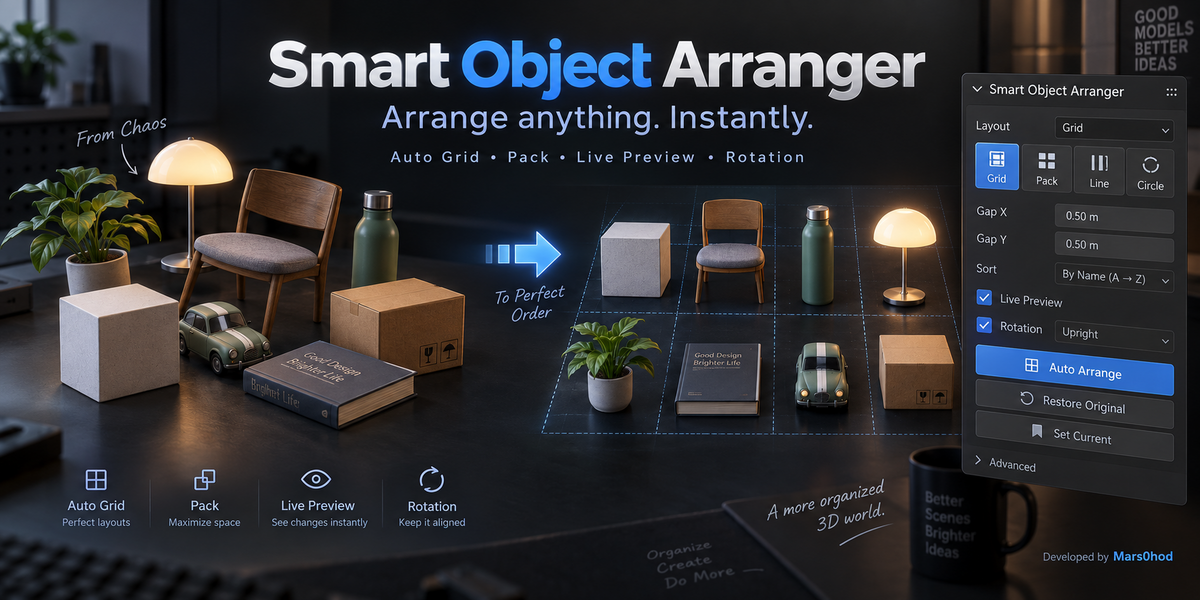





Smart Object Arranger — Documentation
Smart Object Arranger is a lightweight Blender add-on for quickly organizing multiple selected objects using their real world-space dimensions.
Installation
- Open Blender.
- Go to Edit → Preferences → Extensions.
- Open the drop-down menu and choose Install from Disk.
- Select the Smart_Object_Arranger_v1_0.zip file.
- Enable Smart Object Arranger if necessary.
- Open the 3D Viewport and press N.
- Open the Arrange tab.
Basic Workflow
Select two or more objects in the 3D Viewport.
Choose a layout and click AUTO ARRANGE.
Available layouts:
• Auto Grid — automatically creates a balanced grid
• Grid — creates a grid with a custom number of columns
• Row — arranges objects in a horizontal row
• Column — arranges objects in a vertical column
• Pack — compactly packs objects using their real dimensions
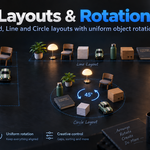
• Circle — distributes objects around a circle
• Spiral — arranges objects along a spiral
Live Preview
Enable Live Preview to see changes immediately while adjusting layout, spacing, sorting, alignment or rotation settings.
Live Preview always recalculates the arrangement from the saved original state, so transformations do not accumulate while changing parameters.
Spacing
Gap X and Gap Y control the distance between objects.
Smart Object Arranger uses world-space bounding boxes, so spacing is calculated from the actual dimensions of each object rather than only from its origin.
Sorting
Objects can be sorted by:
• Selection order
• Name
• Width
• Height
• Size
• Volume
• Random order
Random sorting uses the Seed value, allowing different variations to be generated while remaining reproducible.
Vertical Alignment
Objects can be aligned using:
• Keep Z
• Bottom
• Center
• Top
Rotation
Rotation X, Y and Z apply the same rotation offset to all selected objects.
Rotation is calculated relative to the saved original state and is taken into account when calculating object bounds.
Restore Original
Click Restore Original to return selected objects to the transforms stored before their first arrangement.
Set Current
Click Set Current to save the current transforms as the new starting state.
After using Set Current, Restore Original will return objects to this newly saved state.
Notes
Camera and Light objects are ignored by the arranger.
Smart Object Arranger is designed for object organization, asset presentation, product layouts, kitbash collections, comparison renders and general Blender scene management.
Compatibility
Tested with Blender 5.2.
Developed by Mars0hod
Have questions about this product?
Login to message
| Blender Extension Compatible | Yes |
| Published | about 20 hours ago |
| Blender Version | 5.2 |
| Extension Type | Add-on |
| Render Engine Used | Cycles, Eevee |
| License | GPL |
