Smart Solidify 2.0
 aflatsprite



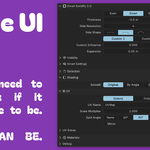
Smart Solidify 2.0 Documentation
Installation
Download: Get the latest
.blendfile from your product downloads.-
Setup: * Add the file to your Blender Asset Library folder for easy access.
Or use File > Append, select the blend file, and navigate to NodeTree to bring it into your current project.
Getting Started
Apply: In the Modifier Properties panel, add a new Geometry Nodes modifier and select FS Smart Solidify 2.0.
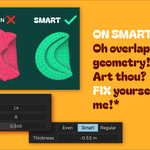
Basic Control: Adjust the Thickness and Solidify Type using the provided sliders and dropdowns.
-
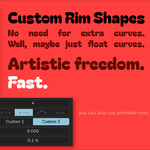
Custom Profiles: To create a custom rim shape:
Open a Geometry Node Editor window.
Locate the two Float Curve nodes within the node group.
Adjust the curves to define your edge profile.
Note: Ensure the Custom Shape Influence value is higher than 0.
Refined Clamping: If Smart is selected as the Solidify Type, use the extra dropdown menu to refine the clamping logic and prevent self-intersections.
Core Settings
Visibility
Toggle the visibility of specific mesh parts to suit your model:
Top: The original surface.
Rim: The newly created side geometry.
Bottom: The generated underside/offset surface.
Selection & Density
Vertex Groups: Input a vertex group name to restrict solidification to specific areas.
Thickness Maps: Use an image texture to drive uneven solidification or to define specific thickness values across the mesh.
Shading
Smooth/Auto Smooth: These controls correlate directly to internal Blender shading data. Use these to ensure your normals look correct on high-poly or hard-surface models.
UV Mapping
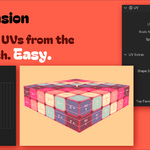
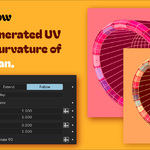
Generation: Select your preferred UV generation method.
Adjustments: You can scale or mirror UVs directly within the modifier.
Important: Ensure the UV Name in the modifier matches the name of the UV Map on your mesh.
Materials & Extras
Materials: Select a material index for the Top, Rim, and Bottom. These numbers correspond directly to the slots in your Material Properties tab.
Packing: Find UV packing options under the Extras section.
-
Debug Mode: * UV Checker: Toggle a test grid to check for stretching.
Show Warnings: Re-enables in-viewport explanations and technical tips.
Have questions about this product?
Login to message
| Sales | 30+ |
| Published | 6 months ago |
| Blender Version | 5.0 |
| Render Engine Used | Arnold, Blender-Internal, Blender-Game-Engine, Cycles, Eevee, Freestyle, Luxrender, Mental-Ray, Octane, Vray, Yafaray |
| License | GPL |
Discover more products like this
extend thicken uv solidify-modifier 3dgeneration thick Solidify