Snow
 Sahin Ersoz


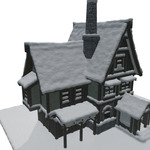
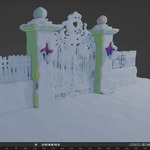
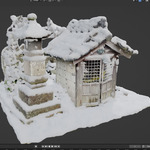
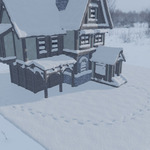
I am using translated version of Blender and I am gettin error messages.
Blender is translating add-on generated commands also, which causes errors. Please turn off "New Data" option found under Preferences/Interface/Translation.

What is the "Auto Execute" button in the installation page?
Auto Execute option enables the add-on to create the snow immediately or after pressing the "OK" button (safeguard against a slowdown when working with a very complex object). Disabling it allows the user to work on only a small section of the model (Loose Part Near Cursor) while maintaining the interactivity before applying it to the entire object.
There are two files, which one should I install?
Depending on the version of Blender you are using install the version that is indicated on the product page.
-
$10
Full function snow add-on. Includes: Loose Part (For fast interactions), Snow Height, Slope, Snow Detail, Bulge, Roundness, Smooth, Rough Boundaries, Simple Snow, Snow Direction, Extra Materials, Noise Controls, Sheltered Areas, Print (Footprints etc.)
Have questions about this product?
Login to message

Discover more products like this
Christmas snow-environment Blender procedural snow 3D snow and ice snow material 3D Ice Environment snow Blender snow winter 3D Ice World snow blender ice materials