 sgarnier
in
sgarnier
in 


Presentation
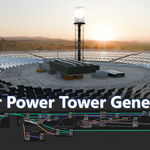
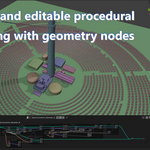
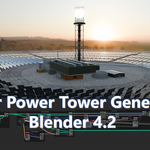
This is a procedural modeling setup, fully editable and rigged geometry nodes, that generates a concentric solar station, or solar power tower. It allows to build easily any type of concentric solar plants with a comprehensive orientation system for mirror panels. You can define it precisely: radius, space between panels, number of circles, then by deleting unnecessary points to give the whole a general given shape called layout. The scene also includes various assets, maps and shaders.
In real life, a power tower is an array of driven mirrors concentrating sun rays on a single point to heat a liquid that moves a turbine, making electricity. It’s sometimes called a heliostat installation. This generator is not for realism only, it can generates a sci fi background easily by editing panels and stations. The famous Blade Runner 2049 opening comes to mind.
Version:
Blender 4.2 LTS and +
All maps are packed within the blender file.
Content:
3 station types collections (cases A, B, C)
Each collection has a geometry node setup for laying instances and managing them with orientation control objects, is independently rigged and comes with its building meshes and layout collection. Each case also includes a geometry node setup to ease generating merged layouts
one instances collection: 4 panels and 3 Masts
Assets:
3 tower models plus internal lights
50 buildings of various types
38 shaders + 6 texture maps
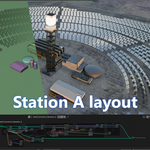
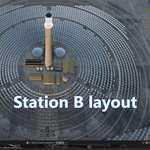
These mesh objects constitute a small kitbash for various power stations. They are made kinda realistic, each type of station is inspired by an actual station. Station A is made after Ivanpah, California. Station B is in China, and I guess station C is in Spain.
They’re not the exact same because of a lack of documentation. Nevertheless all assets are well made, come with proper naming and cleaned properties and transformations. It’s professional work, so that it can be reused, edited and enhanced at will.
How to use it:
See examples collections for each case.
Start with defining concentric points: radius, gap and iteration, then pick instances and adjust scale if needed.
Defining layouts is the second step. Sometimes a simple modeling is good enough. See the GeoN_Layout_A\B\C geometry node if you want to use some procedural modeling features.
These exemple layouts are generated and or modelled geometries merged by a boolean union. . Once it is set, It is strongly suggest to duplicate it and apply visual geometry to mesh, then rename it Mesh_Layout_* (rather than using and active boolean as input in the main Geometry node tree.
Known layout limitation:
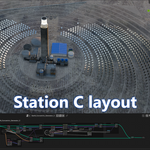
The delete points by volume node (that uses the Mesh_Layout_* input) may overlook a few points when using a complex geometry with multiple inside and outside normals. It can be seen in the station C case, although it’s not a real issue here.
To go around this particular case, the threshold value might help a little.
To fix it for good you’ll need to apply the geometry nodes tree at the point stage after having converted them to vertices. This way undesired points can be removed as vertices. Then reapply the same geometry node tree on top of it, convert back vertices to points and use them as input for instances. Contact me if you have trouble with this.
Parameters:
Iterations: number of rings
Radius: radius of the first ring
Gap: distance between points, also the distance between rings
Panel: pick the panel instance type chosen
Mast: pick the mast instance type chosen
Instances Scale: scales the whole instances
Panels Scale: scale only the panel
Focus Tower \ Sun: Blends orientation between the top of the tower and the sun empty.
Override panel X angle: adds a X rotation value to all instances
Override panel Y angle: adds a Y rotation value to all instances
Override panel Z angle: adds a Z rotation value to all instances
Rest plane: Instances in front (outside normal, blue) of that geometry will reset the panel's orientation (apply a rest pause). This mesh can be edited to some extent.
All panels rest: same effect but on all panels
Random orientation: the amount of panels having a random Z value in rest pause.
Layout mesh: pick the chosen volume to delete points. When having a layout, I strongly suggest to Apply transforms (visual geometry to mesh) to duplicate your layout object and rename it Mesh_Layout_x. The whole node tree will be lighter
Threshold: twick the delete by volume value
Seed: change all random values
Mast Orientation: empty used for locating tower base
Panels Tower Orientation: empty used for locating tower top and focus on it
Panels Sun Orientation: empty used for slightly offsetting panels orientation. It’s not meant to track sun course for real since panels must stay mostly focus on the tower top, only leaning to it.
Notes:
Buildings objects are not parented to the All_Station_* root. This for practical reasons, keeping them in a separate collection makes them easier to edit and move if needed. Meanwhile the main rig is fully rigged. If you want buildings to follow, just parent or constrain them to the root before moving it.
The original HDR background image can be found for free at Polyhaven: https://polyhaven.com/a/syferfontein_1d_clear
Many thanks to its original author.
License:
for any use, personal, educational or commercial.
By Sébastien Garnier / Anabase Studio, May 2025
Contact, feedback, requests: [email protected]
