Render Sound Notifications on Conclusion for Blender
 GabrielMoro


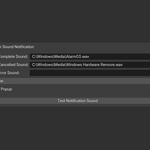
Render Sound Notification – Installation & Usage Guide
Version: 2.0
Author: Gabriel Moro
Blender Version: 3.0 and above
- Installation
Open Blender.
Go to Edit > Preferences > Add-ons.
Click Install at the top of the window.
Select the .zip file: render_sound_notification_gabriel_moro_v2_0.zip.
Enable the checkbox next to Render Sound Notification to activate the addon.
- Usage
This addon plays sound alerts when a render finishes or is cancelled.
Go to the Render Properties tab (camera icon).
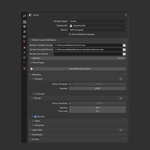
Scroll down to the Render Sound Notification panel.
Configure your settings:
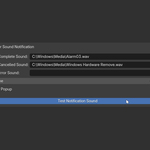
Render Complete Sound: Sound to play when rendering finishes.
Render Cancelled Sound: Sound to play if you cancel the render.
Volume: Set the playback volume.
RECOMMENDED Defaults:
Render complete:
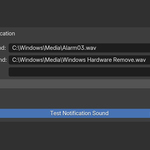
C:\Windows\Media\Alarm03.wav
Render error:
C:\Windows\Media\Windows Hardware Remove.wav
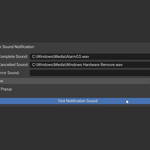
To test your sound settings, click the "Test Notification Sound" button.
Sounds will automatically play after any render operation based on your settings.
- Notes
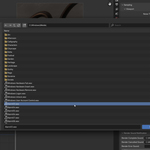
Default sounds are set to use Windows system sounds. You can change them to another file on your computer.
The addon uses Blender’s internal aud module to play audio.