Spider Color Space Switch
 Spider Lemos VFX



🕷️ Spider Color Space Switch - Srgb to ACES
Smart switching between ACES and sRGB inside Blender — with automatic save and safe relaunch.
📦 Summary
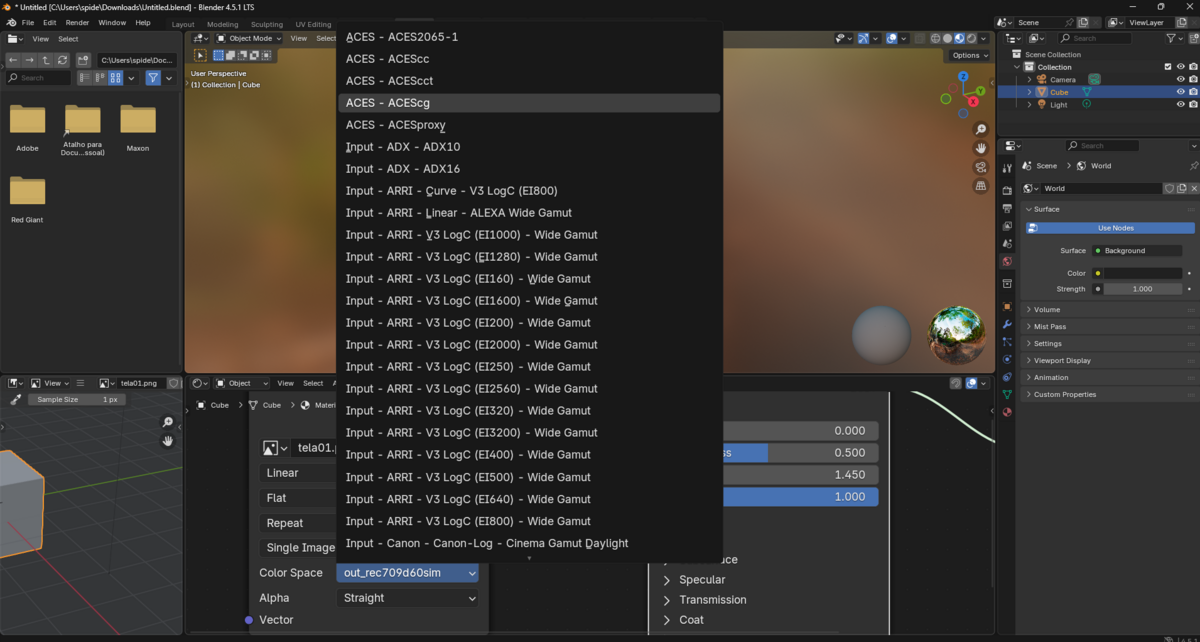
Spider Color Space Switch allows Blender users to switch between ACES and sRGB color management with a single click. The add-on saves the selected mode inside the .blend file and, when needed, automatically relaunches Blender with the correct environment settings.
Ideal for professionals working with EXR workflows, ACEScg, and color-accurate pipelines in post-production.
🚀 Features
-
🔁 One-click switch between ACES and sRGB
-
💾 Saves color space choice directly in the
.blendfile -
🧠 Auto-relaunch Blender if the opened file has a different color mode
-
⏱️ Smart timer handles unsaved files gracefully
-
✅ Validates
config.ociopath before switching to ACES -
📂 Dedicated panel in
View3D > Sidebar > Spider Color Space Switch -
🧹 Minimal, user-friendly interface with optional branded footer
📂 Installation
-
Download the
.zipfile from SuperHiveMarket. -
In Blender, go to Edit > Preferences > Add-ons.
-
Click Install, and choose the
.zipfile. -
Enable Spider Color Space Switch in the list.
-
Go to the Sidebar (press
N) in the 3D Viewport to use it.
⚙️ Add-on Preferences
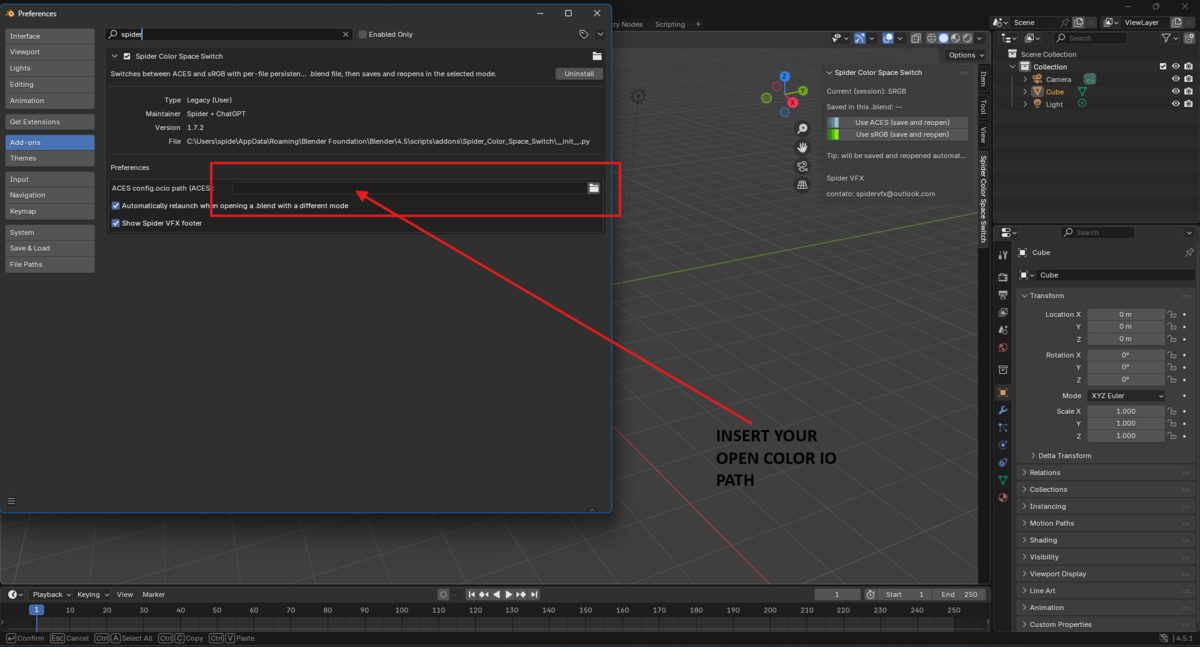
Access via Edit > Preferences > Add-ons > Spider Color Space Switch.
Options:
-
ACES config.ocio path (ACES)
Select the full path to your ACESconfig.ociofile.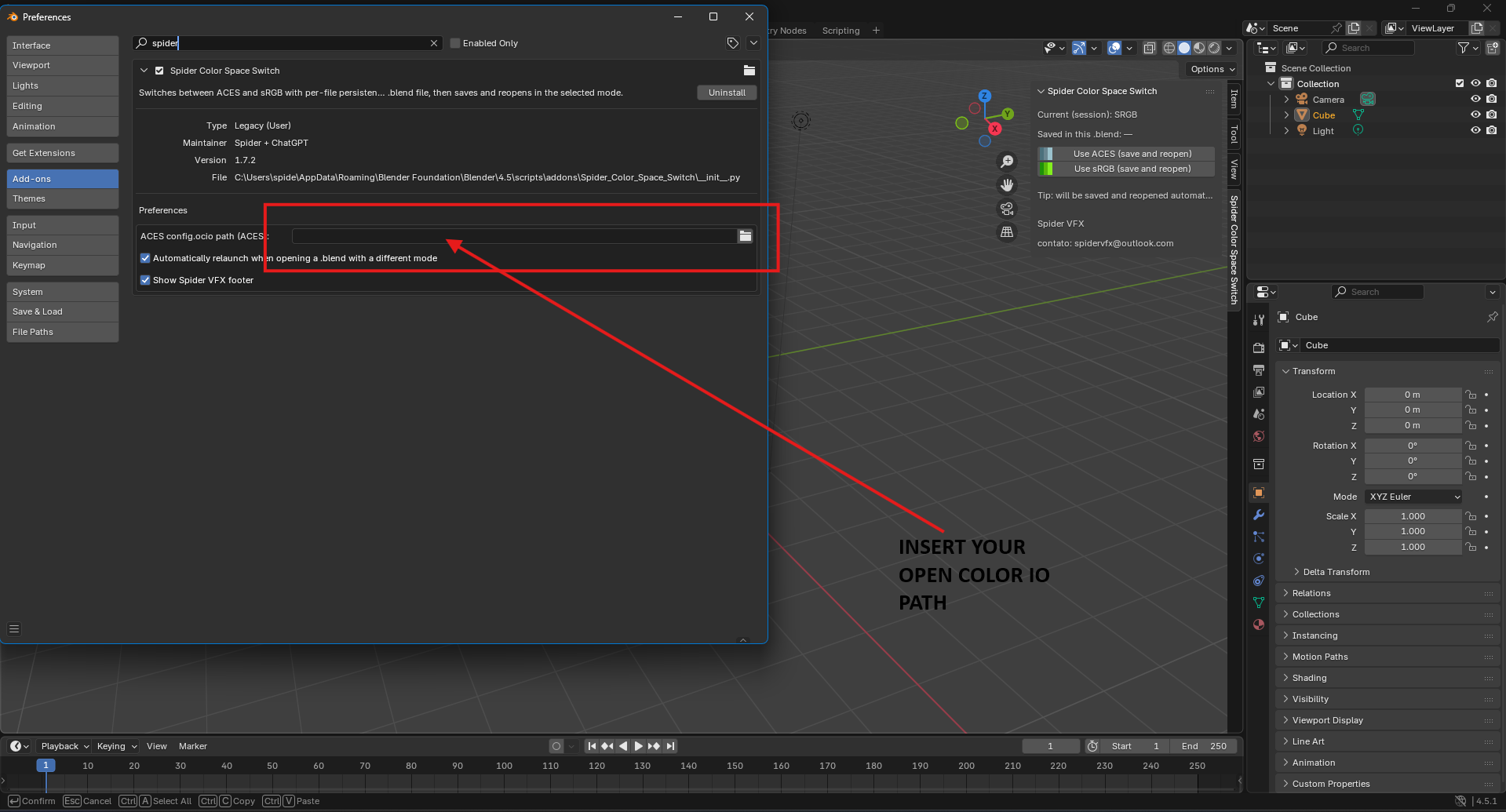
-
Automatically relaunch when opening a .blend with a different mode
When enabled, the add-on checks the saved mode of a.blendfile and relaunches Blender if needed. -
Show Spider VFX footer
Adds a branded footer with contact info in the UI panel.
🧪 How It Works
Switching Modes
-
Press "Use ACES (save and reopen)" or "Use sRGB (save and reopen)".
-
The add-on:
-
Saves the current file (or opens save dialog if unsaved)
-
Stores your choice inside the
Sceneas a custom property -
Relaunches Blender with the appropriate OCIO environment
-
On File Load
-
When opening a
.blendfile, the add-on:-
Checks if there's a saved color mode
-
If it's different from the current session and auto-relaunch is enabled, Blender is relaunched with the correct settings
-
🔒 Compatibility
-
Blender 4.5 and above
-
Cross-platform (Windows, macOS, Linux)
-
Works with all OCIO-compliant ACES configs
🧩 Best Use Cases
-
ACEScg pipelines with OpenEXR
-
Mixed workflows with different color specs
-
Studios requiring strict color space automation
-
Artists working across sRGB and ACES projects
Have questions about this product?
Login to message
| Published | about 1 year ago |
| Blender Version | 4.5 |
| Extension Type | N/A |
| Render Engine Used | Cycles, Eevee |
| License | GPL |

Discover more products like this
ocio change color aces to srgb spider aces color management opencolorio srgb to aces spider lemos Workflow