DEVELOPER NOTE:
SRT has evolve to Split Render Tool 4
Please do not buy this product unless you want compatibility with old Blender versions (2.93 - 4.1), instead visit Split Render Tool 4.
Total rewrite from scratch, now includes: View Layers support, Cycles and Eevee support, Command line render support, progress updates, 50% faster than SRT, and new options!!!
SRT4 Documentation
SRT4 Tutorial
Blender vs SRT4 render tests
THIS ADD-ON IS OUTDATED!!!
Old SRT buyers can pay an additional $2 to have access to SRT4!
_________________________________________________
Are you getting "System is out of GPU memory" error? Do you want to render a 32K image? Did you render a sequence in which one object is wrong, but you don't want to render the whole sequence again? Do you have some older graphics cards (2GB, 4GB, etc) that can't process any of your projects?
Split Render Tool is the add-on you need.
UPDATED for Blender 4.1+
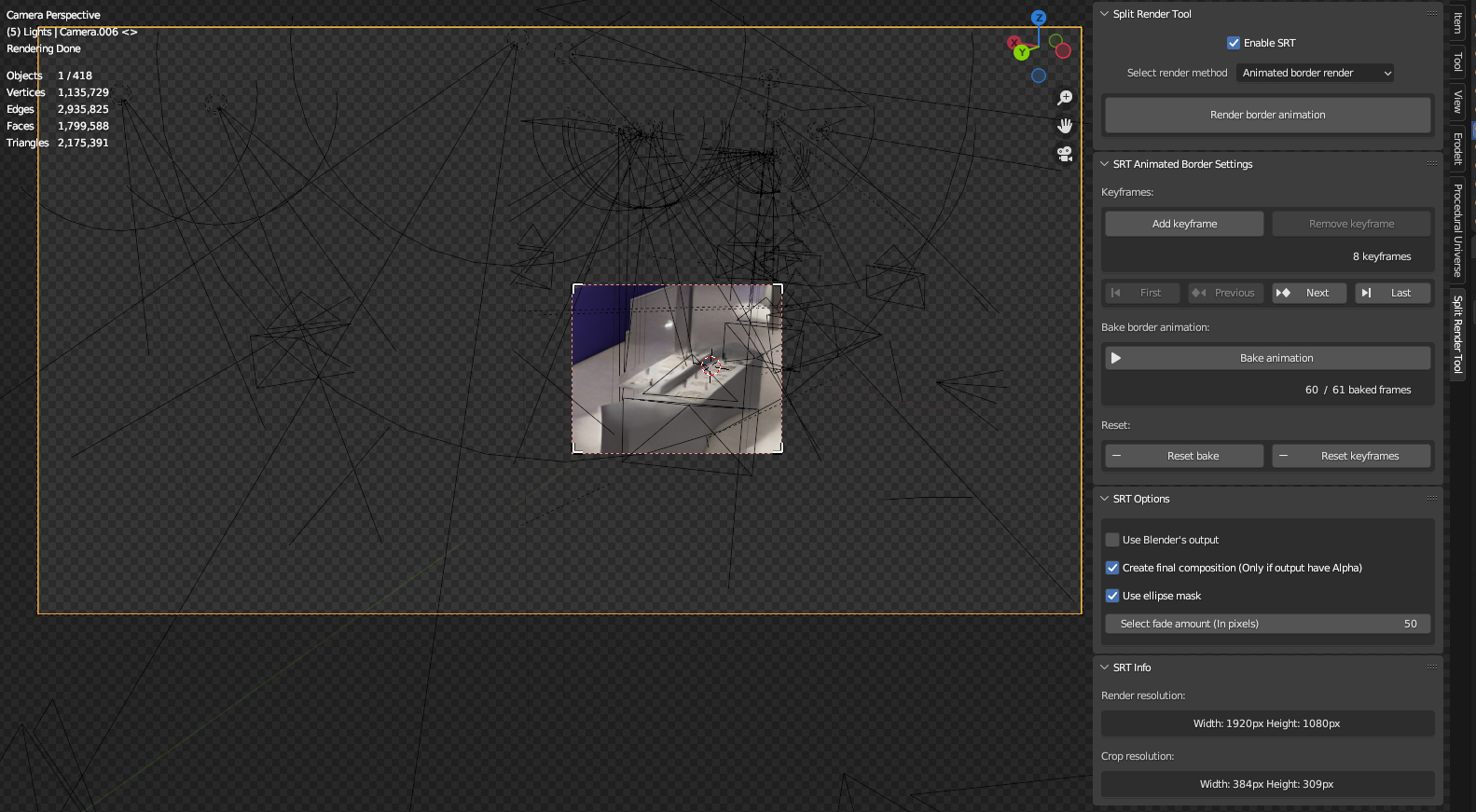
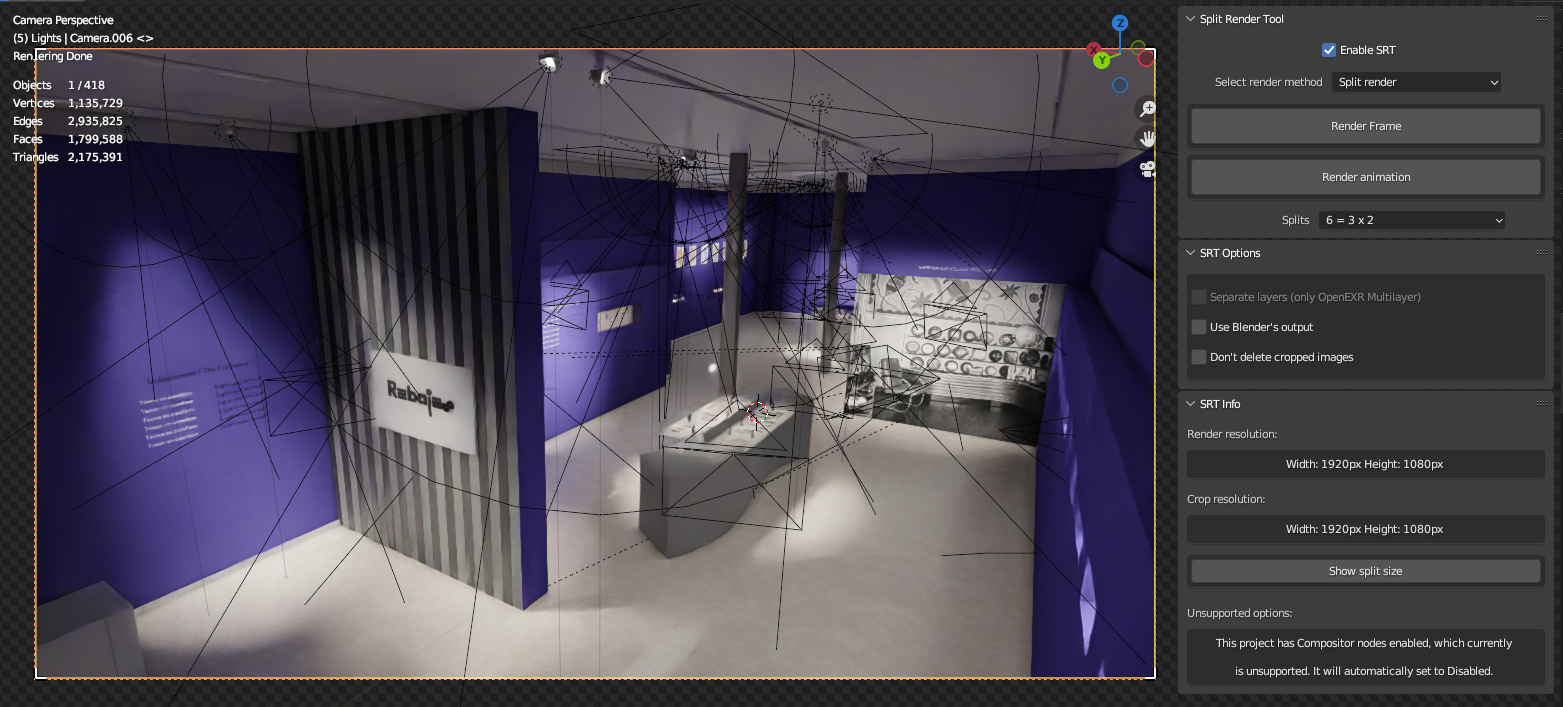
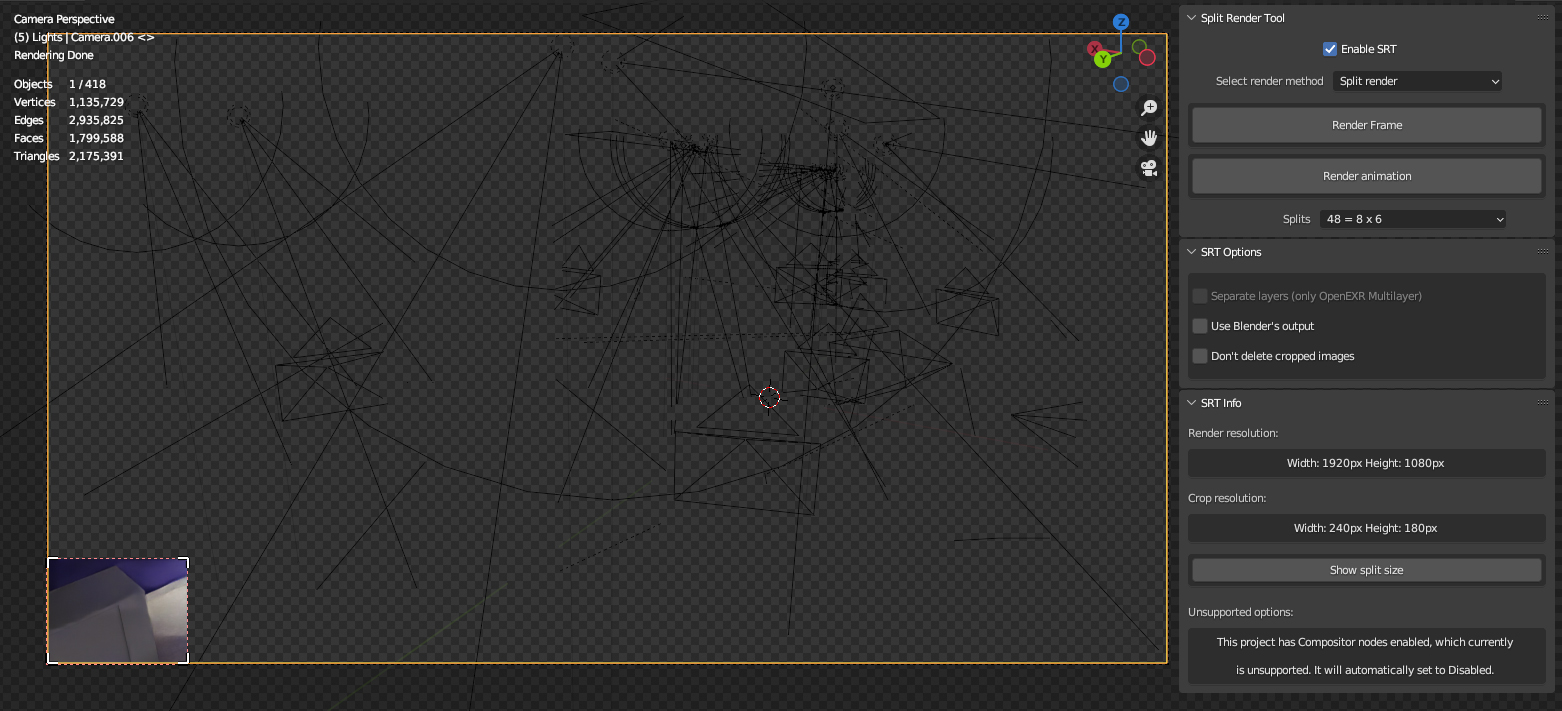
SRT brings 2 different functionalities to you: On one hand, you will be able to animate Blender's crop area frame by frame, bringing the ability to render any part in your scene. This way you don't need to render the whole frame, saving you a lot of time. Also there is Object Border method, which does the same, but based on selected objects. And on the other hand, it claims to be able to render any file size and any project, on any hardware using your GPU (NOTE: 512 and 1GB GPUs will not be able to render large files resolutions YET, like 8K +). It will split the render into small pieces, and merge them later. User interaction is not needed at all to merge split files.
SRT goes far away from other similar add-ons, being able to render single frames, and animations. Render in any file format, being able (in OpenEXR Multilayer format) to separate passes into different files.
IMPORTANT NOTE:
When Blender renders with GPU, it sends all the data (textures, meshes, modifiers, etc) to the VRAM. There are nothing to do if you send 8GB of data to a 4GB GPU. There is no space for that data. That’s it. But there are some things we can do to avoid that issue. And that is the reason of SRT add-on, to help render those scenes. Is like a box, you can put things inside of it, but sooner or later it will be totally filled.
Split Render feature:
- Render single frames or animations.
- Split final image into small pieces, and merge them automatically.
- Fix the split borders issue in final image (only in Combined pass).
- Option in OpenEXR Multilayer format to separate passes into different files.
- System failure detector. If anything goes wrong, SRT detects it and offers you the option to fix it with one click.
Animated Border feature:
- Animate render border like any other object.
- Keyframe options to add and remove them.
- Bake system to animate border.
- Preview crop region while scrolling the timeline, like animating any object property.
- Option to create a new Blender file with a composition that blurs the edges of the image.
- Option to blur edges based on ellipse mask.
- Option to control the blur size.
Object Border feature:
- Render region based on selected objects.
-
Bake system to animate border.
- Preview crop region while scrolling the timeline.
- Option to create a new Blender file with a composition that blurs the edges of the image.
- Option to blur edges based on ellipse mask.
- Option to control the blur size.
Common features:
- Option to use Blender's output file instead of the same folder as Blend file.
- Information about resolution and border sizes.
- Information about render times (Splits of a frame and frames).
- All image file formats.
Documentation: https://github.com/OlyDJ/SplitRenderTool/wiki
Video tutorial: https://youtu.be/YtLWObFs2yU
Because of the way SRT works (at least yet), there is no preview while rendering, and Blender UI gets locked. Unfortunately to cancel the render process you need to kill blender app manually. (Something I'm trying hard to solve)
GPUs with 512, 1GB and 2GB might not be able to render big resolutions (8K +). This limitation will be removed in the future.
By default the output is set to a new folder in Blender' s file folder, called as the Blend file. And the images names start with "srt_" followed by frame number (ex: srt_0012.xxx)
CHANGELOG
v1.0:
- Initial release
v1.1:
- Added new feature: Object Border. Crop render based on selected objects. You just need to select the object/objects you want to render, then press Bake button and render. Support for ALL MODIFIERS including, of course, Geometry Nodes.
(NOTE: Bake has no preview if any object has a modifier. Bake time depends on final geometry. Geometry Nodes bake time is longer than any other modifier)
- Fixed bug: Animated Border. If "Crop to render region" option is enabled, final image position is wrong.
- Fixed bug: Animated Border. Removed fade while crop region is near final image borders.
V1.2:
- Added option to Add-ons Preferences to disable Info panel.
- Create Final Composition (Animated and Object Border) now creates a Group node, instead of having all nodes in the editor (so you can import the group into your own composition project).
- Create Final Composition now creates keyframes to disable image before and after Start and End keyframes.
- Fixed bug: Z Buffer error.
- Fixed bug: Animated Border. If image contains alpha, the crop node affects that alpha too.
- Fixed bug: Object Border. If image contains alpha, the crop node affects that alpha too.
- Fixed bug: Object Border. Frames Start and Offset are wrong in the final composition.
- Fixed bug: output names in Object Border.
v1.3.0 (ONLY FOR BLENDER 4.1+)
- Initial compatibility with Blender 4.1+.
- Completely re-write of source code.
- Fixed almost every old bugs.
v4.0.0
- Tested on both Windows and MacOS, and Blender 4.1.1 - 4.4.
Split Render Feature
- View Layers are supported FINALLY!!!
- Composition nodes are supported FINALLY!!!
- Support for both Cycles and Eevee render engines.
- "Split Render" has been rewritten from scratch.
- 50-60% faster than previous version.
- Now it does not render each pass to compose EXR Multilayer files. It uses Composition Editor instead.
- Added "Copy command line to clipboard" option. Just open Terminal or CMD, paste and press enter. This way you can see the progress and all the processes. On Linux there is a little issue (Linux has different clipboards), the command is in clipboard, but there is no way to paste it outside Blender. To solve it you have two ways: 1. Paste the clipboard to a new text file in Text Editor, select the command, copy it and press mouse middle button in Terminal. Or 2. Install (via apt-get) "Diodon" app, and enable "Syncronize clipboards" in preferences, after that you can directly paste to Terminal with middle button.
- Added "Enable Cycles debug" option. You will see more information about each render step.
- Added "Open Terminal/CMD" option. Automatically open Terminal/CMD after copying CLI render command and closes Blender.
- Added "Set Command line render as default" option to Add-on preferences. Enabled will set default render to Command line, which has progress. Otherwise Blender UI will get freezed until it finishes rendering.
- Added "Set Open Terminal/CMD as default" option to Add-on preferences. Enabled will set Open Terminal/CMD as default.
- Added "Manual splits" option. Only with "Denoise Node" method. Manually select X and Y splits. This helps when you need to adjust them to your project, in order to minimize render times.
- Added "Split Method" option. "Border Render" (Fix splits by rendering extra images - Old method, slow, requires more disk space), or "Denoise Node" (Fix splits by using Denoise passes and Denoise node - Recommended).
- Added "Use SRT Composition nodes" option. Instead of render images final images, use SRT nodes (which is perfect to start compositing).
- Added "Passes to folders" option. If "Separate passes" option is enabled, this option will create a folder for each View Layer, and inside of them a folder for each pass.
- Added "View Layers to folders" option. It needs at least 2 enabled View Layers and "Separate passes" option to be disabled. With this option SRT will create a folder for each View Layer.
- Added "Mute Denoise nodes" option. Only with "Denoise Node" method and "Use SRT Composition nodes" options enabled. Useful at higher resolutions.
- Added "Disable 'Use Nodes' in Composition Editor" option. Only with "Denoise Node" method and "Use SRT Composition nodes" options enabled. Useful at higher resolutions.
- Added "Overwrite existing files" option. This applies only to splits and borders, not to the final images (as they are rendered with File Output node in Composition). When disabled and if render crashes, init again SRT render, it will check and skip from render each existing split. This means that if your computer can render 1 split and crashes, you can start again and render 2 split, and so on...
- Added a lot of info to buttons, menus and options tooltips.
Animated Border Feature
- View Layers are supported FINALLY!!!
- Composition nodes are supported FINALLY!!!
- "Create final composition" has been rewritten from scratch to allow different View Layers. Final composition will open at the end of the render. It will contain a group for each View Layer, with all passes (similar to an Image node with an EXR file loaded).
- Fixed bug where 1 frame before and after a keyframe has wrong crop position and scale.
- Added confirmation popups to "Reset Bake" and "Reset Keyframes" buttons.
- Added more info to buttons and options tooltips.
- If render crashes, or if you want to restore SRT composition nodes, SRT will check and skip from render if final file/s exists.
Object Render Feature
- View Layers are supported FINALLY!!!
- Composition nodes are supported FINALLY!!!
- Added "Object method" option. Now there are two different methods.
- Added "Create objects container" method. Instead of process selected objects, create a cube to act as a container and process only that cube. Until this release, if any of the selected objects has too much polygons or too much modifiers, Blender may crash after a long time.
- Added container Location, Rotation and Scale options to "Bake objects" button popup.
- After bake is completed, the container is automatically deleted from the scene.
- "Create final composition" has been rewritten from scratch to allow different View Layers. Final composition will open at the end of the render. It will contain a group for each View Layer, with all passes (similar to a Image node with an EXR file loaded).
- Added more info to buttons and options tooltips.
- If render crashes, or if you want to restore SRT composition nodes, SRT will check and skip from render if final file/s exists.
v4.0.1
- Fixed Persistent Data panel incorrect location.
- "Object Border": Added Bake button verification and Warning info. Now if object/s does not contain mesh output (ex: only instances), the button is greyed out, and a warning appears. You can add "Realize instances" nodes if you want.
- "Object Border": Fixed crop node, which was causing no blur on edges.
- "Object Border": Fixed Container not being removed, if after pressing Bake button, operator is cancelled. Now when Reset Bake is pressed, container will be removed too.
- "Object Border": Fixed container parent, not updating it when Reset Bake is pressed. Now parent is deleted on each Reset Bake.
- "Object Border": Columns layout for adjusting container location, rotation and scale. Now is easy to select all 3 sliders at the same time.
- "Object Border": Properly disabled Bake Animation button if no object is selected.
- "Object Border" and "Animated Border": Fixed View Layers error while creating composition project, if any View Layer changed Enable status between Bake and Render processes.
- Added "Connect SRT node" option to SRT Compositing Editor panel. Select your original Image node render and SRT node and all passes will connect automatically.
- Added more info to some popups.
- Fixed SRT Compositing Editor panel showing in Shader Editor and Geometry Nodes Editor too (now only in Composition Editor).
- Fixed SRT Compositing Editor "Mute/Unmute" button not showing up if "Use Nodes" had not been enabled in that particular project.
v4.0.2
- Added "Denoise Borders" Split Method. Render Borders uses Combined image with IA Denoising, but needs more disk space, more time to render and has some issues with transparency in some situations. Denoise Nodes solves those issues by using Noisy Image along Denoise nodes, but IA Denoising is ignored. Denoise Borders mixes both methods. It uses Combined image, so IA Denoising is present. But instead of render borders, it uses Noisy image to fix the borders. The result is almost the same as rendering with IA Denoising.
- Added "Border Size" option to Denoise Borders split method. You can set the borders size, which is useful at high splits number.
- Added "Show Borders size" option next to "Show tiles size" in Split Render method.
- Added "Solve Warning" buttons for each SRT Warning. Just to speed up a little the workflow.
- Added "Ignore Persistent Data warning" button. If you have no issues while rendering, why do you need to have that on screen?
- Fixed minor bugs.
v4.0.3
- Added new Documentation panel. It includes link to Documentation and links to SRT tutorials.
- Added "Documentation links" switch to hide it from N-View panel. You can enable it again from SRT preferences (Same as Info panel).
- Added "Borders Size" info next to "Tiles Size" in Split Render method.
- Fixed "Mute/Unmute Denoise nodes" state.
v4.0.4
- Added "Switch to Denoise Nodes" option to Compositing Editor panel. When rendering with Denoise Borders method, you have both Denoise Borders and Denoise Nodes by using this option.
- Added "Mute/Unmute Crop nodes" option to Compositing Editor panel. Using Object or Animated methods, if there is no blur on edges, or if black instead of alpha, use this option.
- Added "Custom N-Side panel label" option to Preferences (seems to be annoying large labels?).
- "Fixed" Object and Animated methods not removing .blend1 temporal compositing files.
v4.0.5
NOTE: This is a fast update, just to be able to enable and use SRT. Blender 4.4 has broken the core of SRT. As far as I tested (not too much, sorry but I'm dealing with personal problems) only Animated Border feature does not work, the rest seems to be ok (some little issues, but usable). I will update it again soon.
- Fixed Enable SRT bug.
- Fixed Object Border feature.
- Fixed some buttons not working.
- Source code improvements.
- Fixed "Switch to Denoise Nodes" button being a preview switch between SRT on and SRT off.
- Optimized "Switch to Denoise Nodes" to be available only when rendered with that method.
- Added "Preview Original" button to switch between SRT On/Off.
v4.0.6
- Blender 4.4 fully supported.
- Changed "Enable SRT" methods.
- Fixed Animated Border feature not working in Blender 4.4.
- Fixed minor bugs.
 Olivier Crespo Barrio