Stable Dropper
 Rana Abdullah



Overview
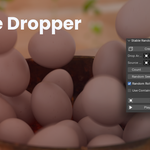
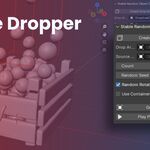
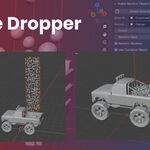
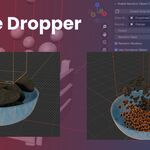
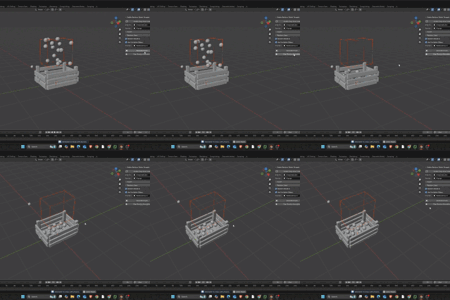
Stable Dropper is a Blender addon that allows you to quickly and reliably drop objects inside a 3D volume (typically a cube) with randomized placement, physics simulation, and zero overlaps. It’s ideal for filling containers, creating piles, or setting up randomized object layouts for games, animations, or visualizations.
Installation
-
Download the
.zipfile after purchase. -
Open Blender and go to
Edit > Preferences > Add-ons. -
Click Install, then select the downloaded
.zipfile. -
Enable the addon by checking Stable Dropper in the list.
-
The addon will appear in the 3D Viewport Sidebar under the Dropper tab.
How to Use
-
Create a Drop Area:
-
Click "Create Drop Area Cube" to generate a cube-shaped volume where objects will drop.
-
Or, use your own cube mesh and assign it as the Drop Area in the panel.
-
-
Set Source Object:
-
Choose any object you want to duplicate and drop.
-
-
Adjust Settings:
-
Count: Number of objects to drop.
-
Random Seed: Controls random placement. Change for different results.
-
Random Rotation: Enable or disable 360° random rotation on all axes.
-
-
Optional: Add a Container:
-
Enable Use Container Object and assign any mesh object to act as a passive collider (e.g., a box, bin, or bucket).
-
-
Generate Drops:
-
Click “Generate Drops” to randomly place and prepare objects with rigid body physics, avoiding collisions.
-
-
Play Simulation:
-
Click "Play Physics Simulation" to simulate the drop from the starting frame using Blender's rigid body world.
-
Key Features
-
Smart, non-overlapping object placement
-
Seed-based randomness for repeatable results
-
Auto setup of rigid body physics
-
Optional passive container collision
-
Instant drop volume creation
-
One-click animation playback
-
Fully integrated in the 3D Viewport Sidebar
Requirements
-
Blender 4.0 or higher
-
No additional dependencies or assets required
Use Cases
-
Filling containers with items (balls, rocks, objects)
-
Creating natural-looking piles or clutter
-
Prototyping physics-based layouts for games
-
Stylized randomness for environment design
-
Quick object scattering without complex nodes
Support & Updates
You’ll receive lifetime updates for version 3.x.
For support, bug reports, or feature suggestions, feel free to contact me via your purchase platform or the contact information provided.
License
Commercial and personal use allowed.
Resale or redistribution of the addon is not permitted.
Have questions about this product?
Login to message
| Published | over 1 year ago |
| Blender Version | 4.0 - 4.5 |
| Extension Type | N/A |
| Render Engine Used | Cycles, Eevee, Freestyle |
| License | GPL |
