Sticky Notes Addon
 Barat Ovidiu


📌 Sticky Notes for Blender – Documentation
Overview
Sticky Notes is a Blender 4.5+ addon that lets you attach visual notes directly to mesh objects in your 3D scene. It's designed for artists, teams, and instructors who need to leave feedback, organize tasks, or keep track of ideas—right inside the viewport.
🧩 Installation
-
Download the ZIP file provided.
-
Open Blender and go to Edit > Preferences > Add-ons.
-
Click Install... and select the ZIP file.
-
Enable the addon by checking Sticky Notes in the addon list.
-
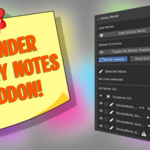
You’ll now find the Sticky Notes panel in the 3D Viewport Sidebar (N key) > Sticky Notes tab.
🛠 Features
-
Add Notes: Add a sticky note to any selected mesh object.
-
Text & Author: Customize the content and author of each note.
-
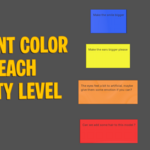
Priority Levels: Color-coded for LOW, MEDIUM, HIGH, and CRITICAL importance.
-
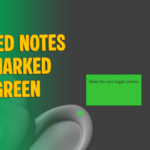
Resolved Toggle: Mark notes as resolved and turn them green.
-
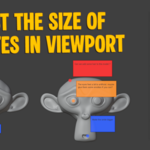
Global View Controls: Show/hide all notes or scale them in world space.
-
Note Visibility Toggle: Easily hide or show individual notes.
-
Sticky Panel: Manage all notes in the scene, grouped by target object.
-
Drawn in 3D Viewport: Notes are visible in the viewport, with dynamic scaling for readability.
👨🏫 Use Cases
-
Annotate models for revision or review
-
Leave task reminders on assets
-
Collaborate with teammates or clients
-
Organize scene elements visually
-
Track what’s finished vs. what still needs work