Stitch Generator - Creates Stitches With One Click!
 PeakDreams Studio



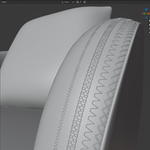
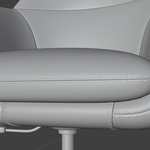
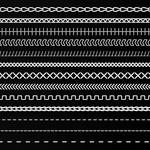
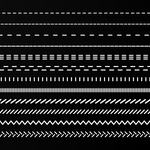
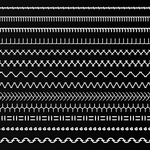
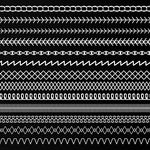
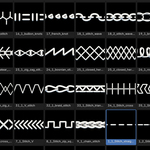
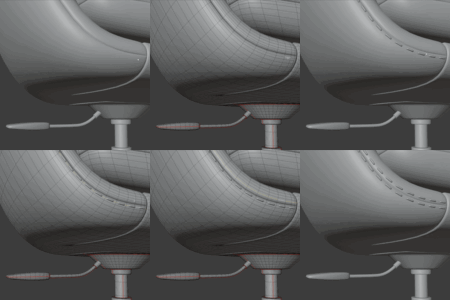
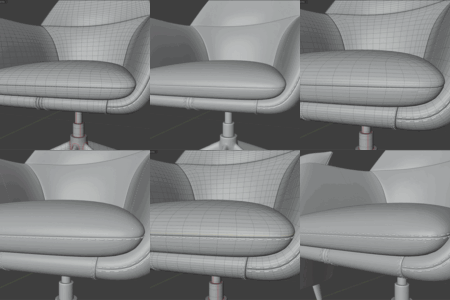
Stitch Generator v1.0.0
1. General Information
Product Name:
Stitch Generator v1.0.0
Product Description:
Stitch Generator is a powerful Blender addon that allows you to quickly create realistic 3D stitches on any surface.
It enables high-quality sewing details on fabrics, leather, upholstery, and other soft materials—instantly enhancing the realism of your models.
2. Technical Specifications
- Compatibility: Blender 4.3 or higher
- Content: 50 stitches (continuous & point types)
- File Format: .blend assets optimized for performance
- System Requirements: Windows, macOS, or Linux with Blender support
3. Features & Capabilities
Key Features
- 50+ professional 3D stitches
- Automatic alignment to mesh curvature
- UV-friendly workflow
- Seamless Blender integration
User Benefits
- Eliminates time-consuming manual modeling
- Ideal for fashion, footwear, and upholstery design
- High-quality stitching that adapts to any mesh
Advanced Controls
- Scale, depth, rotation, and direction adjustments
- Works on almost any surface or curved path
4. User Guide
Installation
- Go to Edit > Preferences > Add-ons > Install from Disk
- Select the
.zipfile (stitch_generator.zip) - Click Install
- Enable the addon in the list
- Access it via the side panel
Using the Stitch Generator
1. Select an Edge
- Select at least one edge
- Click Generate Stitch from Edge
- A settings panel will appear in the bottom-left corner
2. Choose a Stitch
- Open the stitch dropdown
- Select a category
- Choose a stitch and click Load Asset
Options & Adjustments
- Offset – Distance from surface
- Scale – Adjust stitch size (auto-fits curve length)
- Extra Scale – Additional scaling for extreme sizes
- Tilt – Adjust angle relative to surface
- Switch Direction – Flip stitch orientation
- Decimate Factor – Optimize mesh while preserving stitches
Advanced Settings
- Refresh Button – Reload assets without restarting addon
-
Handle Type
- Automatic → smooth curves
- Vector → sharp edges
- Twist Type – Helps fix twisting issues
- Smooth Factor – Curve smoothing
- Resolution – Detail level of the curve
Tips
- Adjust Tilt, Handle Type, or Twist Type if alignment is off
5. Safety Information
- Ensure your system meets Blender requirements
- Save your work frequently
Compliance:
This addon follows Blender’s open-source guidelines and complies with the GPL license
6. Licensing
Addon License
Licensed under GNU General Public License (GPL)
Allows modification and redistribution under the same terms
Asset License (Stitches)
- Royalty-free usage
- Allowed in personal and commercial projects
- No attribution required
Restrictions:
- Resale or redistribution of assets as standalone files is not allowed
7. Use Cases
- Fashion & Footwear Design – realistic stitching details
- Product Design – upholstery, leather goods, prototypes
- Game Development – optimized assets for real-time use
- Interior Design – furniture and decorative stitching
8. Why Choose Stitch Generator?
- Create realistic stitches in seconds
- No manual modeling required
- Perfect alignment with mesh curvature
- Massive time savings for professional workflows
9. Future Updates
- +25 additional stitches planned
10. Resources & Support
- Tutorials & updates:
👉 https://www.youtube.com/@peakdreamsstudio
11. Summary
Thank you for choosing Stitch Generator!
Create realistic textile details faster than ever before and unlock endless creative possibilities.
Discover more products like this
stitch generator addon blender fabric stitches sewing clothing seam add stitches leather blender stitching stitch Stitching