 CongUnoodle


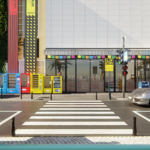
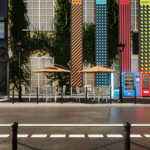
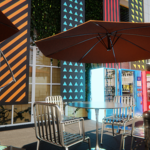
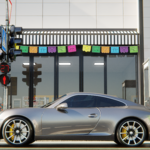
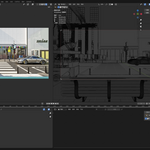
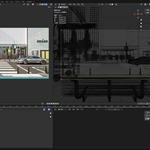
Creating a 3D street model using Blender is a multi-step process that requires the creator to have a certain level of spatial design ability and proficiency with Blender tools. Below is a basic workflow:
1. Planning and Reference:
- Before starting, plan the layout of the street, including the placement and scale of elements such as roads, sidewalks, buildings, streetlights, and trees.
- Collect photos or drawings of real-world streets as references to ensure the model's realism and detail.
2. Setting Up the Blender Scene:
- Open Blender and set the scene unit scale to ensure the model's dimensions match the real world.
- Configure the camera angle to preview the final visual effect of the street during the modeling process.
3. Creating Roads and Sidewalks:
- Use Blender's mesh tools to create the basic shapes of roads and sidewalks. You can form the outline of the road by extruding planes.
- Add details such as lane markings, crosswalks, and curbs, using textures and materials to enhance realism.
4. Modeling Buildings:
- Based on reference images, use Blender's modeling tools to create the basic structure of buildings. Start with simple geometric shapes and gradually add details.
- Add elements such as windows, doors, and signs to the buildings, using materials and textures to represent different building materials.
5. Adding Street Furniture:
- Create or import models of street furniture such as streetlights, benches, trash bins, and traffic signs.
- Place these elements in appropriate locations on the street, paying attention to scale and layout合理性.
6. Greenery and Environment:
- Add greenery elements such as trees, shrubs, and flower beds. You can use Blender's particle system to quickly generate a large number of plants.
- Create or import ground textures, such as grass, dirt, or stone, to enhance the natural environment of the street.
7. Lighting and Rendering Settings:
- Set up appropriate lighting conditions to simulate daylight or streetlight effects.
- Adjust rendering settings, choose a suitable rendering engine (such as Cycles or Eevee), and set parameters like resolution and sample rate to achieve high-quality rendering results.
8. Detail Adjustment and Optimization:
- Check the details of the model and make necessary adjustments and optimizations to ensure all elements are harmonious.
- Optimize the model's polygon count and texture resolution to ensure rendering efficiency and real-time interaction performance.
9. Exporting and Usage:
- Once the model is complete, it can be exported in various formats for game development, film production, virtual reality experiences, or other visualization projects.
A 3D street model created with Blender can be used for various purposes, such as urban planning presentations, game environment construction, and movie background production. It not only showcases the designer's creativity and skills but also provides viewers with an immersive visual experience.