 mgh3d
mgh3d


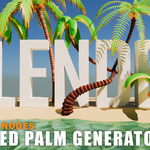

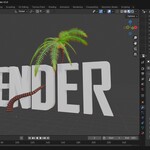

MGH_Palm Generator: Your Solution for Stylized Palm Trees in Blender
The MGH_Palm generator is a powerful and intuitive geometry node modifier designed to create a variety of stylized palm trees with ease directly inside Blender. This addon gives you full control over every aspect of your palm tree, from the trunk to the individual fronds and fruits.
Main Parameters
The generator is controlled through a user-friendly panel with expandable sections for the Trunk, Fruits, and Fronds.
Seed: A numerical value that generates a unique palm tree, allowing you to quickly create variations for your scenes.
Height: Sets the overall height of the palm tree trunk in meters.
Bend Degree & Direction X, Y, Z: These parameters allow you to bend the palm trunk along a specific axis, giving it a natural or stylized lean. The
Bend Degreecontrols the intensity of the bend, whileDirection X, Y, Zspecifies the direction.Custom Line: This checkbox allows you to define the shape of your palm tree's trunk using a custom curve object in your scene.
Trunk Parameters
The Trunk section provides detailed control over the main body of the palm tree.
Gones: Adjusts the number of individual "gones" or rings that make up the trunk's texture and structure.
Petiole Taper Factor: Controls the taper of the trunk units. A higher value will make the trunk thinner at the top.
Petiole Min/Max Scale: Sets the minimum and maximum size of the individual trunk units. This introduces variation and organic irregularity.
Petiole Subdivide: Increases the resolution of the trunk units, resulting in a smoother, more detailed trunk.
Radius: Sets the overall thickness of the palm trunk.
Curve Taper Factor: Controls the tapering of the entire trunk from bottom to top.
Shade Smooth: Applies smooth shading to the trunk mesh.
Material: Assigns a material to the trunk.
Fruits Parameters
This section allows you to add and customize fruits on your palm tree.
Count: Sets the number of fruit clusters on the palm tree.
Radius: Defines the radius of each individual fruit within a cluster.
Subdivisions: Increases the resolution of the fruit spheres, making them smoother.
Offset: Adjusts the distance of the fruit clusters from the trunk.
Rotate By X, Y, Z: Rotates the fruit clusters along the specified axes to achieve a natural-looking distribution.
Shade Smooth: Applies smooth shading to the fruit meshes.
Fruit Material: Assigns a material to the fruits.
Fronds Parameters
The Fronds section is the most comprehensive, giving you granular control over the palm's leaves.
Switch Type1/2: A toggle to switch between a single frond type (Type 1) or a combination of two frond types (Type 1 and a smaller, distinct Type 2).
Count: Sets the total number of fronds on the palm tree.
Position Shift: Shifts the fronds' position along the trunk, allowing you to move them up or down the crown.
Length Resolution: Controls the resolution of the frond's length, adding more detail and allowing for smoother bends.
Length: Sets the overall length of the main fronds.
Rand Min/Max Length: Introduces length variation to the fronds, creating a more natural and less uniform appearance.
Frond Resolution: Controls the resolution of the frond's width, impacting the density and smoothness of the leaves.
Frond Radius: Sets the thickness of the main frond stalks.
Type2 Count: (When Switch Type1/2 is active) Sets the number of smaller, secondary fronds.
Type2 Frond radius: Sets the thickness of the secondary frond stalks.
Type2 Frond Resolution: Controls the resolution of the secondary fronds.
Type2 Frond Length: Sets the overall length of the secondary fronds.
Type2 rand Min/Max length: Introduces length variation to the secondary fronds.
Type2 Frond gravity factor: Adjusts how much gravity affects the secondary fronds, making them droop more or less.
Curve factor: Controls the overall curvature of the fronds.
Middle elevation: Adjusts the "peak" or highest point of the frond's curve, influencing its overall shape.
Gravity Factor: Controls the effect of gravity on the main fronds, making them hang lower.
Stalk Material: Assigns a material to the frond stalks.
Frond Material: Assigns a material to the fronds (Type 1).
Type2 Material: Assigns a material to the secondary fronds (Type 2).
For Advanced Shading
The MGH_Palm generator exposes several named attributes in the geometry node graph to help you create complex and realistic materials. These can be accessed in your material editor for advanced shading control:
type2_factor: A factor that can be used to control shading specifically for the smaller, Type 2 fronds.Frond_Edges: A factor that defines the edges of the big fronds, useful for creating an aged or sun-bleached look.-
Petiole_factor: A factor that can be used to shade the individual trunk units (gones).
To append a Geometry Nodes tree in Blender, go to File > Append, select the Blender file containing the node setup, navigate to the NodeTree folder, choose the desired Geometry Nodes tree, and click Append. Then, select your object, add a Geometry Nodes modifier in the Modifiers tab, and assign the appended node tree from the dropdown menu.
