 DOHDEH




1. What is SUPERTABs?
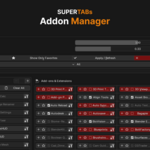
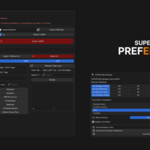
SUPERTABs is a Blender Add-on designed to declutter and organize the naturally messy N-Panel (sidebar) into a clean system of "Tabs" and "Sub-groups." It helps you access tools from various add-ons quickly without endless scrolling.
2. Does SUPERTABs support every add-on?
Generally, SUPERTABs is built to automatically "read" and organize the N-Panels of almost any add-on. If an add-on follows the standard Blender Python API for creating panels, SUPERTABs can manage it instantly.
3. Why are some panels missing in SUPERTABs?
This can happen for a few reasons:
- **Poll Selection**: Some panels only appear when a specific object type is selected (e.g., sculpting tools only show up when a Mesh is in Sculpt Mode).
- **Hard-coded Visibility**: Some add-ons have complex, custom visibility logic that might not be easily intercepted.
- **Custom UI**: If an add-on draws its own UI manually instead of using Blender's standard Panel system, it might not be detectable.
4. What does "Pinning" do?
Pinning allows you to lock frequently used panels so they stay visible even when you switch to a different Tab. This is perfect for maintaining a seamless workflow between different toolsets.
5. What happens if I "Reset UI"?
When you click Reset UI, SUPERTABs returns all panels to their original default positions (normal N-Panel categories). It does not delete or damage any data from other add-ons.
6. How do I get back an "Ejected" sub-group?
You can manage Ejected or Hidden sub-groups via the ⚠️ Pop-over menu in the SUPERTABs Manager or the main UI to bring them back into the management system.
7. Does SUPERTABs slow down Blender?
SUPERTABs works by managing visibility conditions (Polling) and does not perform heavy background processing. It has no significant impact on Blender's performance.
$22
Have questions about this product?
Login to message