 DOHDEH


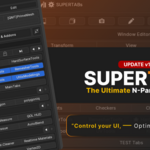


Take Control of Your
Blender N-Panel.
Turn a growing collection of add-ons into a workspace you can organize, customize, and navigate around the way you actually work.
Your N-Panel wasn't designed for your workflow.
Add-ons keep piling up. Tabs get scattered. Tools become harder to find. Eventually, your sidebar is no longer a workspace — it is just a list that keeps growing.
One workspace. Your way.
▶ Quick Overview — SUPERTABs

From a cluttered sidebar → to a streamlined workflow.
✕ Endless manual scrolling
✕ Fragmented workflows
✓ One-click access to essentials
✓ Predictable, logical layout
Build the sidebar you actually want.
SUPERTABs gives you control over the structure of your Blender N-Panel — then adds faster ways to access and manage the tools inside it.
Organize the N-Panel around your own hierarchy.
Build your own hierarchy for the N-Panel
Layer panels as deeply as your workflow needs
Rearrange tabs and give them clear icons
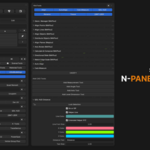
Bring scattered add-on panels into one place
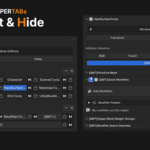
Tuck away panels you don't use
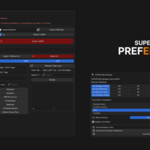
Save & share your layout as JSON
Your layout loads every time Blender starts

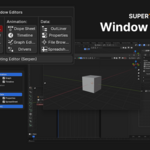
Keep the same organizational approach across the editors you use.
Custom panel groups & tabs in the viewport sidebar
Organized UV & image editing panels
Structured shader editor panels
Structured geometry node workspace panels
Structured texture node panels
Structured compositor panels

Spend less time navigating and more time using your tools.
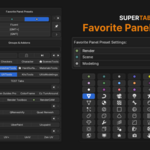
Save your most-used tools & keybindings
Open favorite tools from a pie menu
Left-click a tab to focus just that panel
Shift-click to stack related panels together


Keep frequently used viewport and editor operations close to your workflow.
Stats overlays, face orientation, viewport toggles, camera locks
UV stretch analysis, sync controls, packing & averaging
Node statistics, auto-arrange, socket cleanup
Resize, replace & bulk-save modified images


Remove interface noise and build specialized workspaces for the way you work.
Remove interface noise and unused panels
Build task-specific sidebars for each workflow
Consistent layouts on every machine
Apply your structure across all editors
Every setting can be saved to a .JSON file, so you never need to reconfigure when updating SUPERTABs or reinstalling Blender.

Manage your add-on environment alongside your workspace.
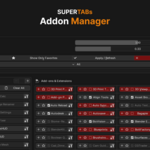
See and organize all your installed add-ons
Enable or disable add-ons in one click
Save add-on presets and mark favorites
Share or back up your setup as JSON
Instantly restore any saved configuration
Keep the same setup across computers


Works with your Blender setup.
Tested with Blender 4.2–5.2 and a wide range of production add-ons.
Compatibility can vary depending on how individual add-ons manage Blender's N-Panel.
Stable, non-destructive, reversible.
Blender 4.2–5.2
Clean, non-destructive design
Settings can be restored / removed
Pure Python
Built for Blender power users.
SUPERTABs is most useful when Blender's default sidebar has stopped keeping up with your workflow.
You juggle 10+ active add-ons and your N-Panel is a constant navigation bottleneck.
You want consistent workspace layouts across machines and production setups.
You invest in great tools and want a better way to organize the interface around them.
Make Blender work your way.
SUPERTABs does not participate in Superhive's Support Period system. Support and lifetime updates are free forever.