SwayRig: Skirt and Hair Bones With Weights for VRChat PhysBones
 Meshwright
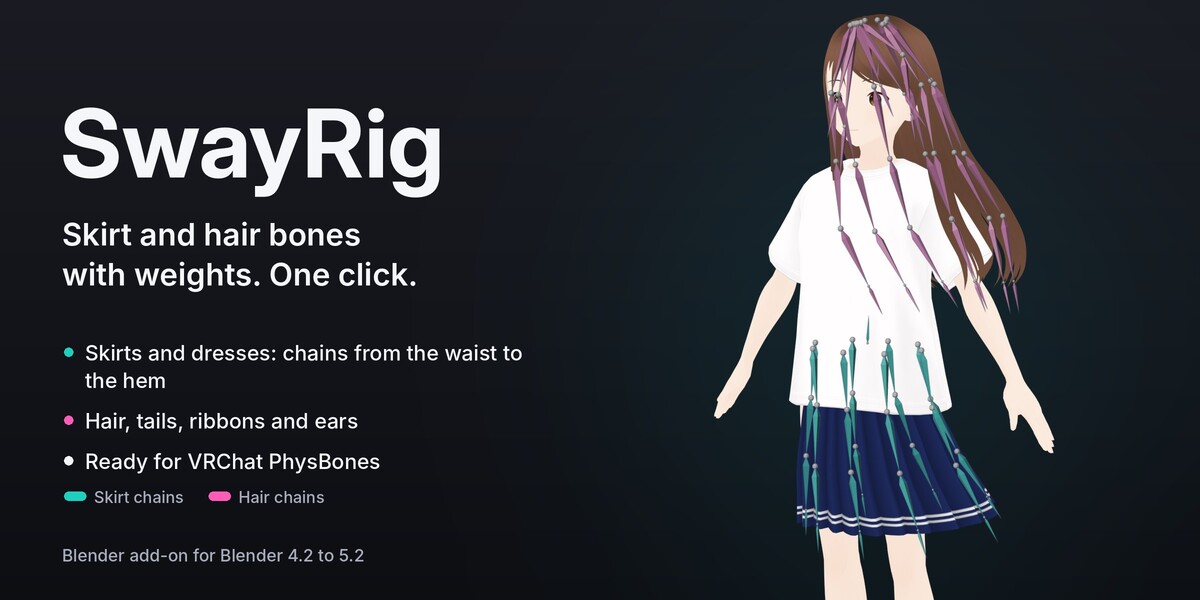
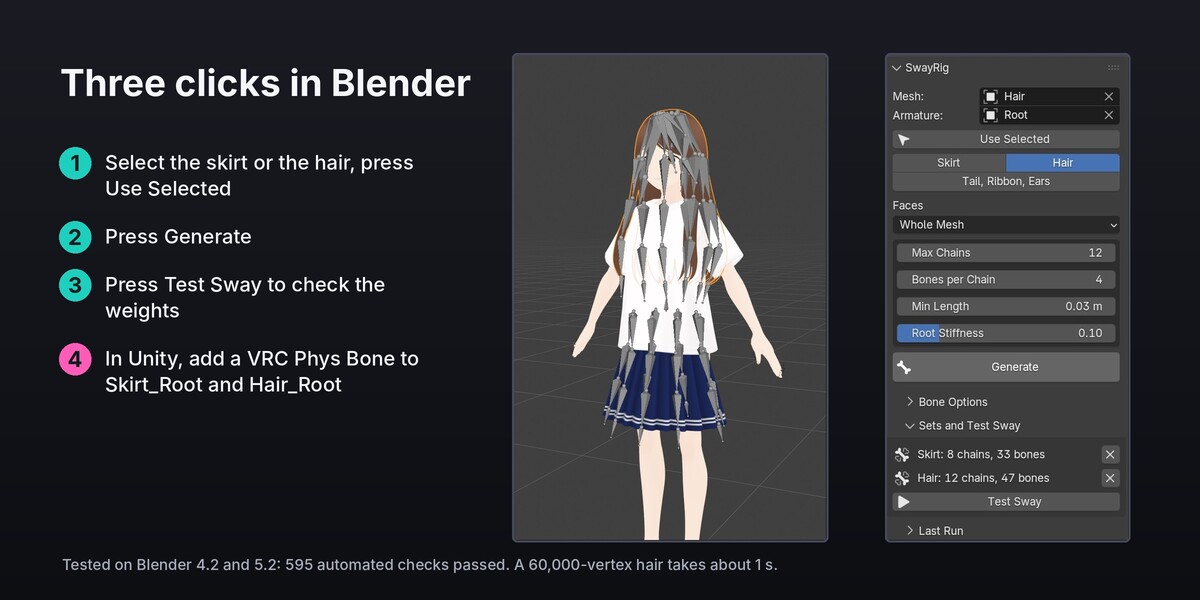


Blender add-on by Meshwright. Bone chains with weights for skirts, dresses, hair, tails, ribbons and ears, ready for VRChat PhysBones. One click adds the chains to your avatar's armature and weights the cloth or hair to them.
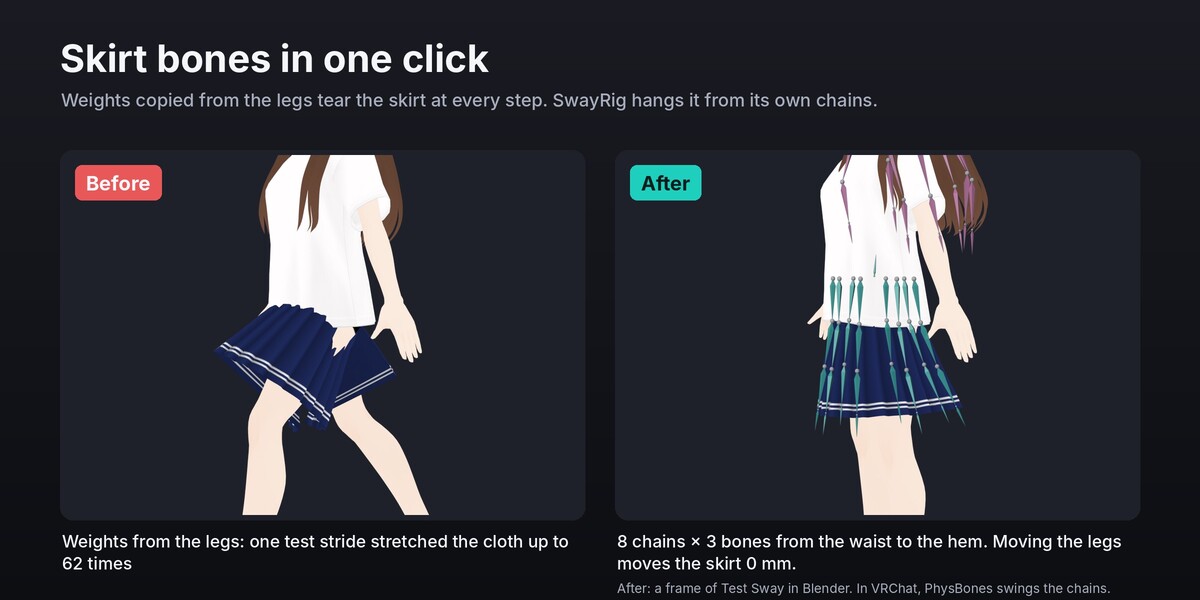
- Skirt: chains around the skirt from the waist to the hem (8 chains of 3 bones by default), mirrored left and right, under one root bone on the hips.
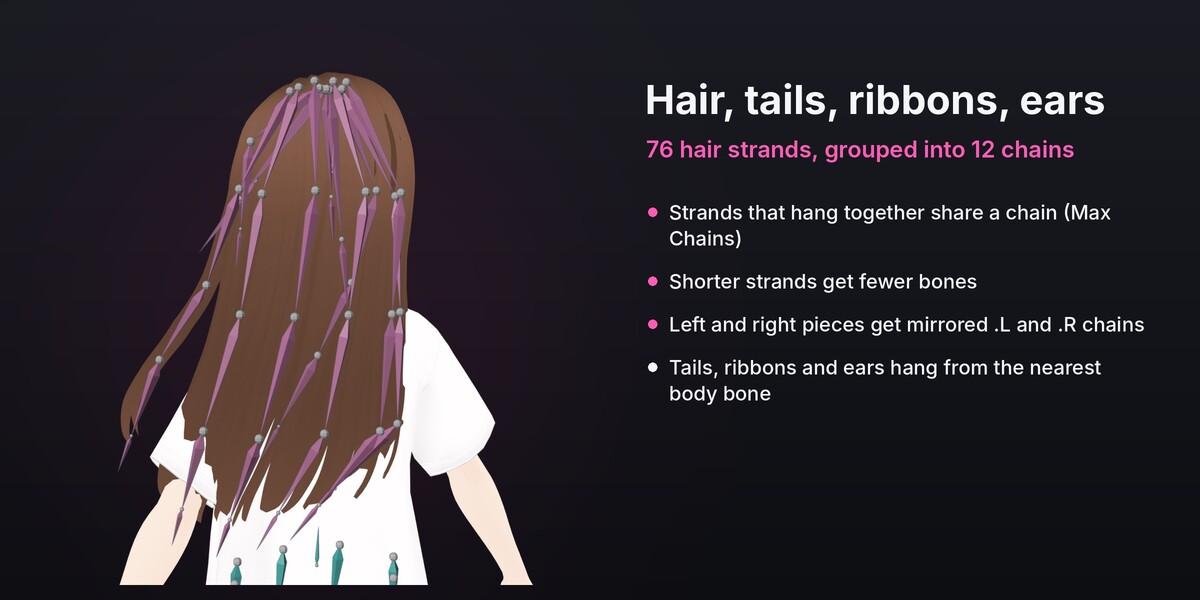
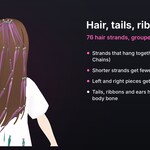
- Hair: one chain down every strand, from the scalp to the tip; strands that hang together share a chain (at most 12 chains by default), shorter strands get fewer bones.
- Tail, Ribbon, Ears: a chain from where each piece is attached to its tip, under the nearest body bone.
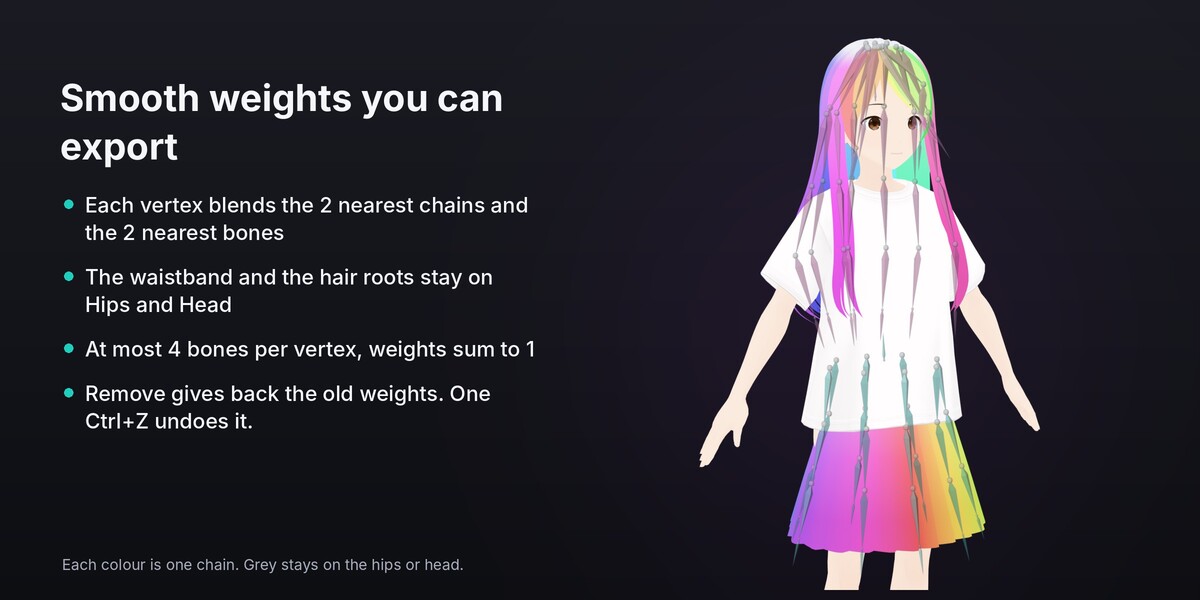
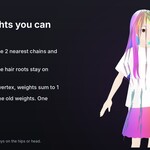
- Weights blend smoothly between neighbouring chains and bones, at most 4 bones per vertex, and the waistband and hair roots stay on the hips and head. Every other vertex keeps its weights. Remove gives back the old weights.
- Test Sway swings the chains in a 2-second loop, so you can check the weights before you export.
- English and Japanese interface. Blender 4.2 to 5.2. Pure Python, nothing else to install.
Install
- Download
swayrig-1.0.0.zip. Do not unzip it. - In Blender: Edit > Preferences > Get Extensions. Open the menu at the top right (the small arrow) and choose Install from Disk.
- Pick
swayrig-1.0.0.zipand press Install from Disk. SwayRig is enabled at once. - In the 3D Viewport press N to open the sidebar and click the SwayRig tab.
You can also drag swayrig-1.0.0.zip from your file browser onto the Blender window and confirm.
To update later, install the new zip the same way. To remove it: Preferences > Get Extensions, SwayRig, Uninstall.
Japanese interface: Edit > Preferences > Interface > Translation, Language 日本語, with Interface and Tooltips ticked.
Quick start
- Click the skirt (or the hair) in the viewport and press Use Selected. SwayRig fills in the mesh and finds the avatar's armature from the mesh's Armature modifier.
- Pick Skirt, Hair or Tail, Ribbon, Ears.
- Pick the faces: Whole Mesh, one Material (VRoid avatars keep their clothes inside the body mesh), or the Selected Faces of Edit Mode.
- Press Generate. The new bones are in the bone collection "SwayRig Skirt" (or Hair, Sway).
- Press Test Sway, then Play (Space), to see the chains swing. Press Stop when done.
- Export to FBX as usual (keep Add Leaf Bones off; SwayRig adds its own end bones).
- In Unity, add a VRC Phys Bone component to
Skirt_Root(and one toHair_Root). Add leg colliders to the skirt's PhysBone so it does not pass through the legs.
Settings
| Setting | Default | What it does |
|---|---|---|
| Chains (Skirt) | 8 | Chains around the skirt. An even number gives mirrored .L/.R chains. 3 to 32. |
| Bones per Chain (Skirt) | 3 | Bones from the waist to the hem. 1 to 10. |
| Start at the Waist | off | For dresses: only the cloth below the waist gets chains; the top keeps its weights. Waist Height moves the line. |
| Max Chains (Hair, Tail) | 12 / 8 | At most this many chains; strands that hang close together share one. |
| Bones per Chain (Hair, Tail) | 4 | Bones in the longest chain; shorter ones get fewer. |
| Min Length | 3 cm | Pieces shorter than this stay on the parent bone. |
| Root Stiffness | 0.10 | Part of the length, from the waist or root, that blends into the parent and does not sway. |
| Parent Bone | auto | Hips for skirts, Head for hair, the nearest body bone for the rest. |
| Set Name | auto | Bone names start with it (Skirt, Hair, Sway). Generate again with the same name to rebuild that set. |
| End Bones | on | An end bone at every chain tip, so PhysBones swings the last bone too. |
| Bones per Vertex | 4 | At most this many bones move a vertex (4 for VRChat and Unity). |
Bone names: Skirt_Root, Skirt_0_1 (front), Skirt_1_1.L / Skirt_1_1.R (mirrored pairs), Skirt_4_1 (back, with 8 chains), end bones Skirt_0_end. Hair: Hair_Root, Hair_01_1.L and so on.
Good to know
- SwayRig makes bones and weights. It does not run physics in Blender (Test Sway is a preview) and does not add the PhysBone component (that is done in Unity).
- Skirt mode is for cloth that hangs around the body. For an apron or a single panel, use Tail, Ribbon, Ears.
- Hair mode gives every separate piece of the mesh its own path. A hair made as one connected mass gets one chain: separate it into strands first (Edit Mode, select a strand, P, Selection), or run SwayRig on Selected Faces part by part. Caps that wrap around the head stay on the head. A wide single piece (all the bangs in one piece) gets one chain.
- The parent bone is found by name (VRoid, VRM, Unity humanoid, Cats, Mixamo and other common rigs). If it is not found, pick the Parent Bone.
- Apply a Mirror modifier first. Shape keys are kept. One Ctrl+Z undoes Generate.
- The panel is in English and Japanese; the Last Run report is in English.
Support
[email protected]. Updates for 12 months.
License
GPL-3.0-or-later (see LICENSE). Copyright 2026 Meshwright.
Have questions about this product?
Login to message
| Blender Extension Compatible | Yes |
| Published | 2 days ago |
| Blender Version | 4.2 - 5.2 |
| Extension Type | Add-on |
| License | GPL |
