 Whimsy Tools




The tools you need, right at your finger tips.
Blender’s operator pool is deep. And once you’re past the learning curve, that depth becomes the annoyance. Six menus deep or seven operations stacked just to do one thing? Reviving the first addon I made, SweetButtons 2.0 cuts through all the menu drilling to put your most-used tools one click away.
Key Features


Full Feature Set
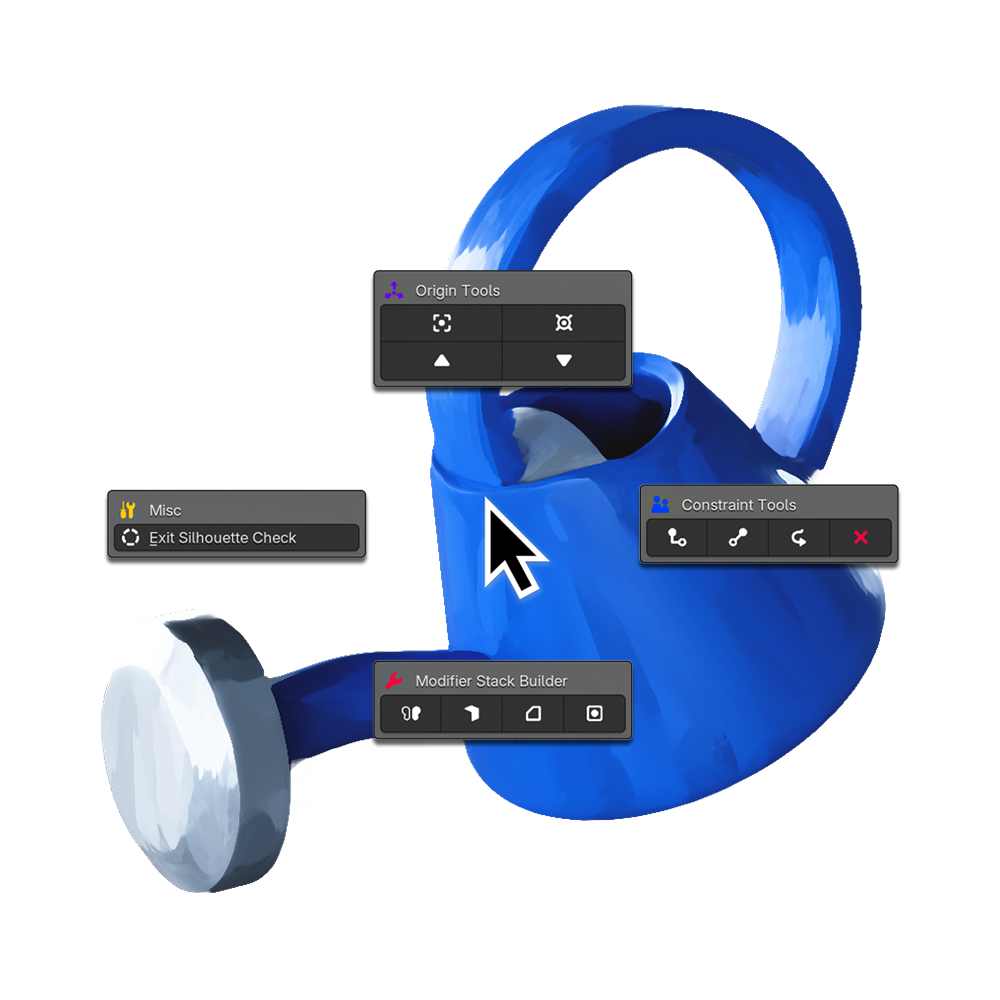
A list of the major tools included in your tool box. Watch the video or read the documentation for ALL the tiny operators and how they work.
Controllers
- Create Controller at Object Origin
- Create Controller at Bottom of Object
Hierarchy Management
- Duplicate with Children
- Select with Children
- Delete with Children
Constraints
- Quick-Apply Constraints in Radial Menu
- Add Child Of Constraint
- Add Damped Track Constraint
- Add Follow Path Constraint
- Clear All Constraints From Selected
Origin Tools
- Quickly Change Origin in Radial Menu
- Set Origin to Geo
- Set Origin to 3D Cursor
- Set Origin to Top of Selection
- Set Origin to Bottom of Selection
Modifier Stack
- Add Modifiers in Radial Menu
- Add Mirror Modifier
- Set Axis
- Select Target to Mirror Across
- Add Solidify Modifier
- Add Bevel Modifier
- Add Subdiv Modifier
- Build Smart Stack
Misc
- Check Silhouette with Radial Menu
- Change Passepartout Opacity
- Toggle Render Alert Sound
- Toggle Silhouette Checker
