FILES TOOLS Module
Tools that facilitate working with multiple text blocks and loaded files.

Description of functions:
| LOAD FILES |
load multiple files at once
Option: “unlinked” - allow load files as internal
|
| SAVE ALL LINKED |
Save changes in all external text blocks |
| RELOAD |
for conflicted files: if some files have difference between internal data blocks & files on storage, function will reload files from disk |
| SAVE |
for conflicting files: if some files have a difference between the internal data blocks and the files in the storage, the function will save to the conflicting files. |
| MAKE INTERNAL |
for conflicting files: if some files have a difference between internal data blocks and files in the storage, then the function will break the connections, only for files with a conflict. |
| add .py |
add to name of python scripts, extension “py” |
| add .txt |
add to name of other text blocks, extension “txt” |
| GROUP EXPORT |
export all text data blocks to disk in define folder.
Have options:
- save only .py
- save only .txt
- link/unlink
|
|
TEXT OPERATORS Module
Enables various text transformations

Description of functions:
| ABC |
All to high register |
| Abc |
make title register |
| abc <> ABC |
register inversion |
| aa-bb <> aa bb |
kebab style |
| a b → a b |
live only one space |
| ABC > A_B_C |
”_” between char |
| AbCd > Ab_Cd |
add underscore in front of high reg |
| ab cd <> ab_cd |
shake & inverse |
| “” |
includ selection to symbols (+Ctrl) |
| () |
includ selection to symbols (+Ctrl) |
| [] |
includ selection to symbols (+Ctrl) |
| {} |
includ selection to symbols (+Ctrl) |
|
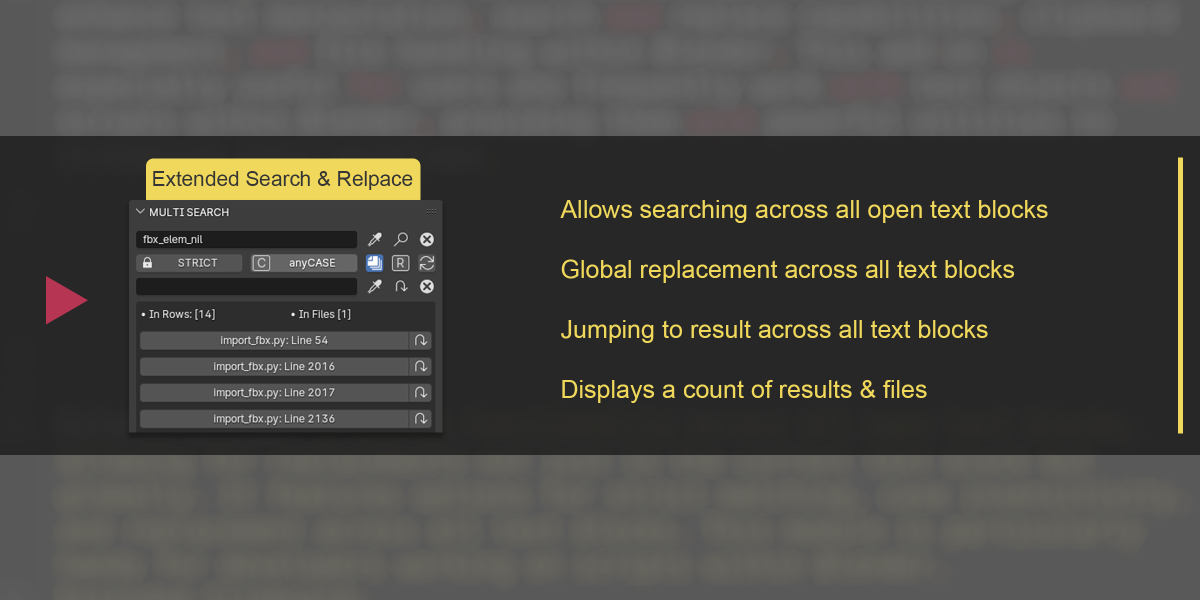
MULTI SEARCH-REPLACE Module
An advanced tool for searching and replacing text across all text blocks.

Description of functions:
| STRICT |
Strict search. If activated, the search term cannot be part of another word. However, it can be enclosed in special characters. |
| anyCASE |
If activated, it finds all values regardless of their case. |
| Anywhere |
If activated, the search is conducted across all text blocks. |
| R |
Replace Anywhere. If active, replacements occur across all text blocks. |
| SWAP |
Swaps the values in the search and replace fields. |
|
EXTENDED CLIPBOARD Module
A multi-functional “clipboard” equipped with a range of powerful tools for saving, manipulating, transferring, and sharing text blocks.

Description of functions:
| Load Clipboard file |
load JSON clipboard file |
| Create Clipboard |
Create new clipboard file |
| Rename |
rename loaded file |
| Clearing the input field \ Unloading the clipboard file |
Upload file and clear field |
| Get New Key Name |
place the selected text in the key name input field |
| Add To Clipboard |
Adding a value to the clipboard. Has options:
- If a name (identifier) is specified, it is assigned to the selected text block, which is saved to the clipboard;
- If the identifier is not specified, then the text block is assigned a default identifier: n_cb, where n is an increment, cb is abbreviated as clipboard;
- If the identifier already exists in the list of keys, you will be prompted to overwrite its data with new ones;
- If you hold down Ctrl, a postfix increment will be added to the identifier;
- If you hold down Shift, then the time and date will be added to the identifier as a postfix, in the format hm_dmy (HourMinutes_DayMonthYear);
|
| Sort Clipboard Keys |
Sort clipboard by key ID |
| Clear Field |
Clearing the ID input field |
| Blocks in Clipboard |
displaying data on the number of results and text blocks found on the clipboard (number of identifiers). Displayed only when search results are shown. |
| Insert Text by Key |
A button displaying the identifier of the saved text block. Clicking the button inserts a text block. The inserted text is automatically highlighted.
The button also displays statistics on the number of words (meaning sets of characters separated by a space) in the text block that is assigned to the identifier
|
| Rename Clipboard Key |
renaming the id/key of a text block from the clipboard |
| Remove Key & Value |
deleting the identifier and its data from the clipboard. |
| CLEAR ALL |
Full cleanup |
| Toggle Key and Value Removal Confirmation |
If active, then keys from the list can be deleted without warning about deletion (for a faster process) |
|
 Creative Skipper



 Included