 CStudio.ao
TEXTURE PAINTING / SMART MATERIALS / PBR WORKFLOW
Create surfaces worth
looking closer at.
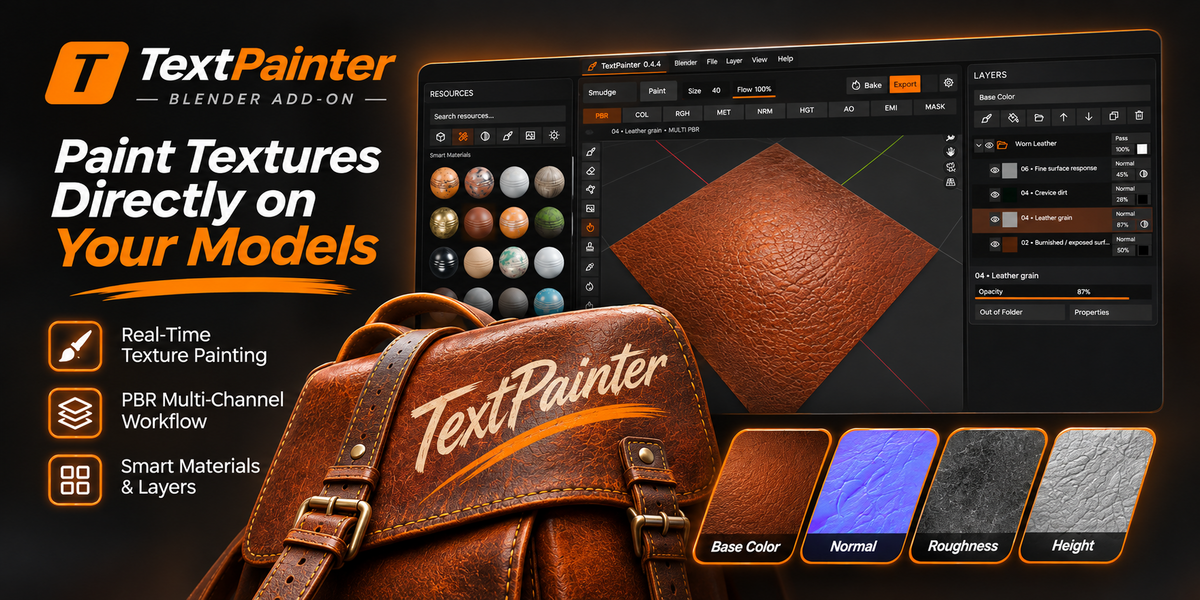
Meet TextPainter — a focused texture-painting environment for Blender, bringing painting tools, a smart material shelf, PBR channels, and layered controls into one workspace.
PAINT • SMUDGE • MATERIALS • LAYERS • BAKE & EXPORT
Promotional artwork. See the actual add-on interface below for a closer look at the current workspace.
BUILT FOR TEXTURE ARTISTS
A dedicated place to build better materials.
No disconnected panels. No endless tab switching. TextPainter puts the resources, painting viewport, texture preview, layers and material properties into a cohesive working layout.
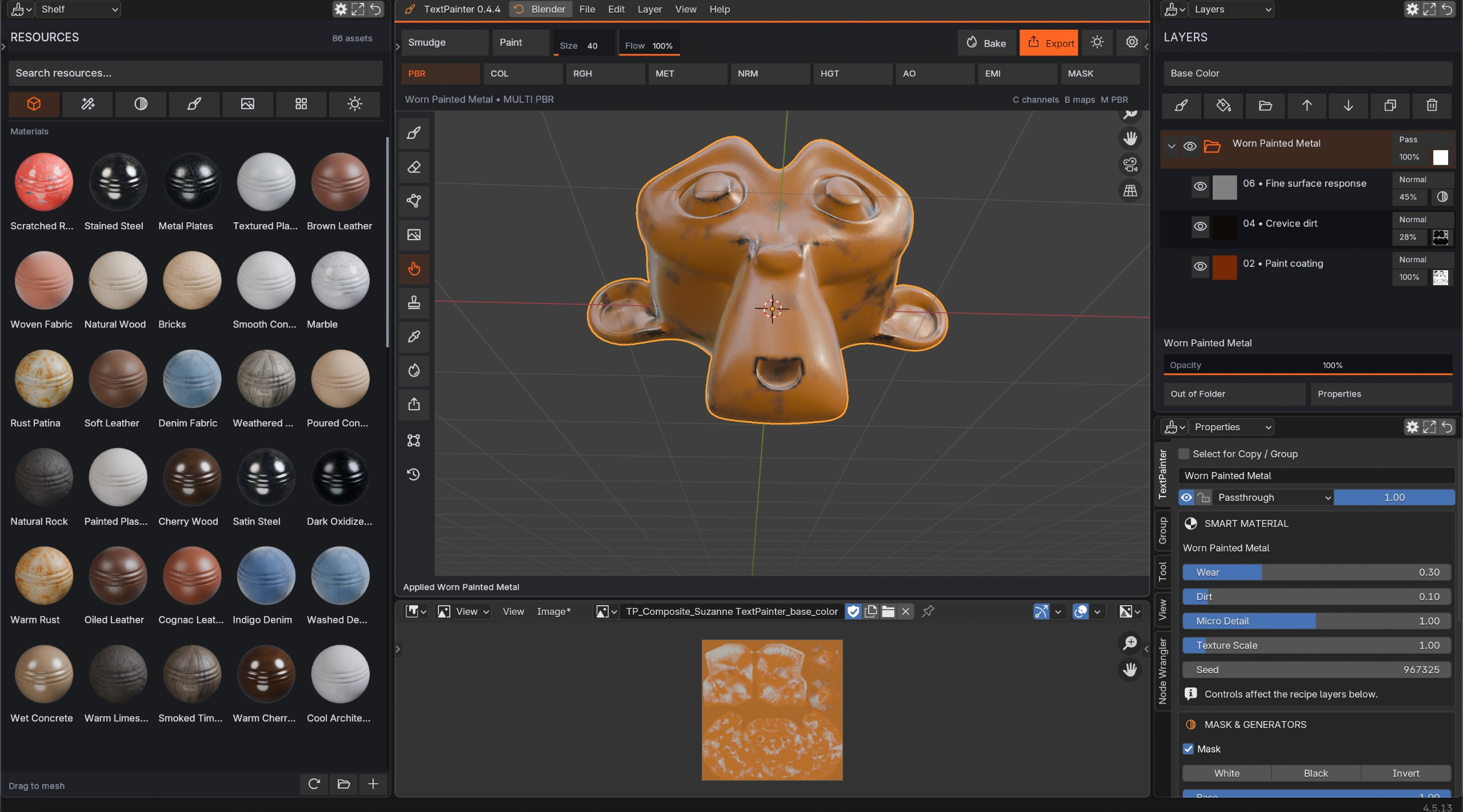
Actual interface capture: TextPainter 0.4.4
01 / SMART MATERIALS
Start with character. Make it yours.
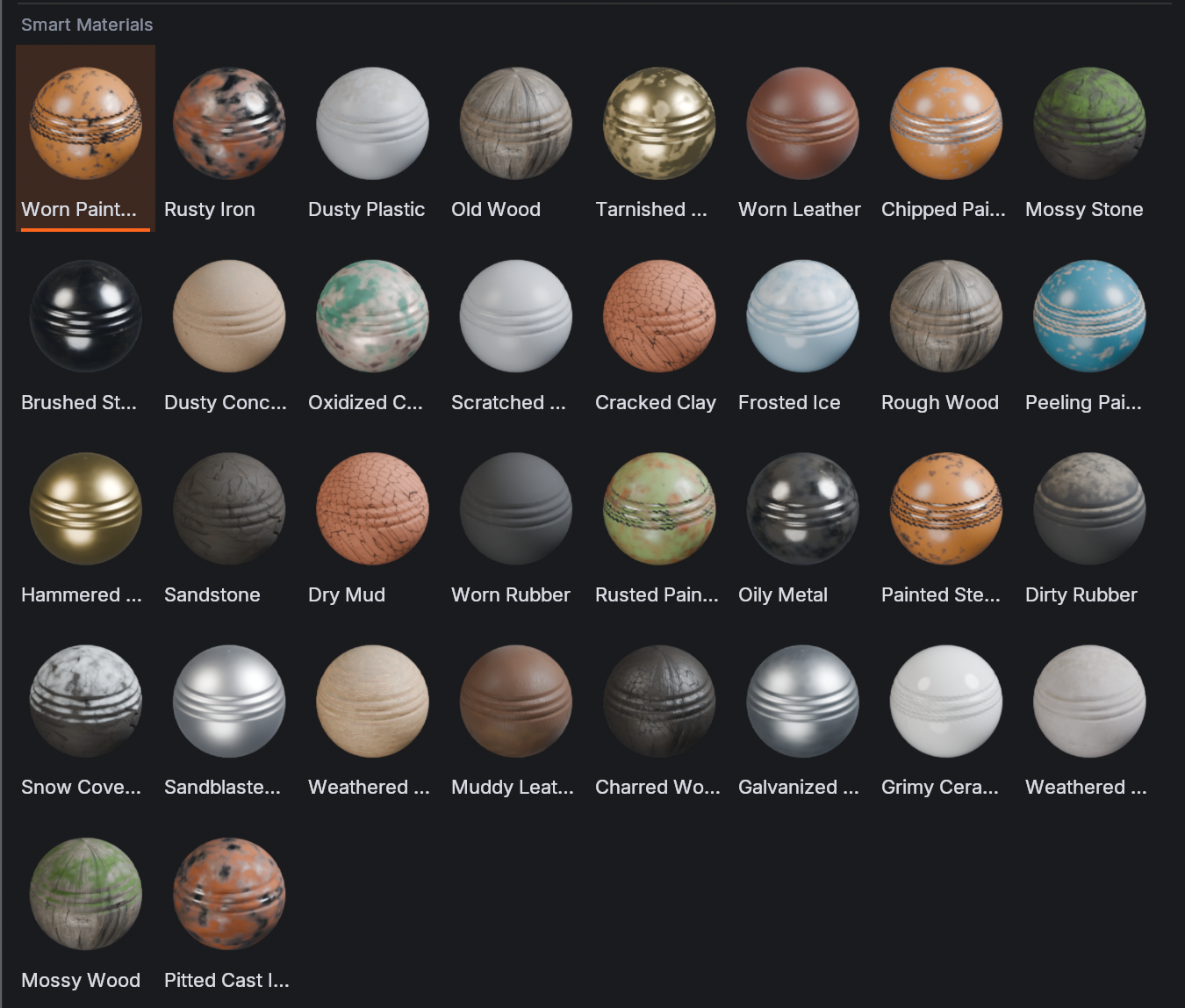
Explore a visual collection of smart materials. Create worn leather, aged metals, chipped painted finishes, weathered stone, and other compelling surfaces, then refine individual contributions through the available controls.

Screenshot-based visual — TextPainter resources and textured 3D preview.
02 / LAYER WORKFLOW
Complex surfaces. Clear structure.
Develop textures in passes instead of committing every change at once. Organize your work using layers and groups, then tune opacity, blending and individual material channels from the dedicated layer panel.

Screenshot-based visual — actual layer stack and material properties.
03 / PBR CHANNELS
Texture beyond base color.
The TextPainter workspace exposes a set of PBR-oriented controls, including Base Color, Roughness, Metallic, Normal, Height, Ambient Occlusion, Emission and mask-oriented options. Move from simple color to more expressive surface response.

Screenshot-based visual — actual channel controls and 3D workspace.
04 / BRUSH & SURFACE TOOLS
Get hands-on with every detail.
Paint and smudge tools are immediately accessible in the workspace, with brush size and flow controls. The material properties panel also exposes procedural pattern settings such as scale, seed and projection to help tailor surface detail.
Fine control, one workspace. Painting tools, material channels and procedural detail settings stay close to the surface you are creating.
THE TEXT PAINTER TOOLKIT
Everything working together.
|
01 Paint & Smudge Direct brush tools |
02 Smart Materials Visual resource library |
|
03 PBR Channels Multichannel controls |
04 Layer Stack Groups and adjustments |
|
05 Procedural Detail Patterns and parameters |
06 Bake & Export Output actions in workspace |
A SIMPLE CREATIVE PROCESS
From blank surface to rich material.
- Open TextPainter and select the mesh you want to work on.
- Prepare the mesh and textures as required by your workflow, including UVs where necessary.
- Choose a material or paint with the available tools.
- Develop details using layers, channel settings and procedural parameters.
- Review the result in the viewport and access Bake / Export when ready.
Steps describe the visible workflow. Check the product documentation for version-specific setup and output details.
BEFORE YOU BUY
Made for the way texture artists work.
TextPainter is aimed at Blender users who want one focused place to build and refine surface materials: environment artists, look-development artists, asset creators, game artists, and independent 3D creators.
| Software | Blender (see the compatibility field above) |
| Current UI shown | TextPainter 0.4.4 |
| Workflow | PBR textures, materials, layers, paint tools |
| Platform & exports | See tested system support and output options in the documentation |
GETTING STARTED
Your first TextPainter session.
- Download the package supplied with your purchase.
- Install or enable the add-on using the instructions provided for its package format and Blender version.
- Open the TextPainter workspace.
- Select a suitable object, prepare any required UVs, and explore the Resources shelf.
- Use painting tools and the Layers and Properties panels to adjust your material.
- Save your project, and use the Bake / Export controls as appropriate for your setup.
This is a quick overview, not a substitute for the full installation and usage documentation required on the product's Documentation tab.
FREQUENTLY ASKED QUESTIONS
A few things worth knowing.
Is TextPainter a standalone application?
No. TextPainter is a Blender add-on with its own focused workspace.
Can I work with more than color?
The interface includes controls for multiple PBR-related channels, in addition to the base color workflow.
Does it include a material library?
The Resources shelf displays a collection of smart material presets, including weathered, painted and leather-inspired surfaces.
Where do I find compatibility and supported exports?
Check the current version information and product Documentation before purchasing; available output details can vary by release.
TEXTURE MORE. CREATE MORE.
Give every surface a story.
Your brushes, materials, layers and PBR controls — together in TextPainter.

