Texture Randomizer
 Domenas


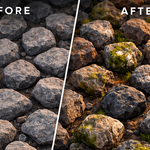
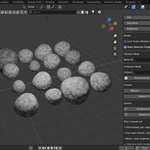
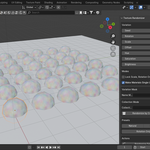
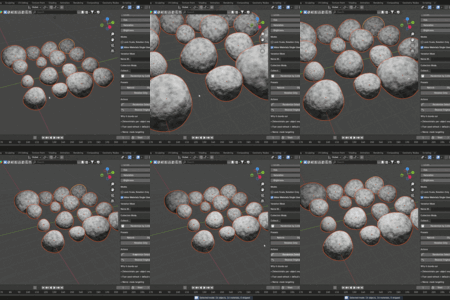
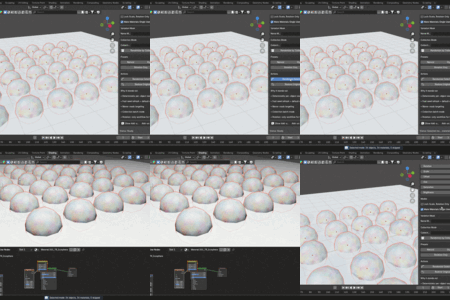
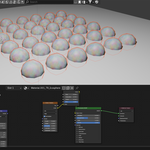
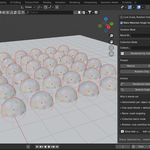
Texture Randomizer is a lightweight Blender addon designed to quickly break repeating textures by adding controlled random variation.
The addon automatically adds variation to texture rotation, scale, offset, and color, helping to create more natural and less repetitive materials.
Installation
-
Open Blender
-
Go to Edit → Preferences → Add-ons
-
Click Install
-
Select the downloaded ZIP file
-
Enable Texture Randomizer in the addon list
Basic Usage
-
Select one or multiple objects in the scene
-
Open the Texture Randomizer panel
-
Choose the variation settings you want to apply
-
Apply randomization to the selected objects
The addon will automatically adjust the texture parameters to create variation between objects.
Supported Randomization
Texture Randomizer can apply the following variations:
• Texture rotation
• Texture scale
• Texture offset
• Hue variation
• Saturation variation
• Brightness variation
These variations help prevent visible tiling patterns in materials.
Typical Use Cases
Texture Randomizer is useful in scenes where many objects share the same material, such as:
• environments
• architectural scenes
• scattered objects
• tiled surfaces
• large repeating textures
Adding subtle variation improves realism and reduces visible repetition.
Compatibility
Tested with Blender 3.x and newer.
Compatible with:
• Cycles
• Eevee
Have questions about this product?
Login to message
| Published | 7 months ago |
| Blender Version | 3.0 - 4.5 |
| Extension Type | N/A |
| Render Engine Used | Cycles, Eevee |
| License | GPL |

Discover more products like this
material random random texture repeating textures material variation Texture variation Blender Workflow texture randomizer uv randomizer blender materials blender addon