 GabrielMoro


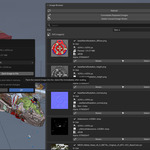
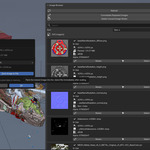
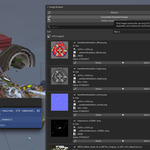
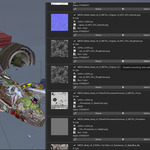
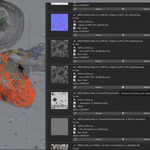
UPDATE: Replace Images straight from the add-on tab. Click on the folder icon and select the new texture. It will replace all of the instances... instantly!
UPDATE: Open Explorer / Finder directly from the add-on tab. Simply click the folder icon or the texture name and you're there.
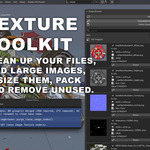
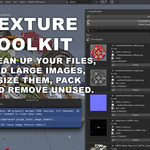
This add-on gives you full control over the images inside your Blender file.
Instead of digging through the Outliner or guessing which textures are safe to remove, you get a browser that shows every image, its size, usage status, and which objects depend on it. Built for cleaning scenes, reducing file size, and managing textures faster.
Main Features:
Select all objects that have the image that is listed. SELECT OBJECTS THAT HAVE THE TEXTURE IN USE.
MERGE DUPLICATE images, like image.jpg.001 and image.jpg.002 > image.jpg
RESIZE AND REDUCE image sizes inside the addon tab, repack them automatically to your file.
Whether you are prepping a scene for rendering or cleaning up an imported asset, this tool gives you the power to manage every image data-block without ever leaving the viewport.
All Features:
Select Objects by Texture: One click to select every object in your scene that uses the listed image in its materials or Geometry Nodes.
-
Merge & Fix Duplicates: Automatically find images named image.jpg.001 / .002 etc, merge to the original and delete the copies.
Resize & Downscale: Scale down 4K/8K textures by percentage or custom pixels directly in the sidebar to optimize file size.
-
Auto-Pack: Instantly embed images into your .blend file, with an option to auto-pack immediately after resizing.
Deep Node Purge: Scan your project to find and delete Image Texture nodes that aren't plugged into anything.
Visual Browser: Sort your images by file size or name to find the heaviest textures instantly. See thumbnails, paths, and memory usage at a glance.
Location: 3D View > Sidebar > TexToolkit
IMPORTANT :)
-
Save your file: Always save your .blend before doing a major cleanup.
Loading time: If your scene is very heavy, wait a few seconds after clicking the Images tab for the browser to load all data.