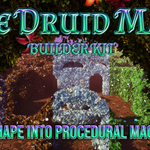
The Druid Maze Builder Kit
 Da_Drood's Grove


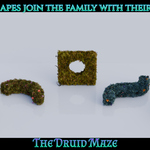
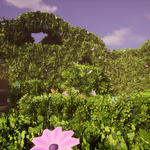
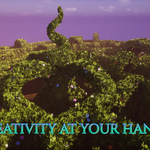
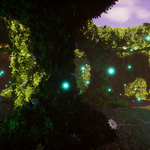
📖 The Druid Maze Builder Kit - Documentation
1. Installation & Setup (Asset Browser)
To use the kit seamlessly within Blender, add it to your official Asset Browser:
- Download the
.blendfile provided in your purchase. - Save the file in a dedicated folder on your computer (e.g.,
Documents/Blender_Assets/). - Open Blender and go to Edit > Preferences > File Paths.
- Scroll down to Asset Libraries, click the + (Add) button, name it The Druid Maze, and select the folder where you saved the file.
- Save your preferences. Now, open your Asset Browser editor in any project, select The Druid Maze from the dropdown, and start dragging and dropping!
2. How to Use the Procedural Maze Generator
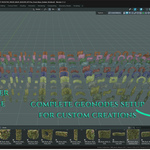
The kit includes a custom Geometry Nodes setup to build procedural labyrinths instantly:
- Drag the main maze generator asset from the Asset Browser into your scene.
- Go to the Modifier Properties tab (wrench icon) on the right sidebar.
- Tweak the exposed parameters to customize your layout: change the scattered collections, color tints, size, rotation, seeds, etc.
- Drop your preferred modular meshes into the designated collection slots within the modifier to change the theme of your maze.
3. Important Performance Note (Read Before Using)
⚠️ Viewport Optimization:
Because the foliage and hedge meshes feature high-density cards for maximum visual quality (ranging from 1k up to 60k+ polygons), filling your viewport with massive maze meshes while the Geometry Nodes modifier is active can impact system performance.
Because the foliage and hedge meshes feature high-density cards for maximum visual quality (ranging from 1k up to 60k+ polygons), filling your viewport with massive maze meshes while the Geometry Nodes modifier is active can impact system performance.
- Pro-Tip: We highly recommend working inside the Solid Viewport Shading mode while building or expanding large labyrinths. Switch to Material Preview or Rendered Mode only when you are ready to check final materials or launch your render, depending on your hardware specifications.
4. Unreal Engine 5.5 Project & Customization
The kit includes a fully configured, native Unreal Engine 5.5 project containing all assets converted into high-quality Static Meshes.
-
Project Setup & Maps: Simply open the provided project file or migrate the content folder directly into your existing Unreal Engine project. Inside the Maps folder, you will find two pre-configured scenes:
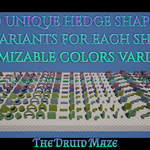
- Showcase Map: A complete layout displaying all 300+ Static Meshes side-by-side in the viewport for quick browsing and selection.
- Demo Maze Map: A fully assembled, ready-to-use playable labyrinth environment that showcases the assets in action and provides an immediate starting point for your project.
- Nanite Virtualized Geometry: Since the high-density hedge and foliage meshes can reach high polygon counts (up to 60k+), all static meshes are Nanite already. Ensure Nanite is enabled on the meshes to handle the geometry flawlessly without tanking your framerate.
-
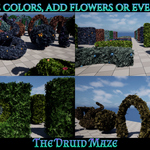
Advanced Material Customization: All assets utilize a flexible Master Material setup. Through Material Instances, you can easily tweak parameters in real-time without recompiling shaders. You can independently customize:
- Foliage: Color tint, normal map intensity, and roughness and easy wind effect.
- Base Textures: Seamless tiling, colors, normal intensity, etc.
- Scattered Assets (Flowers, Roots): Independent color controls and blending to match your scene's specific mood or season.
- Collisions: Pre-configured for immediate use. Players will interact correctly with the labyrinth walls right out of the box.
5. Community Updates & Feedback
This kit is a living ecosystem designed to grow with your support. Every 10 positive reviews on the marketplace will unlock a brand-new, major free content expansion (new themes, shapes, and materials) for all users!
- If you have ideas, feedback, or want to influence future updates, feel free to connect on my social channels like YouTube or Patreon or via my Website.
$19.99
Have questions about this product?
Login to message
| Dev Fund Contributor | |
| Published | 3 months ago |
| Blender Version | 5.1 |
| Render Engine Used | Blender-Internal, Cycles, Eevee |
| Misc Data | Uvs-Unwrapped, Low-High-Resolution, Normal-Mapped, Textured |
| License | Royalty Free |
Discover more products like this
maze fantasy foliage geometry nodes 3d assets procedural #nature asset-browser stylized modular labyrinth high detail